Google Tasks logoGoogle Tasks
Apple Reminders logoApple Reminders

Google Tasks vs Apple Reminders

Google Tasks vs Apple Reminders: 무엇을 사용해야 할까요?

Apple Reminders는 Siri 및 iCloud와 깊게 통합되어 있습니다. Google Tasks는 Google이 있는 곳이라면 어디서나 작동합니다. 두 서비스를 비교하고 TasksBoard가 어떻게 혼합 기기 팀을 위해 Google Tasks를 활용하게 하는지 확인하세요.

200만 명 이상의 사용자가 선택했습니다. 무료로 시작하세요.


Google Tasks vs Apple Reminders: 기능 비교

Feature
Google Tasks logo Google Tasks
Apple Reminders logo Apple Reminders
크로스 플랫폼 지원 (Windows, Android, 웹) Google Tasks 도움말
Gmail 및 Google Calendar 연동 Google Workspace Tasks
Siri 음성 입력 Apple Siri + Google Assistant 기본 Siri
칸반 보드 뷰 TasksBoard + Apple 열 보기 TasksBoard를 통해 지원 열 보기
팀 공유 TasksBoard + Apple 공유 TasksBoard를 통해 지원
위치 기반 알림 Google + Apple 위치 문서
하위 작업 Google + Apple 하위 작업 문서
반복 작업 Google Calendar 반복 작업
Apple 기기 없이 사용 가능 Google Play + App Store
클라우드 공유 Google Tasks + Apple 클라우드 공유 Apple 클라우드 전용

기능별 비교

Google Tasks와 Apple Reminders가 실제로는 어떻게 다른지 확인해 보세요. 위 비교 표에 있는 각 기능의 스크린샷이 포함되어 있습니다.

Google Tasks 5 Apple Reminders 2 무승부 3

크로스 플랫폼 액세스

승자: Google Tasks

Google Tasks는 모든 브라우저에서 실행되며 Android 및 iOS용 기본 앱이 있습니다. Google Workspace는 데스크톱의 Gmail, Calendar, Drive, Docs 및 Chat 내에서도 작업을 표시합니다.

Apple Reminders는 iPhone, iPad, Mac 및 Apple Watch용으로 제작되었습니다. Android 또는 Windows 앱은 없습니다. iCloud.com에서 제한적인 브라우저 액세스가 가능하지만 전체 환경은 Apple 기기에 묶여 있습니다.

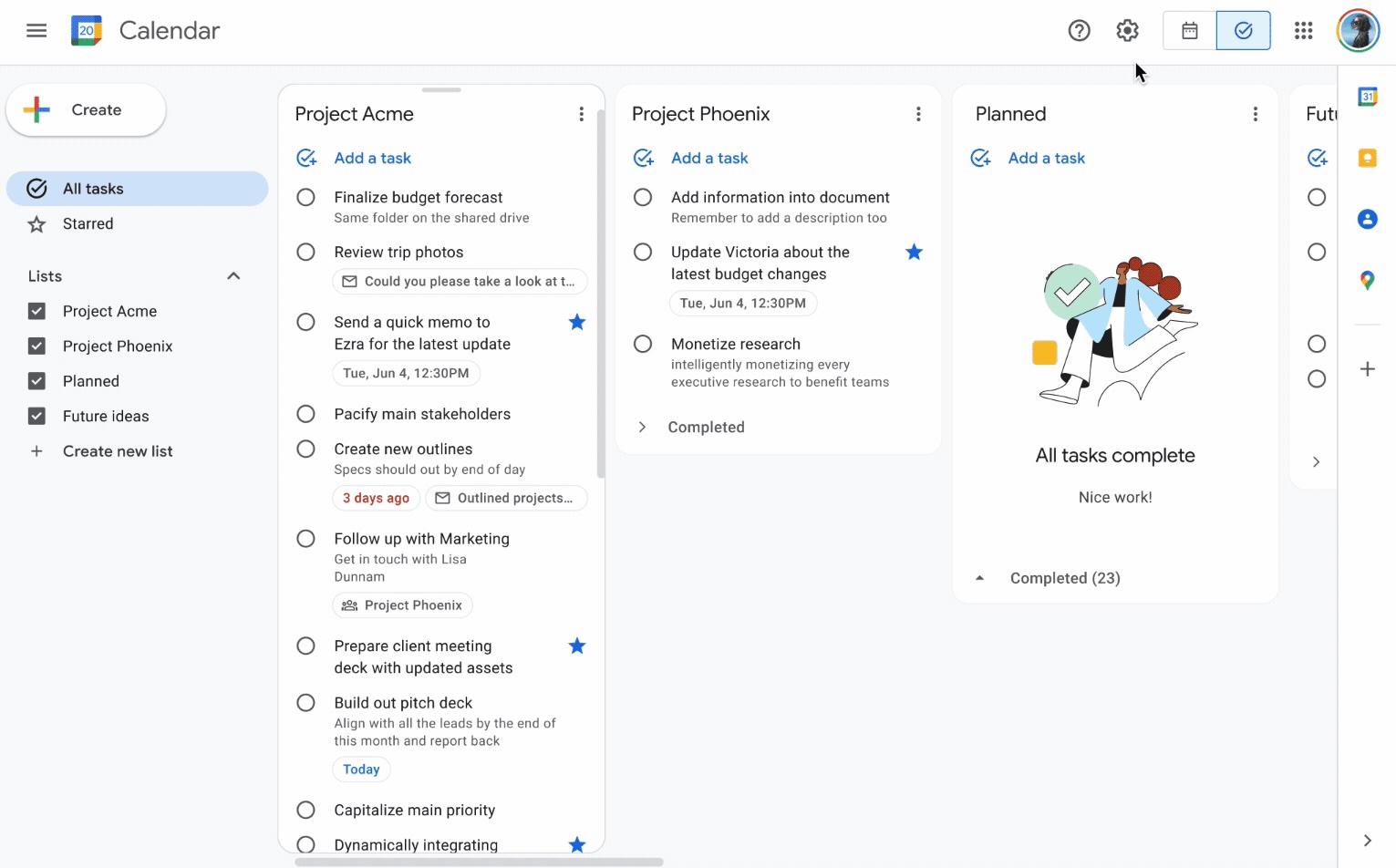
Google Tasks 승자
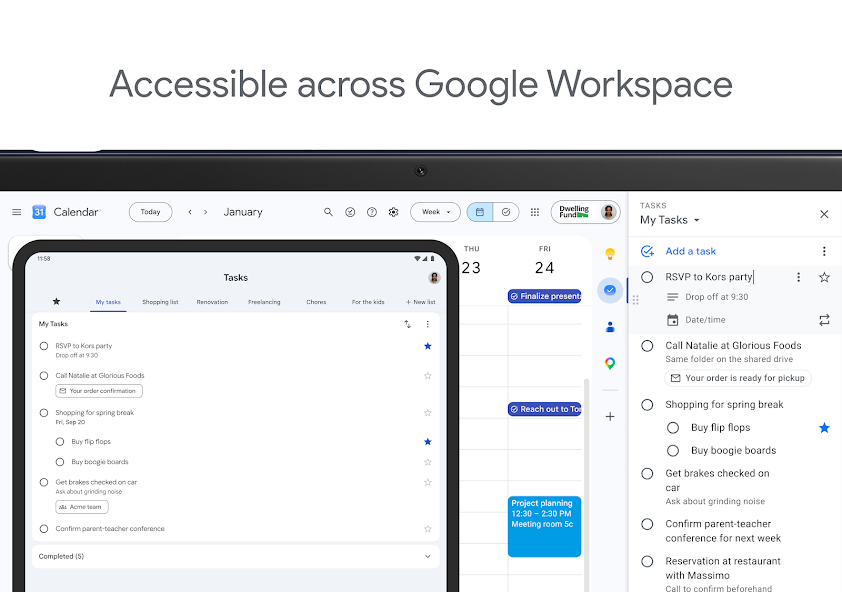
Google Workspace 전반의 데스크톱 및 태블릿 액세스를 보여주는 공식 Google Tasks 스크린샷
웹, Android, iOS 및 데스크톱, 하나의 Google 계정.
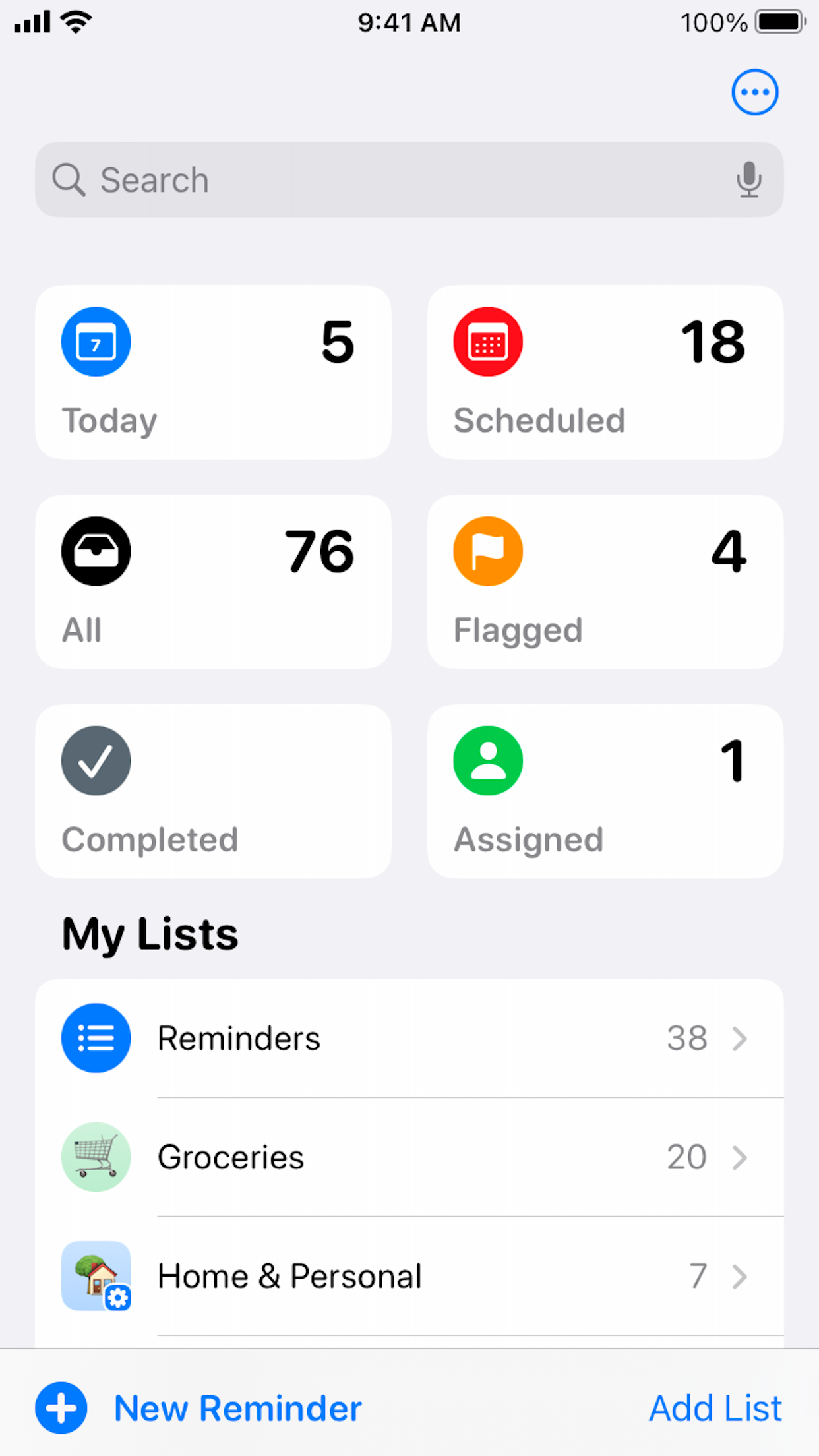
Apple Reminders
iPhone 목록 홈 화면의 공식 Apple Reminders App Store 스크린샷
Apple 기기의 기본 앱; iCloud.com을 통한 제한된 웹 액세스.

승자: Google Tasks

Google Tasks는 웹, Android, iOS 및 Google Workspace에서 실행되므로 Apple 기기가 필수가 아닙니다.

Gmail 및 Google Calendar 통합

승자: Google Tasks

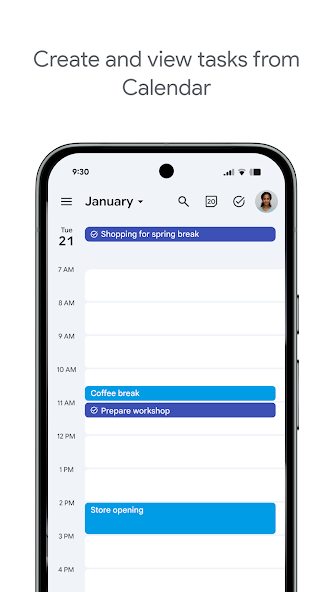
Google Tasks는 Gmail, Google Calendar 및 Google Workspace 내에 존재합니다. 이메일을 작업으로 전환하고, 달력에서 마감일을 확인하고, 앱을 전환하지 않고도 업무를 관리하세요.

Apple Reminders는 Apple 기기에서만 Mail 및 Calendar와 통합됩니다. Gmail이나 Google Calendar와 연결되지 않아 Google Workspace 팀의 워크플로우가 끊깁니다.

Google Tasks 승자
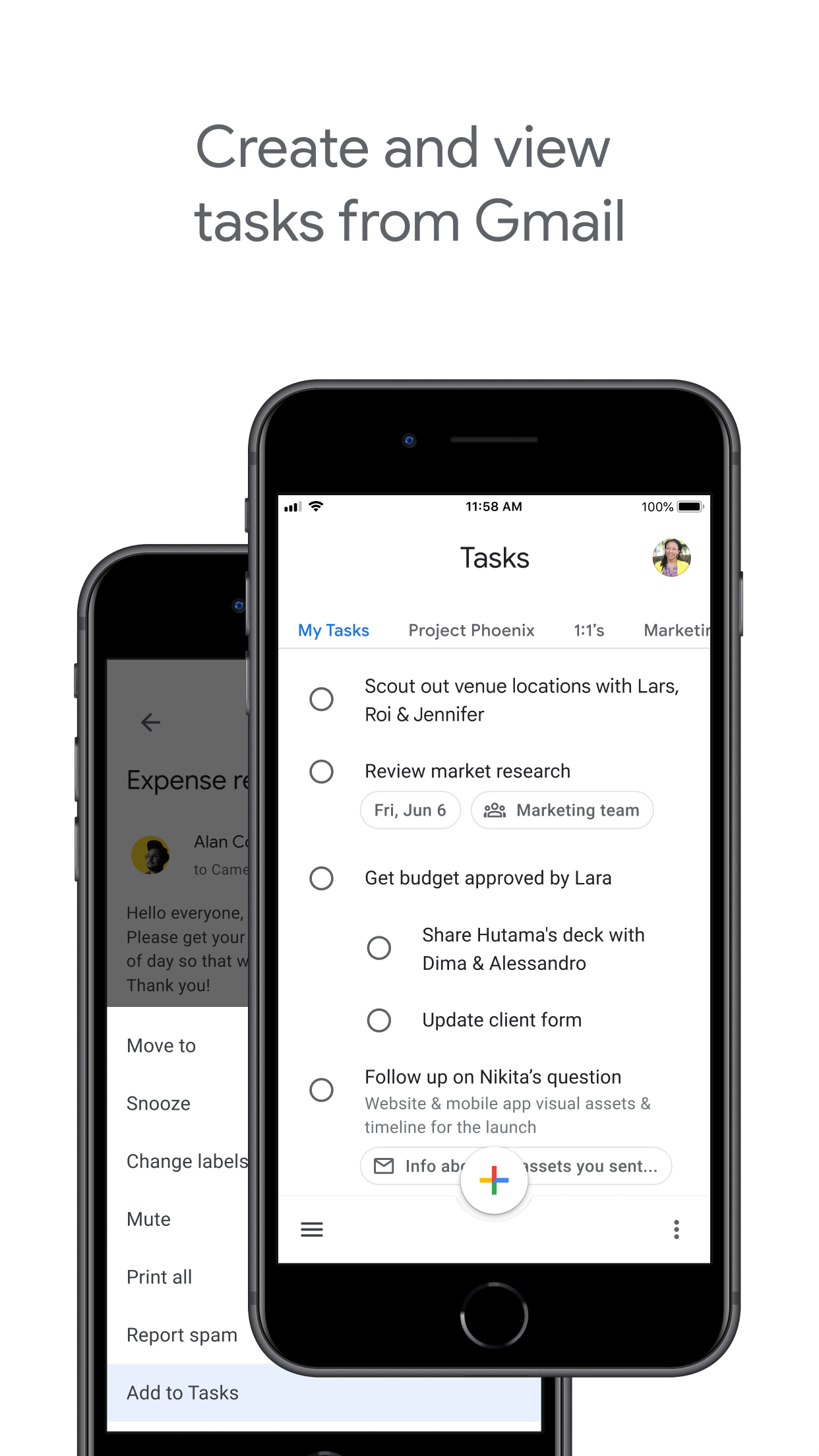
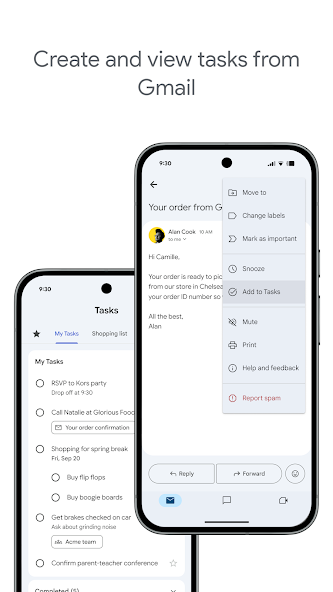
Gmail에서 작업을 생성하는 공식 Google Play 스크린샷
작업이 Gmail 사이드바와 Calendar 이벤트에 나타납니다.
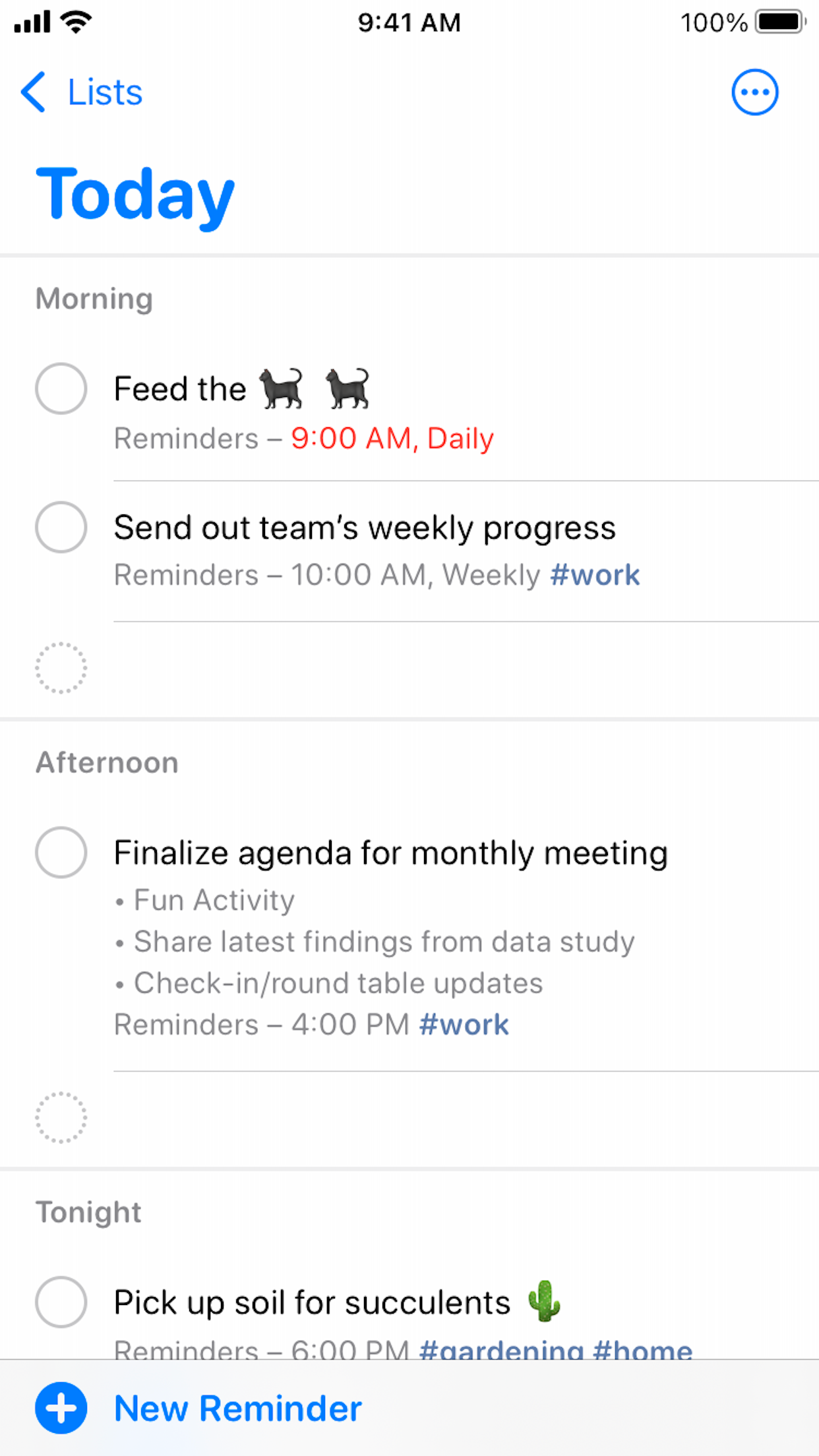
Apple Reminders
오늘 스마트 목록의 공식 Apple Reminders App Store 스크린샷
기본 Gmail 또는 Google Workspace 연결 없음.

승자: Google Tasks

Gmail 및 Google Calendar와의 기본 연동으로 작업 워크플로우를 Google 생태계 내에서 유지할 수 있습니다.


Siri 및 음성 캡처

승자: Apple Reminders

Apple Reminders는 Siri를 위해 제작되었습니다. "Hey Siri, 오후 5시에 Alex에게 전화하라고 알려줘"라고 말하면 시간 또는 위치 트리거와 함께 작업이 즉시 나타납니다.

Google Tasks에는 기본 Siri 단축어가 없습니다. iPhone에서는 Google Tasks 앱이나 Google Assistant를 사용할 수 있지만 음성 캡처는 Apple의 자사 통합만큼 원활하지 않습니다.

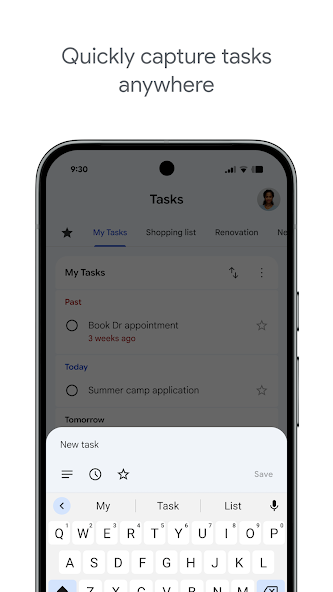
Google Tasks
Android에서 작업을 추가하는 공식 Google Play 스크린샷
앱에 입력하거나 지원되는 기기에서 Google Assistant 사용.
Apple Reminders 승자
Siri 검색 마이크가 있는 Apple Reminders iPhone 홈 화면
기본 Siri: "Hey Siri, ...라고 알려줘"

승자: Apple Reminders

Apple Reminders는 Siri를 기본 지원하여 Apple 기기에서 즉시 'Siri야, ~라고 알려줘'라고 말할 수 있습니다.


Kanban 보드 보기

무승부

Google Tasks는 기본적으로 목록 기반입니다. TasksBoard는 Google Tasks 목록 위에 드래그 앤 드롭 Kanban 보드를 추가합니다. 웹에서 tasks.google.com도 목록을 나란히 열로 표시합니다.

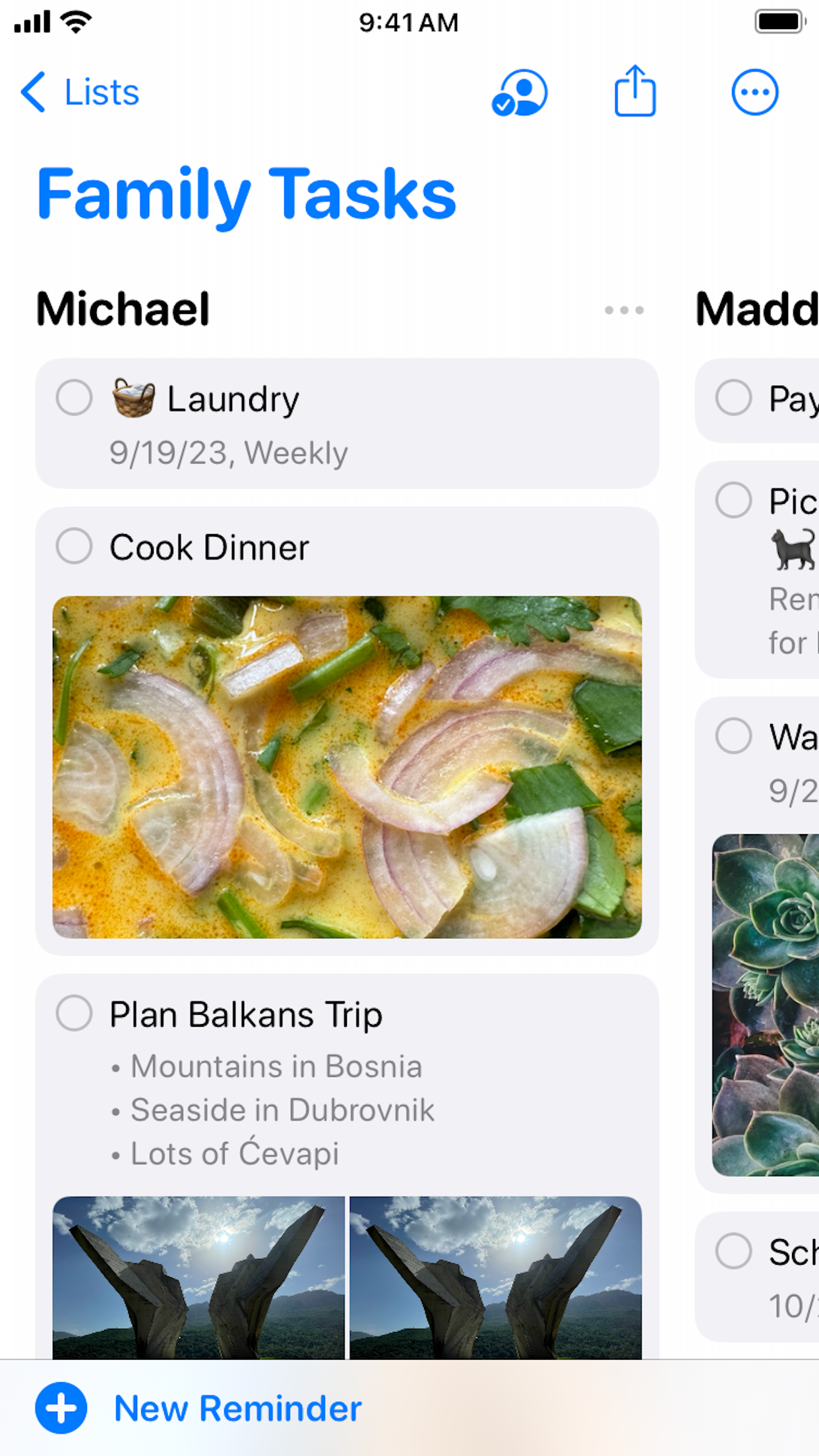
Apple Reminders는 iOS 17에서 목록 섹션을 Kanban 스타일의 열로 정렬하는 열 보기를 추가했습니다. 개인 및 가족 목록에는 유용하지만 혼합 플랫폼 팀을 위한 공유 프로젝트 보드와는 다릅니다.

Google Tasks
9to5Google의 웹상 Google Tasks 다중 열 보드 보기
TasksBoard를 통한 Kanban 열, Google Tasks와 동기화.
Apple Reminders
공유 가족 작업을 위한 공식 Apple Reminders 열 보기
섹션 기반 보드를 위한 열 보기(iOS 17+).

무승부

Apple Reminders의 열 보기는 개인 목록에 적합하고, TasksBoard 칸반은 플랫폼 간 팀 보드에 적합합니다. 사용 중인 플랫폼 환경에 따라 선택하세요.


팀 공유 및 협업

승자: Google Tasks

기본 Google Tasks는 제한된 목록 공유 기능을 제공합니다. TasksBoard는 Mac, Windows, Android 또는 iOS 등 Google 계정이 있는 누구와도 실시간 보드 공유 기능을 추가합니다.

Apple Reminders는 iCloud 목록 공유 및 협업을 지원하지만 모든 참가자가 Apple 계정을 가지고 있어야 합니다. Windows 또는 Android 팀원을 위한 기본 Reminders 앱은 없습니다.

Google Tasks 승자
TasksBoard를 통해 팀원과 Google Tasks 보드 공유
모든 플랫폼에서 Google 계정으로 공유.
Apple Reminders
iCloud를 통해 공유된 Apple Reminders 가족 목록
iCloud 공유, 모든 구성원에게 Apple ID 필요.

승자: Google Tasks

TasksBoard 공유는 Apple ID뿐만 아니라 Windows, Android, iOS의 모든 Google 계정에서 작동합니다.


위치 기반 알림

승자: Apple Reminders

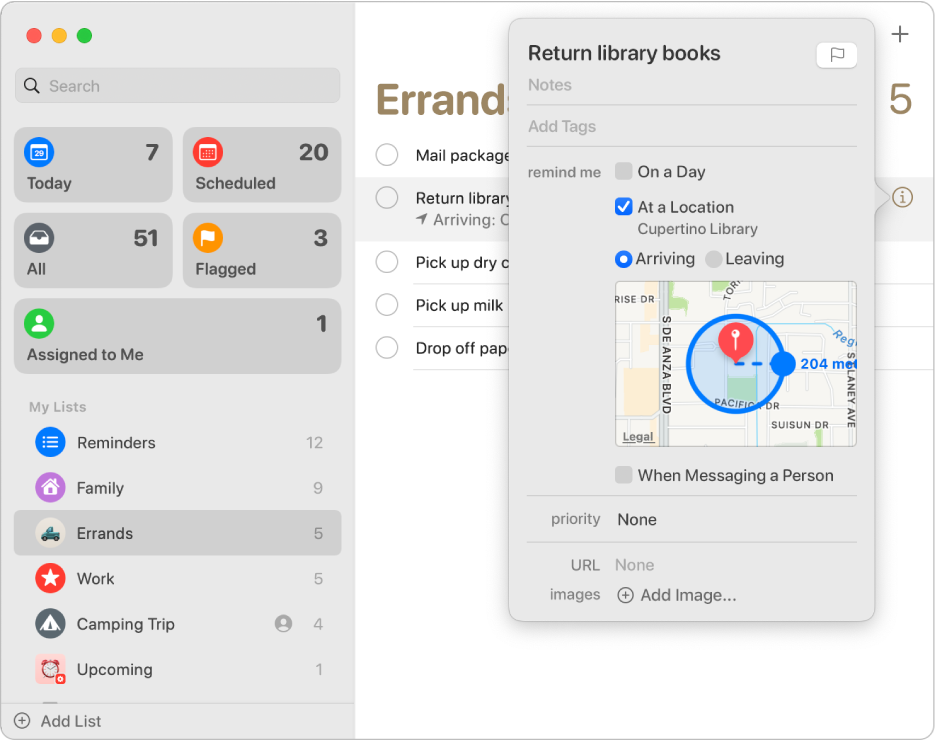
Apple Reminders는 지오펜싱 알림에 탁월합니다: "집에 도착하면 알려줘" 또는 "사무실에 도착하면 알려줘". Siri와 Apple Maps가 정확한 위치 트리거를 제공합니다.

Google Tasks는 Google Calendar를 통해 동기화된 시간 기반 마감일을 사용합니다. 기본적으로 도착/출발 위치 트리거를 지원하지 않습니다.

Google Tasks
Google Calendar와 동기화된 Google Tasks 시간 기반 마감일
Calendar 동기화를 통한 시간 기반 알림.
Apple Reminders 승자
지도 반경이 있는 위치 기반 알림의 Apple 지원 스크린샷
Apple Maps를 통한 도착/출발 트리거.

승자: Apple Reminders

위치 기반 도착/출발 알림은 Apple Reminders의 핵심 강점이며, Google Tasks는 날짜 기반 마감일만 지원합니다.


하위 작업

무승부

두 앱 모두 작업을 더 작은 단계로 나누는 것을 지원합니다. Google Tasks는 모바일 및 웹 앱에서 상위 작업 아래에 하위 작업을 중첩합니다.

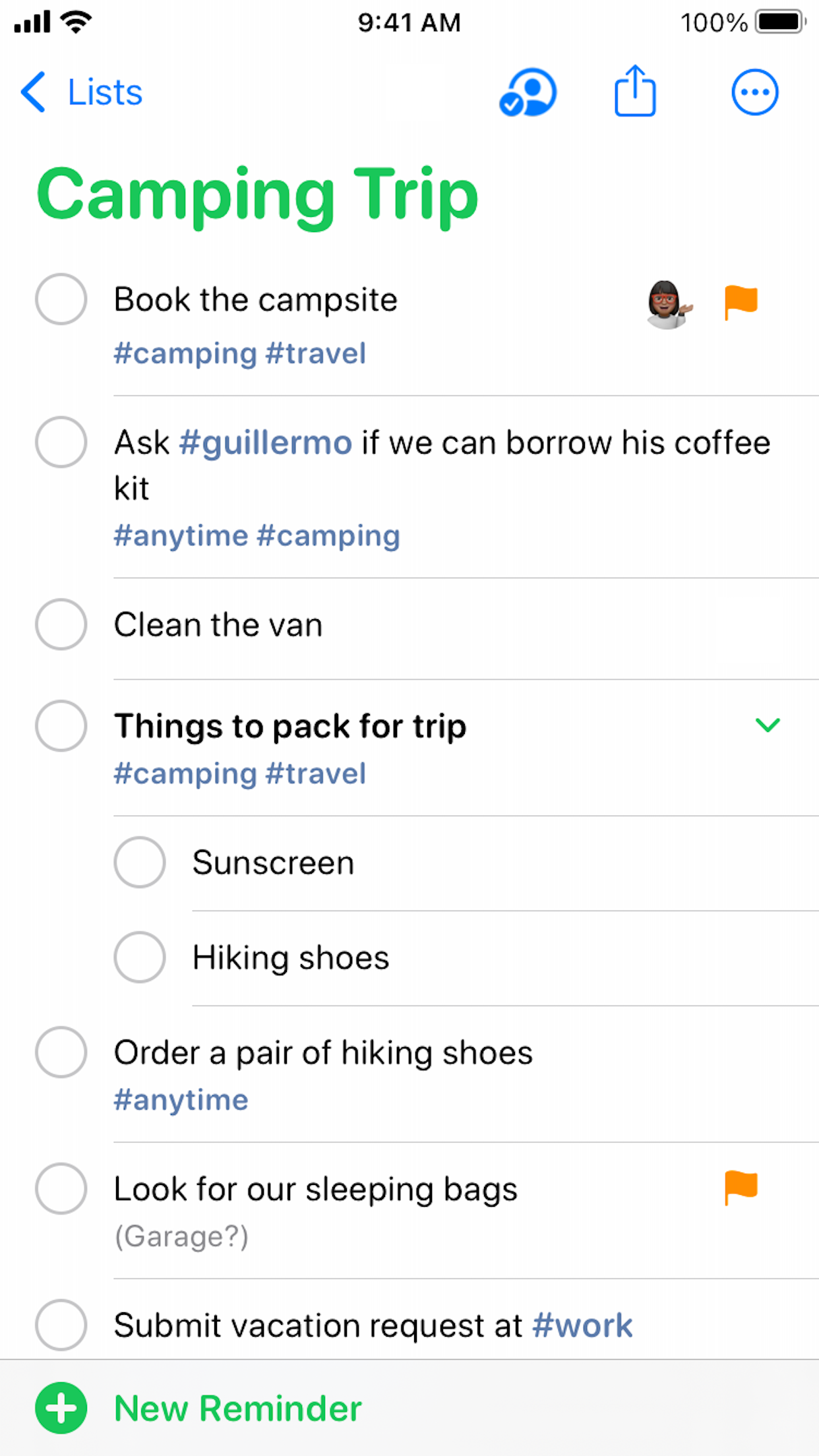
Apple Reminders도 기본 알림 아래에 들여쓰기된 하위 작업으로 동일하게 수행합니다. 간단한 체크리스트의 경우 둘 다 잘 작동하며, 차이점은 하위 작업 지원이 아니라 생태계와 공유입니다.

Google Tasks
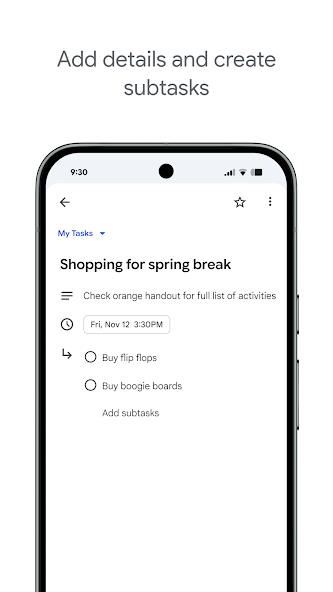
Google Tasks의 하위 작업을 보여주는 공식 Google Play 스크린샷
Google Tasks 앱의 중첩된 하위 작업.
Apple Reminders
공유 목록에 중첩된 하위 작업이 있는 공식 Apple Reminders 스크린샷
Reminders 목록의 들여쓰기된 하위 작업.

무승부

두 앱 모두 간단한 체크리스트를 위해 상위 작업 아래에 하위 작업을 잘 구성할 수 있습니다.


반복 작업

무승부

Google Tasks와 Apple Reminders 모두 일일 스탠드업, 주간 리뷰, 월간 청구서 등 반복 일정을 지원합니다.

Google Tasks 반복은 Google Calendar에 나타납니다. 참고: Google Tasks는 이미 하위 작업이 있는 작업에 대해 반복을 허용하지 않습니다. Apple Reminders 반복은 Apple 기기 전반에서 iCloud를 통해 동기화됩니다.

Google Tasks
주간 반복 일정이 있는 Google Tasks 반복 작업
Google Tasks 및 Calendar에서 볼 수 있는 반복 작업.
Apple Reminders
매주 월요일로 설정된 Apple Reminders 반복 알림
iCloud를 통해 동기화된 반복 일정.

무승부

두 앱 모두 반복 일정을 지원합니다. Google Tasks는 Calendar와 동기화되고, Apple Reminders는 iCloud를 통해 동기화됩니다.


Apple 기기 없이 작동

승자: Google Tasks

Google Tasks는 혼합 기기 팀을 위한 실용적인 선택입니다. Android 폰, Windows 노트북 및 Chromebook 모두 앱이나 브라우저를 통해 전체 액세스 권한을 가집니다.

Apple Reminders에는 기본 Android 또는 Windows 앱이 없습니다. iCloud.com은 제한된 웹 액세스를 제공하지만 여전히 Apple 계정이 필요하며 비 Apple 플랫폼의 팀원을 대체할 수 없습니다.

Google Tasks 승자
Android 폰의 Google Tasks
전체 Android 앱 및 웹 액세스.
Apple Reminders
Apple 기기 요구 사항을 보여주는 Apple Reminders
Windows 또는 Android에서 액세스 불가.

승자: Google Tasks

Android, Windows, Chromebook 사용자는 전체 기능을 이용할 수 있지만, Apple Reminders는 해당 플랫폼에서 기본 앱을 제공하지 않습니다.


클라우드 목록 공유

승자: Google Tasks

Google Tasks 목록은 Google Workspace 컨텍스트에서 공유될 수 있으며, TasksBoard는 플랫폼 전반의 프로젝트 팀을 위해 보드 수준 공유 기능을 확장합니다.

Apple Reminders는 Apple 계정을 통한 iCloud 목록 공유를 지원합니다. 협업자는 공유 목록에서 작업할 수 있지만 환경은 Apple 중심이며 Windows 또는 Android용 기본 앱은 없습니다.

Google Tasks 승자
Google 계정 소유자와 Google Tasks 목록 공유
Google 계정 공유, 모든 플랫폼.
Apple Reminders
클라우드 협업을 통한 Apple Reminders 공유 목록
클라우드 목록 공유, 모든 구성원에게 Apple 계정 필요.

승자: Google Tasks

Google 계정 공유는 모든 OS의 팀원에게 전달되지만, Apple 클라우드 공유는 모든 협업자가 Apple 계정을 사용해야 합니다.


수천 명의 사용자가 사랑하는 서비스

Chrome 웹 스토어 리뷰 1,000개 이상에서 4.8 / 5 평점

"Always have 101 things to do and this helps me organize and prioritize like no other app can. It syncs to my phone and laptop, and when I add dates to tasks, they automatically integrate into my Google Calendar, which is immensely convenient. I can look at my daily, weekly, and monthly overview in Google Calendar and clearly see how much I was able to accomplish! Great tool indeed. Excited to see how it will evolve over time."

PR Parina Ramjee avatar
Parina Ramjee

"Seriously, makes my tasks easier to share with the team, and the free version is quite nice for our little office. Eventually, we will expand, and this is definitely a great tool to do that! Syncs with my Workspace and Calendar."

CC Chase Cattrall avatar
Chase Cattrall

"I love the simple, intuitive interface and the Add to Tasks feature, especially as I work through my emails! Sharing my tasks is also easy. Overall, outstanding and simple to use, and that means a lot with too many complex tasks out there!"

GC Greg Cantori avatar
Greg Cantori

"Great too for managing daily routine and plan tasks. Would be perfect if it was updated for generating reports for statistics. For google tasks and google calendar"

NV Nick Vlasov avatar
Nick Vlasov

자주 묻는 질문

Google Tasks가 Apple Reminders보다 더 나은가요?

Google Tasks는 크로스 플랫폼 업무, Gmail 연동, 팀 협업에 더 유리합니다. Apple Reminders는 Apple 기기 전용으로 Siri를 활용한 개인용 알림이나 위치 기반 알림에 더 적합합니다.

Google Tasks를 Apple Reminders와 동기화할 수 있나요?

공식적인 동기화 기능은 없습니다. 일부 타사 앱이 제한적인 연결을 제공하지만, 작업은 별도의 시스템에 남게 됩니다. 대부분의 사용자는 하나를 선택하여 활성 항목을 수동으로 마이그레이션합니다.

Google Tasks는 iPhone에서 작동하나요?

네. Google Tasks는 기본 iOS 앱이 있으며 Safari에서도 작동합니다. TasksBoard 역시 모바일 브라우저에서 실행되어 iPhone에서 칸반 보드에 접근할 수 있습니다.

어느 쪽의 위치 기반 알림이 더 나은가요?

Apple Reminders는 Siri 및 Apple Maps와 연동된 우수한 위치 기반 알림 기능을 제공합니다. Google Tasks는 Google Calendar를 통해 동기화되는 시간 기반 마감일을 사용합니다.

Apple Reminders는 Apple 사용자가 아닌 사람과 목록을 공유할 수 있나요?

Apple Reminders 공유는 iCloud 계정과 Apple 기기가 필요합니다. TasksBoard를 사용하는 Google Tasks는 Google 계정이 있는 사람이라면 플랫폼에 관계없이 누구와도 공유할 수 있습니다.

Google Tasks와 Reminders의 차이점은 무엇인가요?

Google Tasks와 Reminders 비교는 보통 Google Tasks와 Apple Reminders 또는 Samsung Reminders를 비교하는 것을 의미합니다. Google Tasks는 크로스 플랫폼이며, 기기별 Reminders 앱은 해당 생태계에 묶여 있습니다.

Apple Reminders와 Google Tasks를 둘 다 사용해야 할까요?

일부 사용자는 개인적인 Siri 입력용으로 Apple Reminders를, 업무용으로 Google Tasks를 사용합니다. 팀 프로젝트의 경우, 시스템 분산을 피하기 위해 TasksBoard와 함께 Google Tasks로 통합하는 것이 좋습니다.


시작하기

칸반 및 공유 기능을 갖춘 크로스 플랫폼 작업 관리

Google로 로그인하여 전체 화면 칸반 보드를 사용하세요. 어떤 기기에서든 팀원들과 공유할 수 있습니다.

신용카드 필요 없음. Mac, Windows, 모바일에서 작동.