
चेकलिस्ट टेम्प्लेट
चेकलिस्ट टेम्प्लेट: एक बार बनाएँ, हर बार पुन: उपयोग करें
Stop rebuilding the same checklist from scratch. TasksBoard lets you build a checklist once, duplicate it in one click, and share it with your team, all backed by Google Tasks so it syncs everywhere.
20 लाख से अधिक लोगों द्वारा उपयोग किया जाता है। शुरू करने के लिए मुफ्त।
TasksBoard चेकलिस्ट टेम्प्लेट स्थिर स्प्रेडशीट से बेहतर क्यों हैं
एक क्लिक में डुप्लिकेट करें
Keep a master checklist you never check off and duplicate it in one click. Your next onboarding, sprint, or review cycle starts clean in seconds.
टीम के साथियों के साथ तुरंत साझा करें
Share a checklist with your whole team via a single link, or duplicate it so each member can run their own copy.
किसी भी आइटम में फ़ाइलें संलग्न करें
Google Doc, Sheet या Drive फ़ाइल को सीधे चेकलिस्ट आइटम से लिंक करें। चेकलिस्ट निष्पादित करते समय सही संदर्भ हमेशा एक टैप की दूरी पर होता है।
सभी डिवाइसों पर सिंक किया गया
Every checklist lives in Google Tasks. Open it on the web or in the Google Tasks apps for iOS and Android and it is always up to date, no manual sync, no file sharing.
टेम्प्लेट निर्माण
दो मिनट से कम समय में पुन: प्रयोज्य चेकलिस्ट बनाएँ
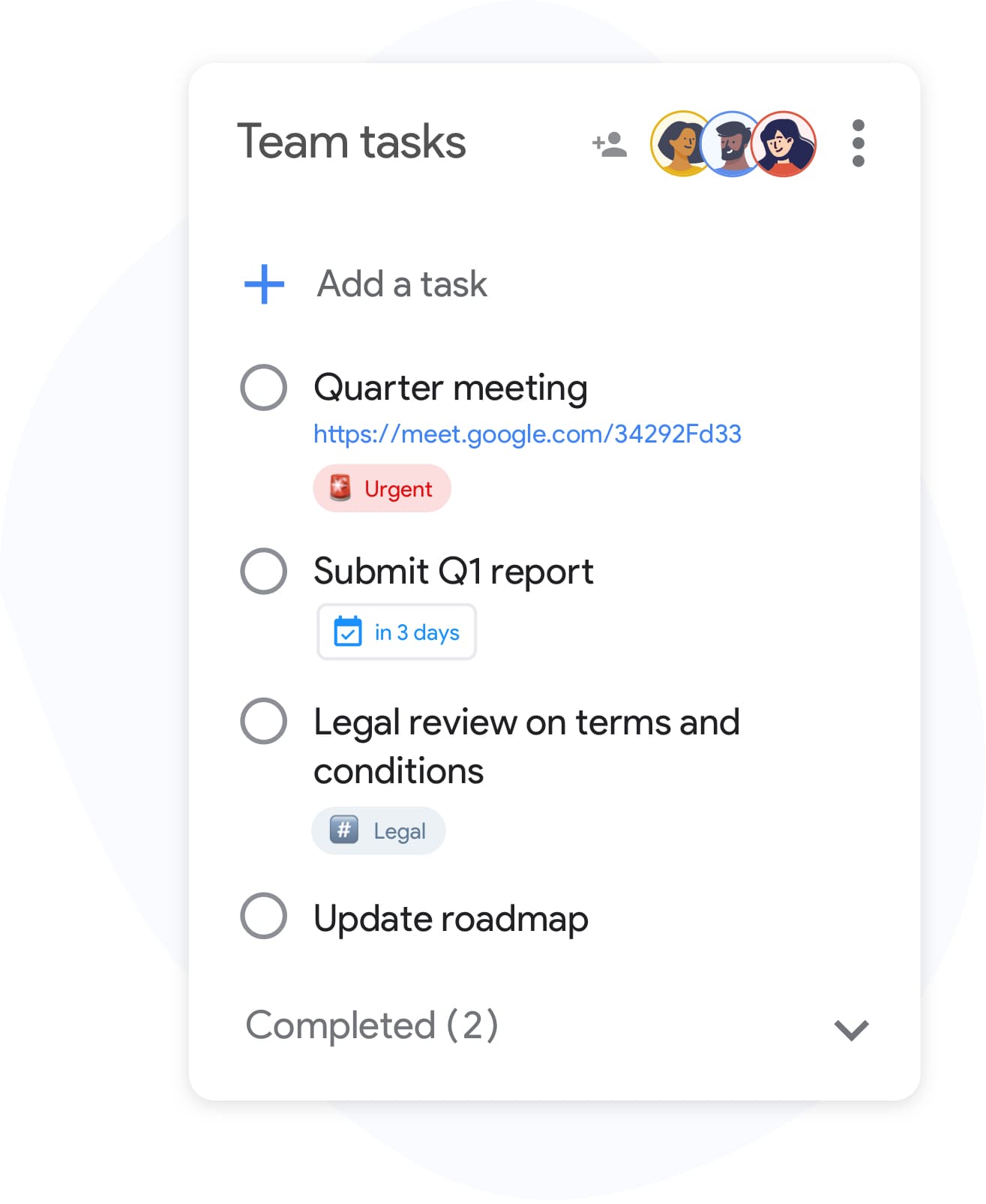
टेम्प्लेट निर्माण
दो मिनट से कम समय में पुन: प्रयोज्य चेकलिस्ट बनाएँ
TasksBoard में एक सूची बनाएँ और वे सभी चरण जोड़ें जिनकी आपकी प्रक्रिया को आवश्यकता है। जटिल वस्तुओं के लिए सबटास्क शामिल करें और व्यक्तिगत पंक्तियों में संदर्भ फ़ाइलें संलग्न करें। जब यह तैयार हो जाए, तो इसे स्पष्ट रूप से नाम दें, "क्लाइंट ऑनबोर्डिंग टेम्प्लेट" या "साप्ताहिक समीक्षा", ताकि इसे खोजना और डुप्लिकेट करना आसान हो।
- Enter कुंजी के साथ जल्दी से आइटम जोड़ें, माउस क्लिक की आवश्यकता नहीं
- बहु-चरणीय चरणों के लिए किसी भी चेकलिस्ट आइटम के तहत सबटास्क नेस्ट करें
- संदर्भ के लिए व्यक्तिगत आइटमों में Google Drive फ़ाइलें संलग्न करें
टीम चेकलिस्ट
अपनी पूरी टीम में एक ही चेकलिस्ट चलाएं
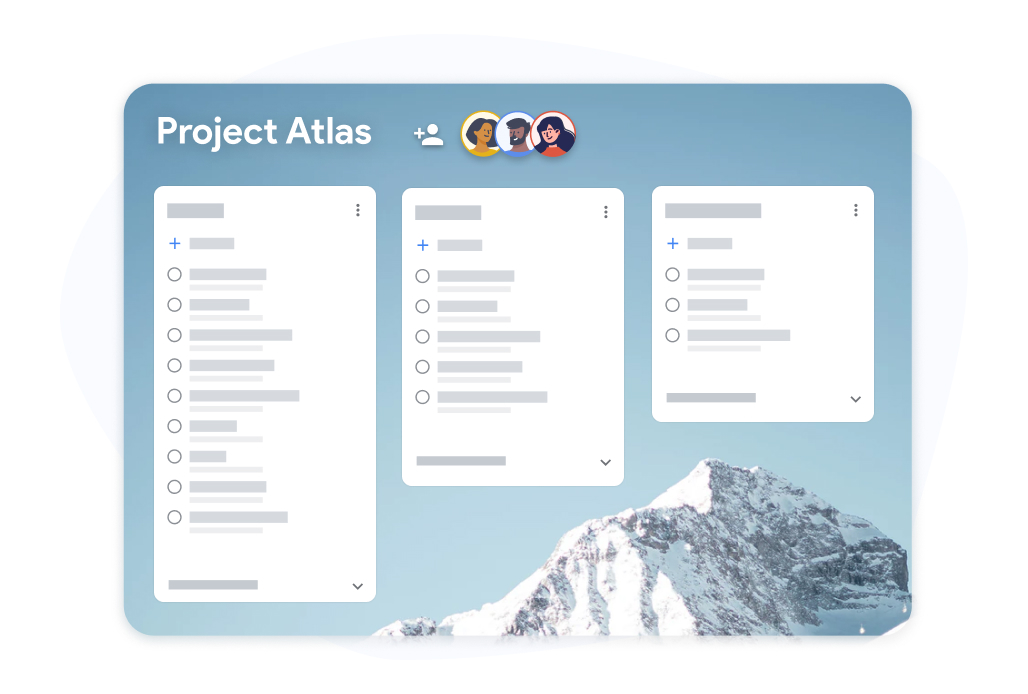
टीम चेकलिस्ट
अपनी पूरी टीम में एक ही चेकलिस्ट चलाएं
टीम के साथियों के साथ चेकलिस्ट टेम्प्लेट बोर्ड साझा करें। प्रत्येक व्यक्ति अपने स्वयं के सौंपे गए कार्यों को चेक ऑफ करता है और प्रगति वास्तविक समय में सभी के लिए दृश्यमान होती है। यह ट्रैक करने के लिए कि किसने क्या किया, स्प्रेडशीट को आगे-पीछे ईमेल करने की आवश्यकता नहीं है।
- सभी सहयोगियों के लिए वास्तविक समय की प्रगति दृश्यमान
- प्रत्येक टीम का सदस्य अपने स्वयं के सौंपे गए कार्यों को चेक ऑफ कर सकता है
- रिकॉर्ड के लिए पूर्ण की गई चेकलिस्ट को Google Sheets में निर्यात करें
TasksBoard में चेकलिस्ट टेम्प्लेट कैसे बनाएँ और पुन: उपयोग करें
-
चेकलिस्ट टेम्प्लेट बनाएँ
Open TasksBoard and create a new list. Add every step, attach any reference files, and set due dates where needed. This becomes your master checklist: keep it unchecked.
-
प्रत्येक रन के लिए डुप्लिकेट करें
When you need to run the checklist again, duplicate the master list. You get a fresh copy with every step and you are ready to start.
-
प्रगति साझा करें और ट्रैक करें
टीम के साथियों को डुप्लिकेट चेकलिस्ट के लिए आमंत्रित करें। वास्तविक समय में प्रगति ट्रैक करें और जब आपको पूर्णता रिकॉर्ड की आवश्यकता हो तो Google Sheets में निर्यात करें।
हजारों उपयोगकर्ताओं द्वारा पसंद किया गया
Chrome वेब स्टोर पर 1,000+ समीक्षाओं से 4.8 / 5
"Always have 101 things to do and this helps me organize and prioritize like no other app can. It syncs to my phone and laptop, and when I add dates to tasks, they automatically integrate into my Google Calendar, which is immensely convenient. I can look at my daily, weekly, and monthly overview in Google Calendar and clearly see how much I was able to accomplish! Great tool indeed. Excited to see how it will evolve over time."

"Seriously, makes my tasks easier to share with the team, and the free version is quite nice for our little office. Eventually, we will expand, and this is definitely a great tool to do that! Syncs with my Workspace and Calendar."

"I love the simple, intuitive interface and the Add to Tasks feature, especially as I work through my emails! Sharing my tasks is also easy. Overall, outstanding and simple to use, and that means a lot with too many complex tasks out there!"

"Great too for managing daily routine and plan tasks. Would be perfect if it was updated for generating reports for statistics. For google tasks and google calendar"





अक्सर पूछे जाने वाले प्रश्न
चेकलिस्ट टेम्प्लेट क्या है?
चेकलिस्ट टेम्प्लेट एक पूर्व-निर्मित चेकलिस्ट है जिसे आप आवर्ती प्रक्रियाओं के लिए पुन: उपयोग करते हैं। हर बार एक ही सूची बनाने के बजाय, आप टेम्प्लेट की प्रतिलिपि बनाते हैं और तुरंत निष्पादन शुरू करते हैं।
Are reusable checklists free in TasksBoard?
Yes. Creating, duplicating, and sharing checklists is included in the free plan. Advanced team features, bulk import, and expanded sharing are available on the premium plan.
मैं TasksBoard में चेकलिस्ट टेम्प्लेट का पुन: उपयोग कैसे करूँ?
Keep a master checklist you never check off and duplicate it in TasksBoard. All items copy over, so you get a clean copy of the same checklist ready to use in under ten seconds.
क्या मैं किसी ऐसे व्यक्ति के साथ चेकलिस्ट टेम्प्लेट साझा कर सकता हूँ जिसके पास TasksBoard नहीं है?
Collaborators need a Google account to edit a shared checklist so changes sync back to Google Tasks. Everyone you share with can edit the list; to give someone a read-only snapshot, export the list to Google Sheets.
क्या मैं चेकलिस्ट टेम्प्लेट आइटम में फ़ाइलें संलग्न कर सकता हूँ?
हाँ। आप Google Drive फ़ाइलें (Docs, Sheets, Slides, PDFs) को किसी भी व्यक्तिगत चेकलिस्ट आइटम से लिंक कर सकते हैं। यह सुनिश्चित करता है कि जब कोई चेकलिस्ट निष्पादित करता है तो सही संदर्भ सामग्री हमेशा संलग्न होती है।
किस प्रकार की चेकलिस्ट टेम्प्लेट के रूप में अच्छी तरह से काम करती हैं?
ऑनबोर्डिंग चेकलिस्ट, स्प्रिंट रेट्रोस्पेक्टिव टेम्प्लेट, इवेंट प्लानिंग चेकलिस्ट, उत्पाद लॉन्च चरण और साप्ताहिक समीक्षा सूचियाँ सभी बेहतरीन उम्मीदवार हैं। कोई भी प्रक्रिया जिसे आप एक से अधिक बार चलाते हैं, वह पुन: प्रयोज्य चेकलिस्ट टेम्प्लेट से लाभान्वित होती है।
क्या TasksBoard चेकलिस्ट टेम्प्लेट को Google Calendar के साथ सिंक करता है?
Yes. Items in a checklist that have due dates appear in Google Calendar, including in the copies you duplicate. This keeps deadlines visible without any manual calendar entries.
शुरुआत करें
आज ही TasksBoard में अपना पहला चेकलिस्ट टेम्प्लेट बनाएँ
Google के साथ साइन इन करें और एक ऐसी चेकलिस्ट बनाएँ जिसका आप हमेशा के लिए पुन: उपयोग कर सकें। व्यक्तियों के लिए मुफ्त, किसी क्रेडिट कार्ड की आवश्यकता नहीं।
किसी क्रेडिट कार्ड की आवश्यकता नहीं। आपके मौजूदा Google Tasks के साथ काम करता है।