Google Tasks vs Keep: 2026년에 어떤 구글 앱을 사용해야 할까?

Here’s a well-structured, SEO-optimized blog post comparing Google Tasks and Google Keep:
Google Tasks vs. Keep: Which One Should You Use? (2024 Guide)
Introduction
Google offers two popular productivity tools for managing tasks and notes - Google Tasks and Google Keep. While they may seem similar at first glance, they serve distinct purposes. This comprehensive guide will help you understand the key differences between Google Tasks and Google Keep so you can choose the right tool for your needs.
Key Differences at a Glance
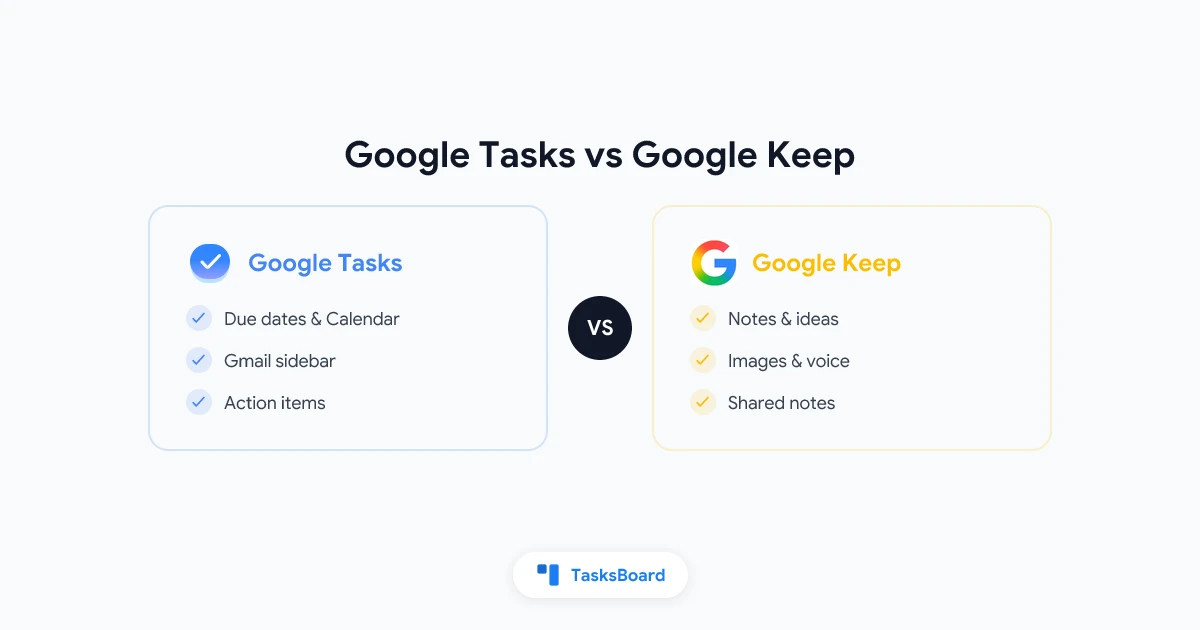
| Feature | Google Tasks | Google Keep |
|---|---|---|
| Primary Purpose | Task management with due dates | Quick notes and checklists |
| Due Dates | Yes, syncs with Calendar | Optional reminders only |
| Subtasks | Supports one level | Checklist items within notes |
| Gmail Integration | Built-in sidebar | Save email content to notes |
| Calendar Sync | Tasks appear on Calendar | Reminders only |
| Collaboration | No sharing | Share notes with others |
| Attachments | No | Images, drawings, audio |
| Organization | Lists only | Labels, colors, pinning |
| Best For | Action items with deadlines | Brainstorming, quick notes |
What is Google Tasks?
Google Tasks is a simple but powerful task management tool that integrates with Gmail and Google Calendar. It’s designed for tracking action items that need to be completed by specific deadlines.
Key Features:
- Due dates that sync with Google Calendar
- Subtasks for breaking down work
- Gmail integration (convert emails to tasks)
- Mobile apps for iOS and Android
- Simple list organization
Best Use Cases:
- Email follow-ups
- Project tasks with deadlines
- Personal to-do lists
- Recurring tasks
What is Google Keep?
Google Keep is a note-taking app that functions like digital sticky notes. It’s ideal for capturing ideas, checklists, and quick thoughts.
Key Features:
- Color-coded notes
- Image, drawing, and voice note support
- Location-based reminders
- Note sharing and collaboration
- Chrome extension for quick saves
Best Use Cases:
- Brainstorming sessions
- Shopping lists
- Meeting notes
- Quick ideas and inspiration
- Reference materials
When to Use Each Tool
Choose Google Tasks When:
- You need to track deadlines
- Tasks should appear on your calendar
- Managing email follow-ups
- You want a clean to-do list
Choose Google Keep When:
- Capturing ideas quickly
- You need visual organization
- Collaborating on notes
- Storing reference materials
- Making checklists without dates
How to Use Them Together
Many users find the most effective system combines both tools:
- Capture ideas and notes in Google Keep
- When an item becomes actionable, move it to Google Tasks
- Set due dates for tasks that need scheduling
- Keep reference materials in Google Keep
Pro Tip
For team projects that outgrow these tools, consider TasksBoard to add kanban-style project management on top of Google Tasks.
FAQ
Can Google Tasks and Keep sync with each other? No, they don’t sync automatically. You’ll need to manually move items between them.
Is Google Keep being discontinued? No, Google Keep remains an active product despite rumors.
Which is better for students? Use Keep for lecture notes and Tasks for assignment deadlines.
Can I share Google Tasks lists? Not natively, but tools like TasksBoard enable task sharing.
Conclusion
Google Tasks excels at managing deadlines and action items, while Google Keep is perfect for quick notes and brainstorming. The most productive users often combine both tools - using Keep for capture and Tasks for execution. Try both to see which combination works best for your workflow.