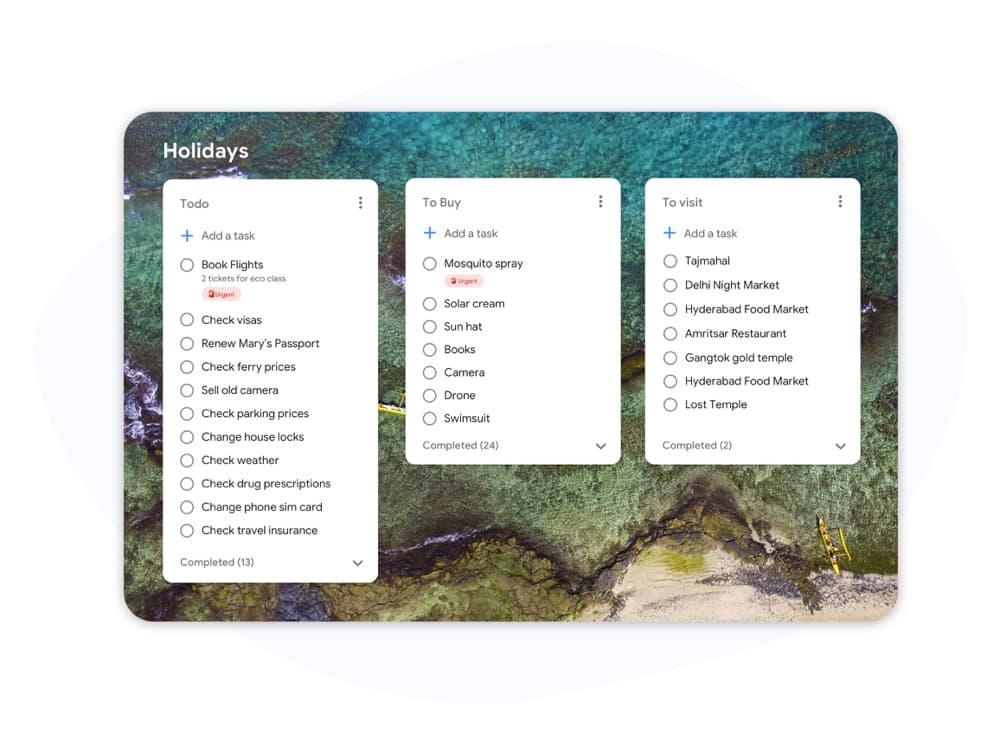
カンバン vs スクラム

Kanban vs Scrum: チームに合うフレームワークは?

KanbanとScrumはどちらも視覚的なボードを使用しますが、その仕組みは大きく異なります。このガイドでは主な違いを解説し、適切なアプローチを選択して今すぐ作業を開始できるようにします。

200万人以上が利用。無料で開始できます。


Kanban vs Scrum: 機能比較

Feature Kanban スクラム
固定反復(スプリント)
Fixed iterations (sprints)
オプション
WIP制限
WIP limits
定義された役割(Scrumマスター、PO)
Defined roles (Scrum Master, PO)
バックログ整理の儀式
Backlog grooming ceremonies
継続的デリバリー
Continuous delivery
スプリント間
フロー指標(サイクルタイム、スループット)
Flow metrics (cycle time, throughput)
ベロシティ追跡
Velocity tracking
ボードのカスタマイズ
Board customization
スプリント列のみ
サポート/運用チーム向け
Works for support / ops teams
プロダクト機能開発向け
Works for product feature dev

Feature-by-feature comparison

Kanban optimizes flow; Scrum optimizes predictable delivery. Compare each practice with screenshots and sourced references.

Feature 1

Fixed iterations (sprints)

Kanban has no required sprint cadence. Work flows continuously through columns as capacity allows.

Scrum organizes work into time-boxed Sprints, typically 1–4 weeks, with a committed Sprint Goal.

Kanban
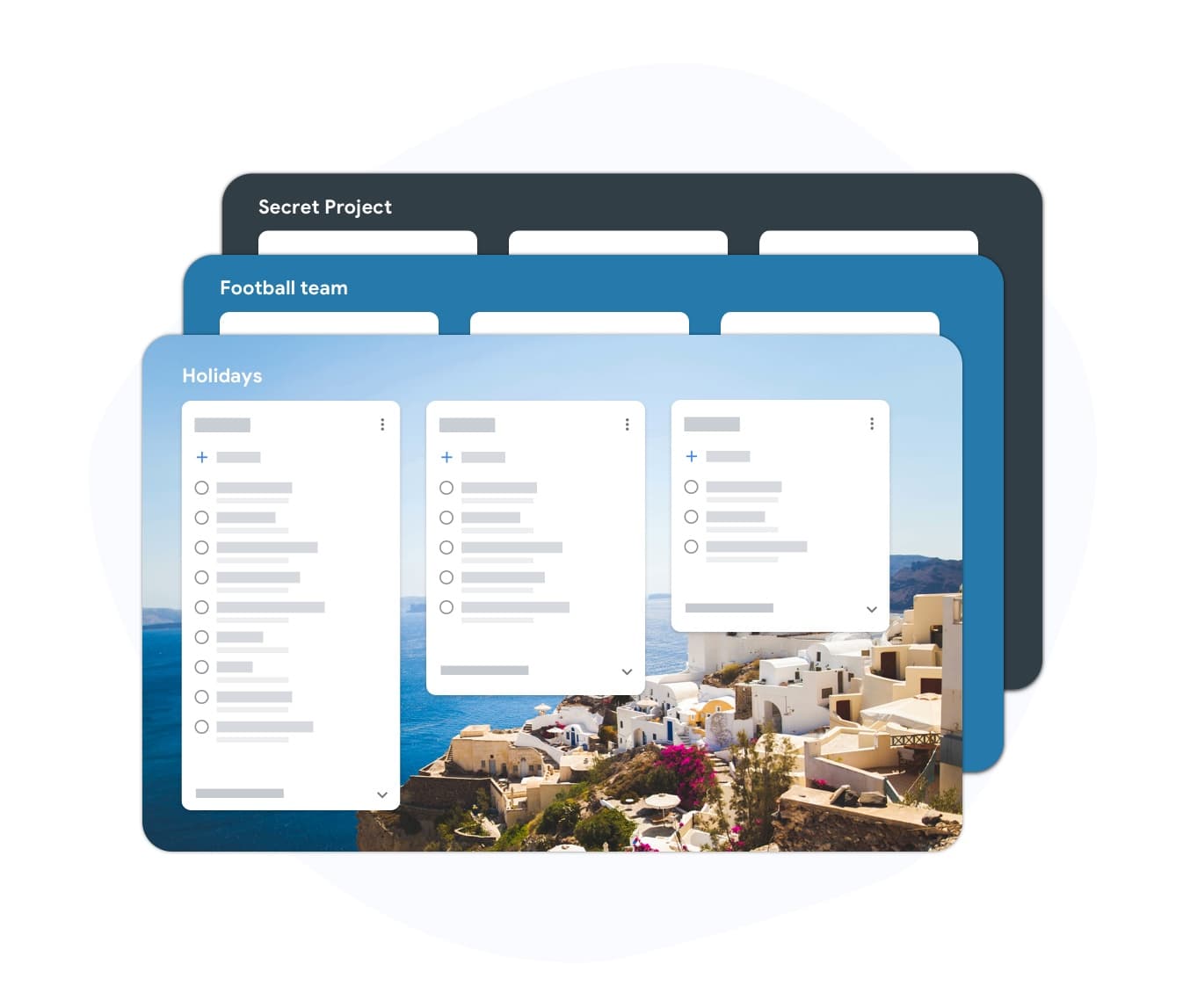
Fixed iterations (sprints) — left column screenshot
Continuous flow, no sprint boundary.
スクラム
Fixed iterations (sprints) — right column screenshot
Sprint planning and time boxes.

It's a tie

Neither is universally better — Kanban suits continuous flow; Scrum suits time-boxed, predictable delivery.
Feature 2

WIP limits

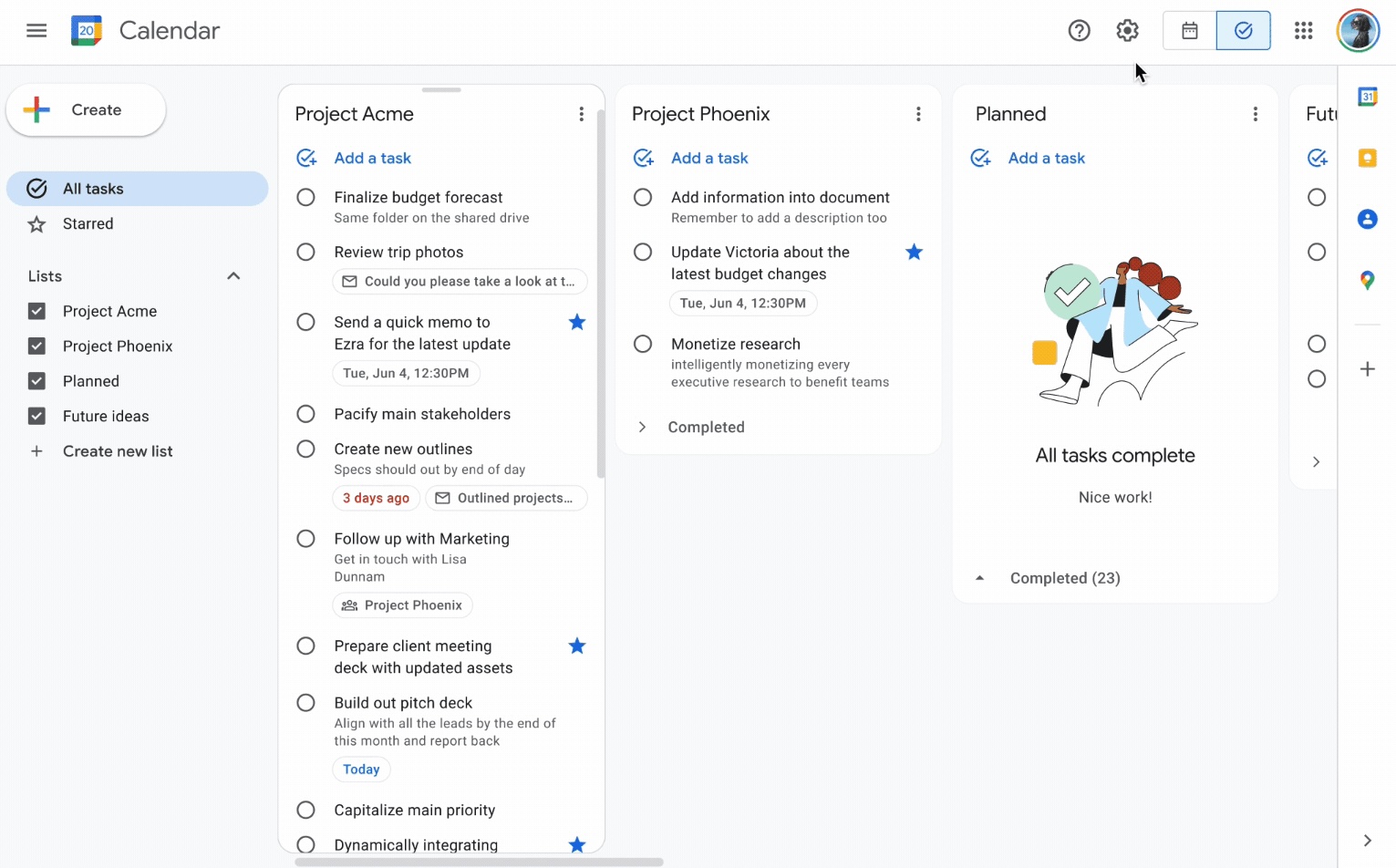
Kanban uses Work-In-Progress limits per column to prevent overload and surface bottlenecks.

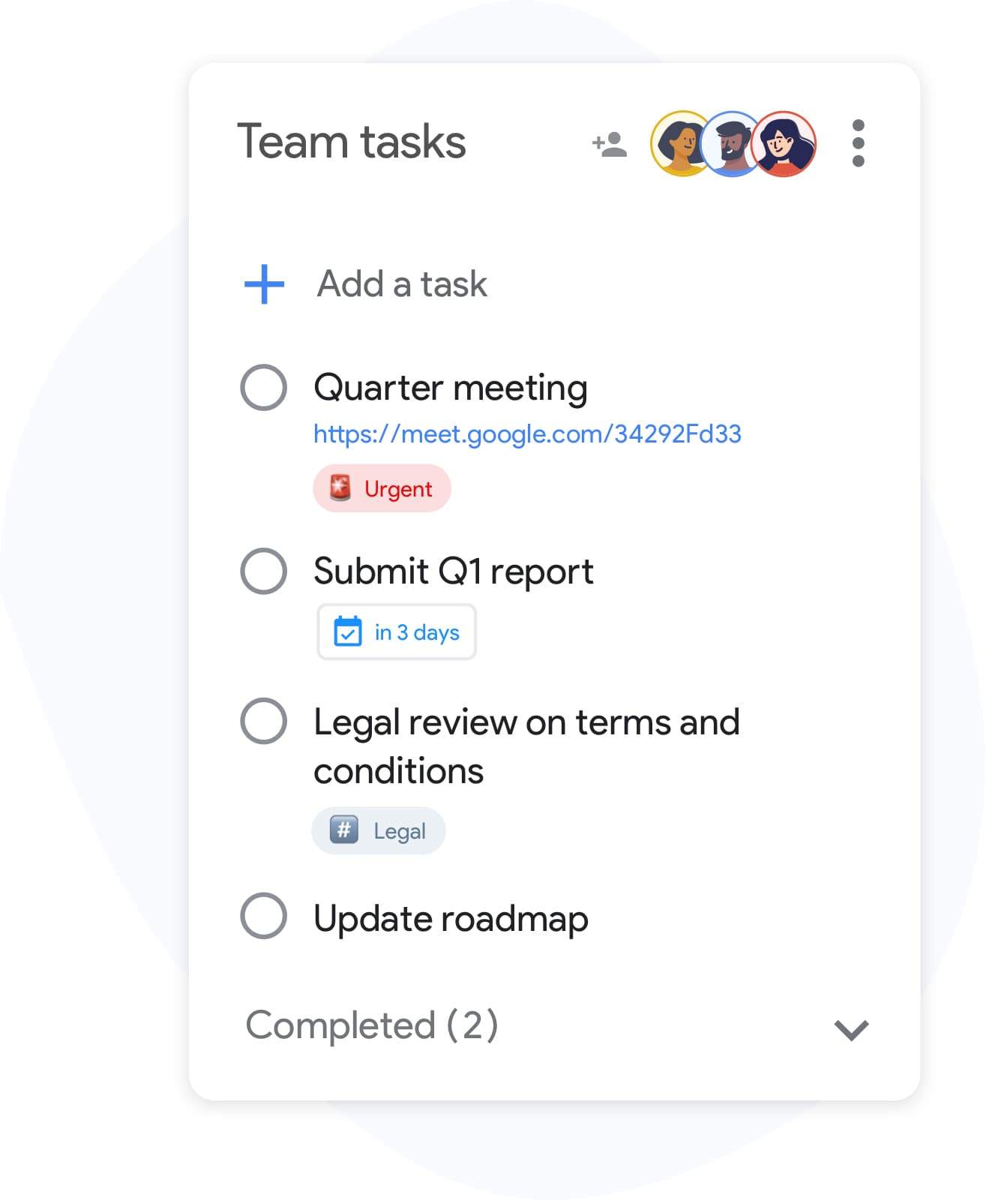
Scrum limits work indirectly through Sprint capacity planning rather than per-column WIP caps.

Kanban
WIP limits — left column screenshot
Column WIP limits on TasksBoard.
スクラム
WIP limits — right column screenshot
Sprint capacity as the limit.

Winner: Kanban

Explicit per-column WIP limits are a core Kanban practice for preventing overload and surfacing bottlenecks.


Feature 3

Defined roles

Kanban has no mandated roles. The team owns the board and pull-based workflow.

Scrum defines Scrum Master, Product Owner, and Developers with distinct accountabilities.

Kanban
Defined roles — left column screenshot
Self-organizing team, no fixed roles.
スクラム
Defined roles — right column screenshot
Scrum Master, PO, Developers.

It's a tie

Kanban needs no fixed roles; Scrum's defined accountabilities help larger teams that want clear structure.


Feature 4

Backlog grooming ceremonies

Kanban refines work just-in-time as items approach the top of the backlog column.

Scrum holds regular backlog refinement sessions to prepare items for upcoming Sprints.

Kanban
Backlog grooming ceremonies — left column screenshot
Just-in-time refinement.
スクラム
Backlog grooming ceremonies — right column screenshot
Scheduled refinement ceremonies.

It's a tie

Kanban refines just-in-time; Scrum schedules backlog refinement ceremonies — both work, different rhythms.


Feature 5

Continuous delivery

Kanban teams release whenever an item is done — no waiting for a sprint boundary.

Scrum typically delivers at the end of each Sprint during the Sprint Review.

Kanban
Continuous delivery — left column screenshot
Ship when ready.
スクラム
Continuous delivery — right column screenshot
Deliver at Sprint Review.

Winner: Kanban

Kanban teams ship whenever an item is done; Scrum typically batches delivery at the Sprint Review.


Feature 6

Flow metrics

Kanban tracks cycle time, throughput, and lead time to optimize flow efficiency.

Scrum primarily measures velocity — story points completed per Sprint.

Kanban
Flow metrics — left column screenshot
Cycle time and throughput.
スクラム
Flow metrics — right column screenshot
Velocity per Sprint.

Winner: Kanban

Cycle time, throughput, and lead time give Kanban teams direct flow-efficiency signals.


Feature 7

Velocity tracking

Kanban does not use velocity. Flow metrics replace point-based tracking.

Scrum teams track velocity to forecast Sprint capacity and release planning.

Kanban
Velocity tracking — left column screenshot
Flow-based forecasting.
スクラム
Velocity tracking — right column screenshot
Story-point velocity charts.

Winner: スクラム

Story-point velocity is Scrum's primary forecasting tool — Kanban deliberately avoids velocity tracking.


Feature 8

Board customization

Kanban boards are fully customizable — add columns, swim lanes, and WIP limits per team.

Scrum boards follow a standard To Do → In Progress → Done pattern tied to Sprint scope.

Kanban
Board customization — left column screenshot
Custom columns on TasksBoard.
スクラム
Board customization — right column screenshot
Sprint-scoped standard columns.

Winner: Kanban

Kanban boards are fully customizable — columns, swim lanes, and WIP limits per team.


Feature 9

Support and ops teams

Kanban excels for interrupt-driven work — support tickets, incidents, and ops queues flow continuously.

Scrum's sprint commitment model fits poorly when urgent items arrive mid-Sprint.

Kanban
Support and ops teams — left column screenshot
Continuous intake for ops work.
スクラム
Support and ops teams — right column screenshot
Sprint commitment conflicts with interrupts.

Winner: Kanban

Interrupt-driven support and ops queues flow continuously on Kanban; Scrum's sprint commitment fights mid-sprint urgency.


Feature 10

Product feature development

Kanban works for feature dev when continuous flow is preferred over batch planning.

Scrum is widely adopted for product teams building features in predictable increments.

Kanban
Product feature development — left column screenshot
Feature cards flowing through columns.
スクラム
Product feature development — right column screenshot
Sprint-planned feature increments.

Winner: スクラム

Scrum is widely adopted for product teams building features in predictable sprint increments.


何千人ものユーザーに愛されています

Chromeウェブストアの1,000件以上のレビューで 4.8 / 5

"Always have 101 things to do and this helps me organize and prioritize like no other app can. It syncs to my phone and laptop, and when I add dates to tasks, they automatically integrate into my Google Calendar, which is immensely convenient. I can look at my daily, weekly, and monthly overview in Google Calendar and clearly see how much I was able to accomplish! Great tool indeed. Excited to see how it will evolve over time."

PR Parina Ramjee avatar
Parina Ramjee

"Seriously, makes my tasks easier to share with the team, and the free version is quite nice for our little office. Eventually, we will expand, and this is definitely a great tool to do that! Syncs with my Workspace and Calendar."

CC Chase Cattrall avatar
Chase Cattrall

"I love the simple, intuitive interface and the Add to Tasks feature, especially as I work through my emails! Sharing my tasks is also easy. Overall, outstanding and simple to use, and that means a lot with too many complex tasks out there!"

GC Greg Cantori avatar
Greg Cantori

"Great too for managing daily routine and plan tasks. Would be perfect if it was updated for generating reports for statistics. For google tasks and google calendar"

NV Nick Vlasov avatar
Nick Vlasov

よくある質問

KanbanとScrumの主な違いは何ですか?

Scrumは、定義された役割と儀式を伴う固定期間のスプリントを使用します。Kanbanは、必須のスプリントがない継続的なフローモデルを使用します。Scrumはより構造化されており、Kanbanはより柔軟です。

チームはKanbanとScrumを併用できますか?

はい。「Scrumban」は、チームがScrumの儀式を使用しながら、KanbanボードとWIP制限でワークフローを管理するハイブリッドアプローチです。スプリントの予測可能性とフローの可視性を両立させたいチームによく見られます。

小規模チームにはKanbanとScrumのどちらが良いですか?

Kanbanは必須の役割や儀式がないため、一般的に小規模チームにとってよりシンプルです。2〜5人のチームであれば、トレーニングなしですぐにKanbanボードを開始できます。Scrumのオーバーヘッドは、5人未満のチームでは正当化するのが困難です。

Kanbanにはストーリーポイントがありますか?

Kanbanはストーリーポイントを必要としません。代わりにフロー指標を使用します:サイクルタイム(タスク完了までの時間)、スループット(週あたりの完了タスク数)、リードタイム。これらの指標は、ベロシティよりも実用的なことが多いです。

TasksBoardでKanbanを実行できますか?

はい。TasksBoardは、Google TasksをバックエンドとしたフルスクリーンのKanbanボードを提供します。あらゆるワークフロー(ToDo、進行中、完了、またはカスタムステージ)の列を作成し、タスクをドラッグし、Google Calendarに同期する期限を追加できます。

Kanbanにはどのような役割が必要ですか?

Kanbanには必須の役割はありません。Scrumとは異なり、メソッドによって義務付けられたScrumマスターやプロダクトオーナーはいません。チームはフローマネージャーやサービスデリバリーマネージャーを指名することがありますが、これらの役割はオプションであり非公式です。

Scrumはソフトウェアチーム専用ですか?

Scrumは元々ソフトウェア開発用に設計されましたが、マーケティング、人事、運用チームが成功裏に適応させています。Kanbanは制約が少ないため、ソフトウェア以外のワークフローにもより簡単に適応します。


さあ、始めましょう

TasksBoardでKanbanまたはScrumスタイルのボードを実行

Googleアカウントでサインインし、数分で視覚的なワークフローを構築しましょう。列間でタスクをドラッグし、期限を設定し、チームとボードを共有できます。

クレジットカードは不要です。既存のGoogle Tasksと連携します。