Google Tasks vs Apple Reminders

Google Tasks vs Apple Reminders

Google Tasks vs Apple Reminders: Which One Should You Use?

Apple Reminders is deeply integrated with Siri and iCloud. Google Tasks works everywhere Google does. Compare both and see how TasksBoard makes Google Tasks work for mixed-device teams.

Used by 2M+ people. Free to start.


Google Tasks vs Apple Reminders: Feature Comparison

Feature Google Tasks Apple Reminders
Cross-platform (Windows, Android, web)
Google Tasks Help
Gmail and Google Calendar integration
Google Workspace Tasks
Siri voice capture
Apple Siri + Google Assistant
Native Siri
Kanban board view
TasksBoard + Apple column view
Via TasksBoard Column view
Team sharing
TasksBoard + Apple sharing
Via TasksBoard
Location-based reminders
Google + Apple location docs
Subtasks
Google + Apple subtasks docs
Recurring tasks
Google Calendar repeating tasks
Works without Apple device
Google Play + App Store
Cloud sharing
Google Tasks + Apple cloud sharing
Apple cloud only

Feature-by-feature comparison

See how Google Tasks and Apple Reminders differ in practice — with screenshots for each capability from the comparison table above.

Feature 1

Cross-platform access

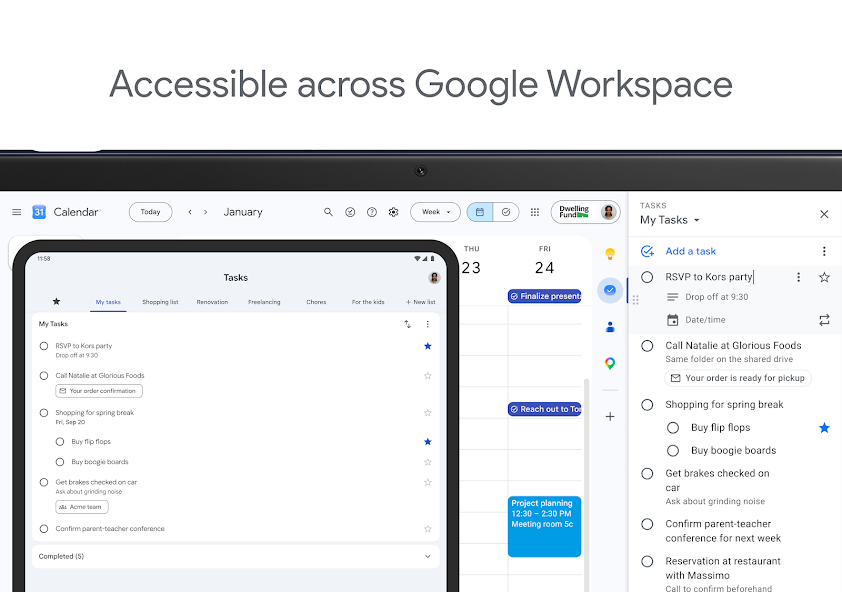
Google Tasks runs in any browser and has native apps for Android and iOS. Google Workspace also surfaces Tasks inside Gmail, Calendar, Drive, Docs, and Chat on desktop.

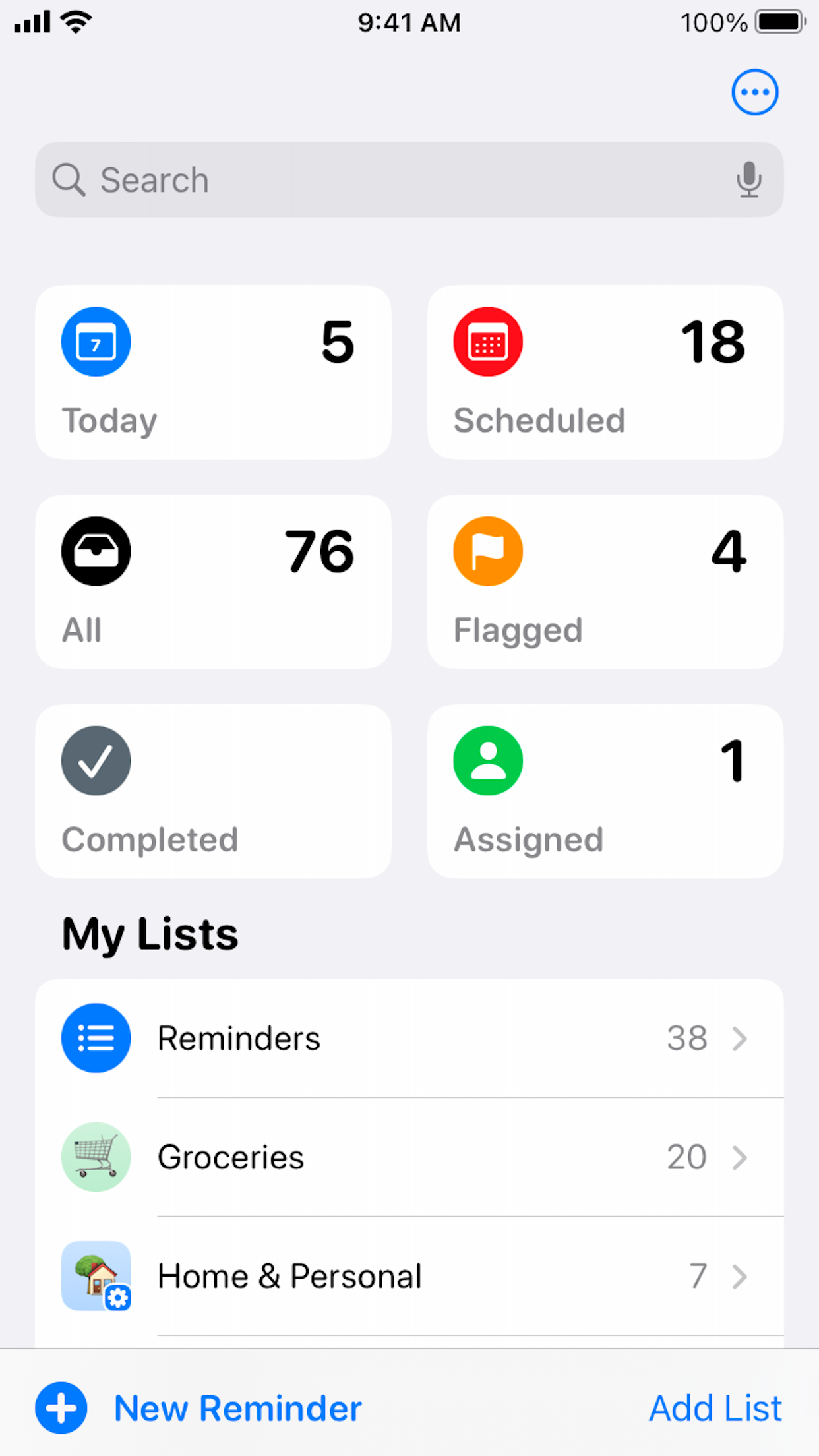
Apple Reminders is built for iPhone, iPad, Mac, and Apple Watch. There is no Android or Windows app. Limited browser access exists on iCloud.com, but the full experience is tied to Apple devices.

Google Tasks
Official Google Tasks screenshot showing desktop and tablet access across Google Workspace
Web, Android, iOS, and desktop, one Google account.
Apple Reminders
Official Apple Reminders App Store screenshot of the iPhone lists home screen
Native apps on Apple devices; limited web via iCloud.com.

Winner: Google Tasks

Google Tasks runs on web, Android, iOS, and inside Google Workspace — no Apple device required.


Feature 2

Gmail and Google Calendar integration

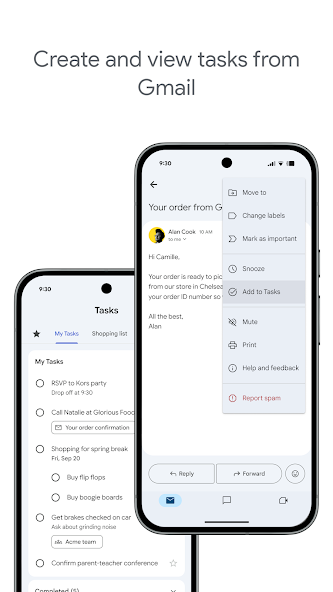
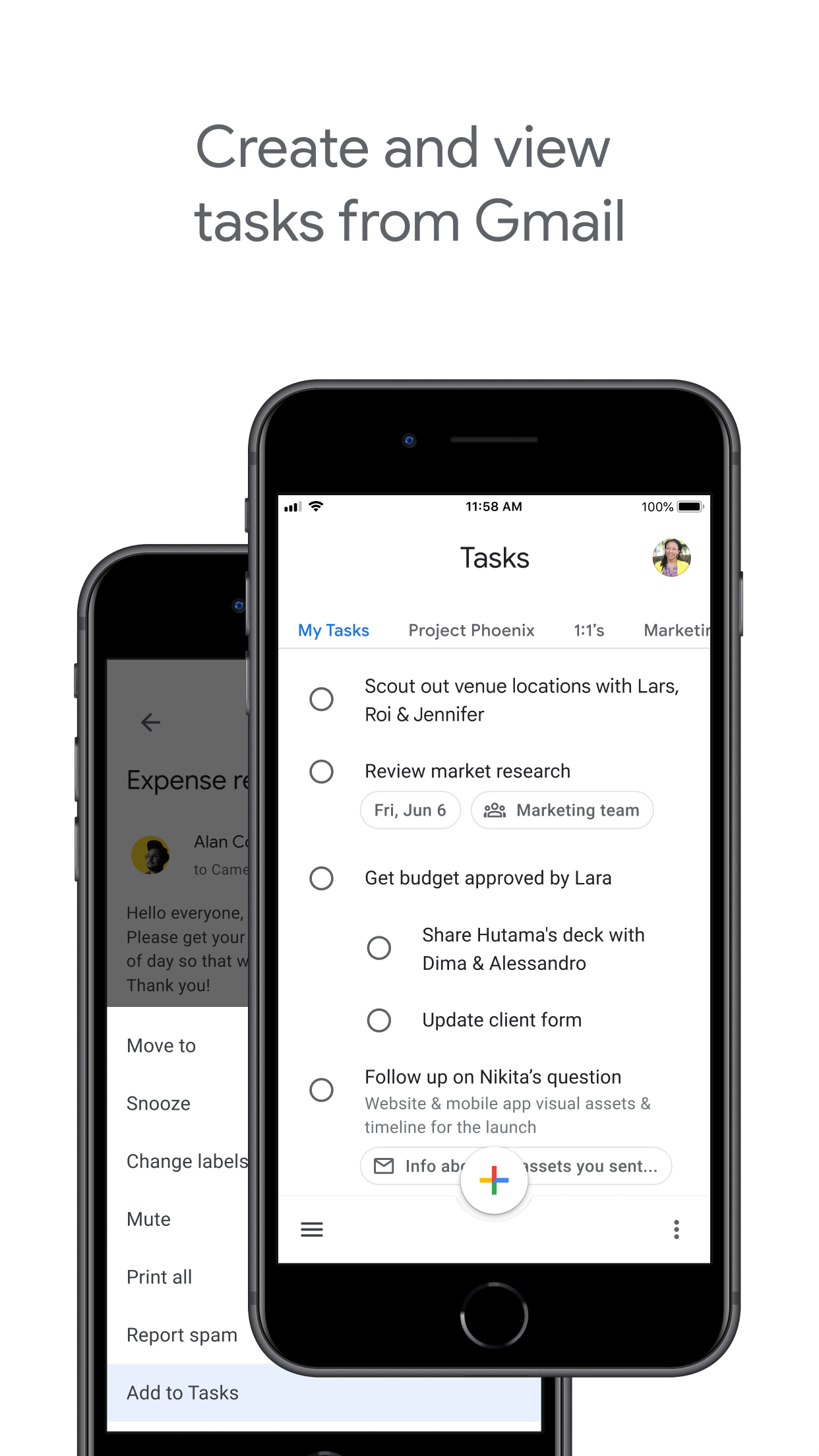
Google Tasks lives inside Gmail, Google Calendar, and Google Workspace. Turn emails into tasks, see due dates on your calendar, and manage work without switching apps.

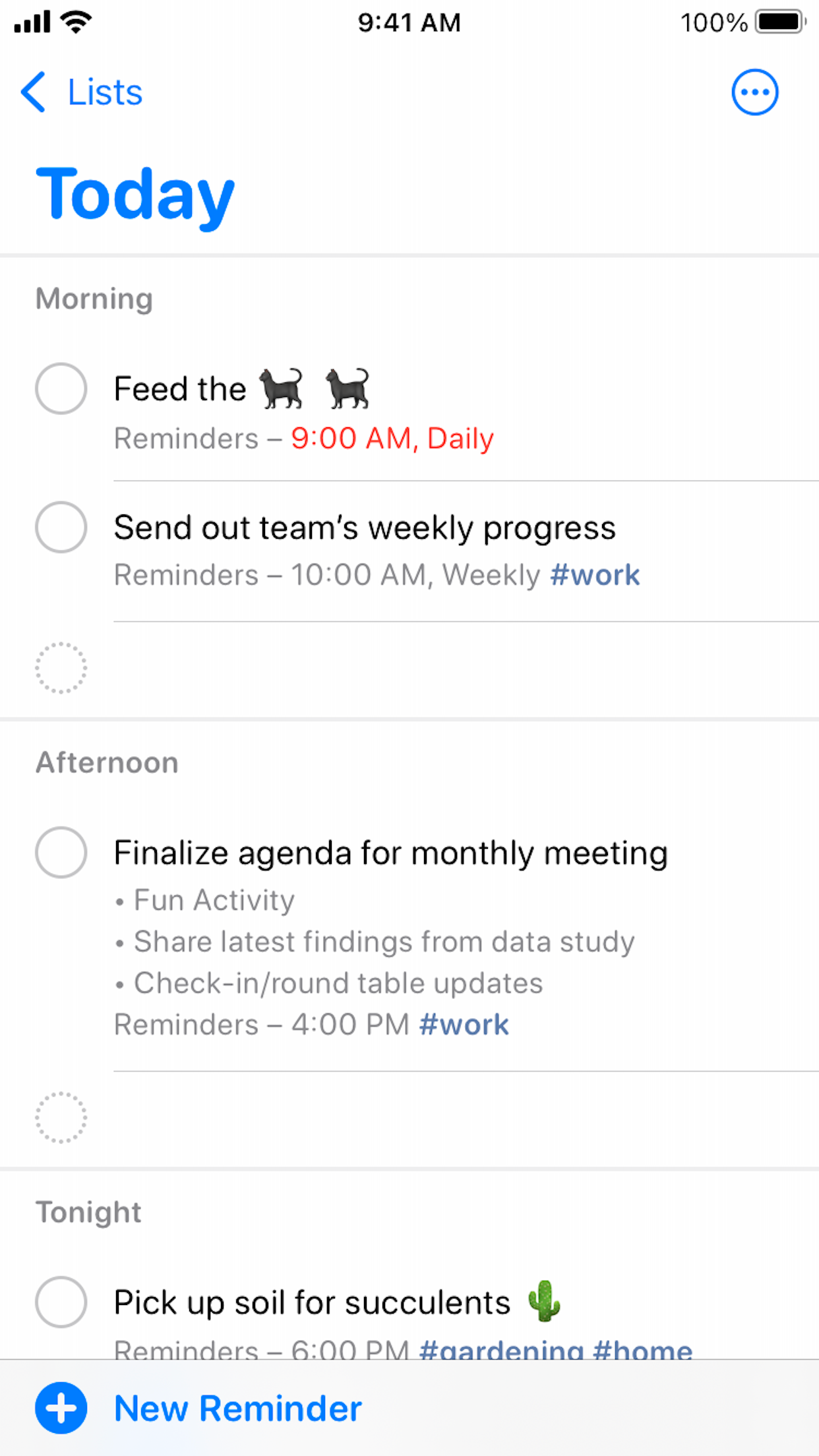
Apple Reminders integrates with Mail and Calendar on Apple devices only. It does not connect to Gmail or Google Calendar, which breaks the workflow for Google Workspace teams.

Google Tasks
Official Google Play screenshot of creating tasks from Gmail
Tasks appear in Gmail sidebar and Calendar events.
Apple Reminders
Official Apple Reminders App Store screenshot of the Today smart list
No native Gmail or Google Workspace connection.

Winner: Google Tasks

Native Gmail and Google Calendar integration keeps task workflows inside the Google ecosystem.


Feature 3

Siri and voice capture

Apple Reminders is built for Siri. Say "Hey Siri, remind me to call Alex at 5 PM" and the task appears instantly with time or location triggers.

Google Tasks has no native Siri shortcut. On iPhone you can use the Google Tasks app or Google Assistant, but voice capture is not as seamless as Apple's first-party integration.

Google Tasks
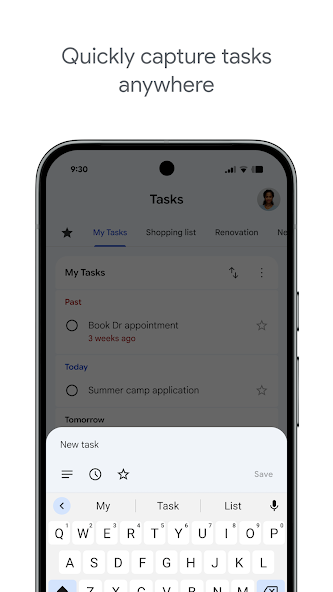
Official Google Play screenshot of adding a task on Android
Type in app or use Google Assistant on supported devices.
Apple Reminders
Apple Reminders iPhone home screen with Siri search microphone
Native Siri: "Hey Siri, remind me to..."

Winner: Apple Reminders

Apple Reminders has first-party Siri support — "Hey Siri, remind me to…" works instantly on Apple devices.


Feature 4

Kanban board view

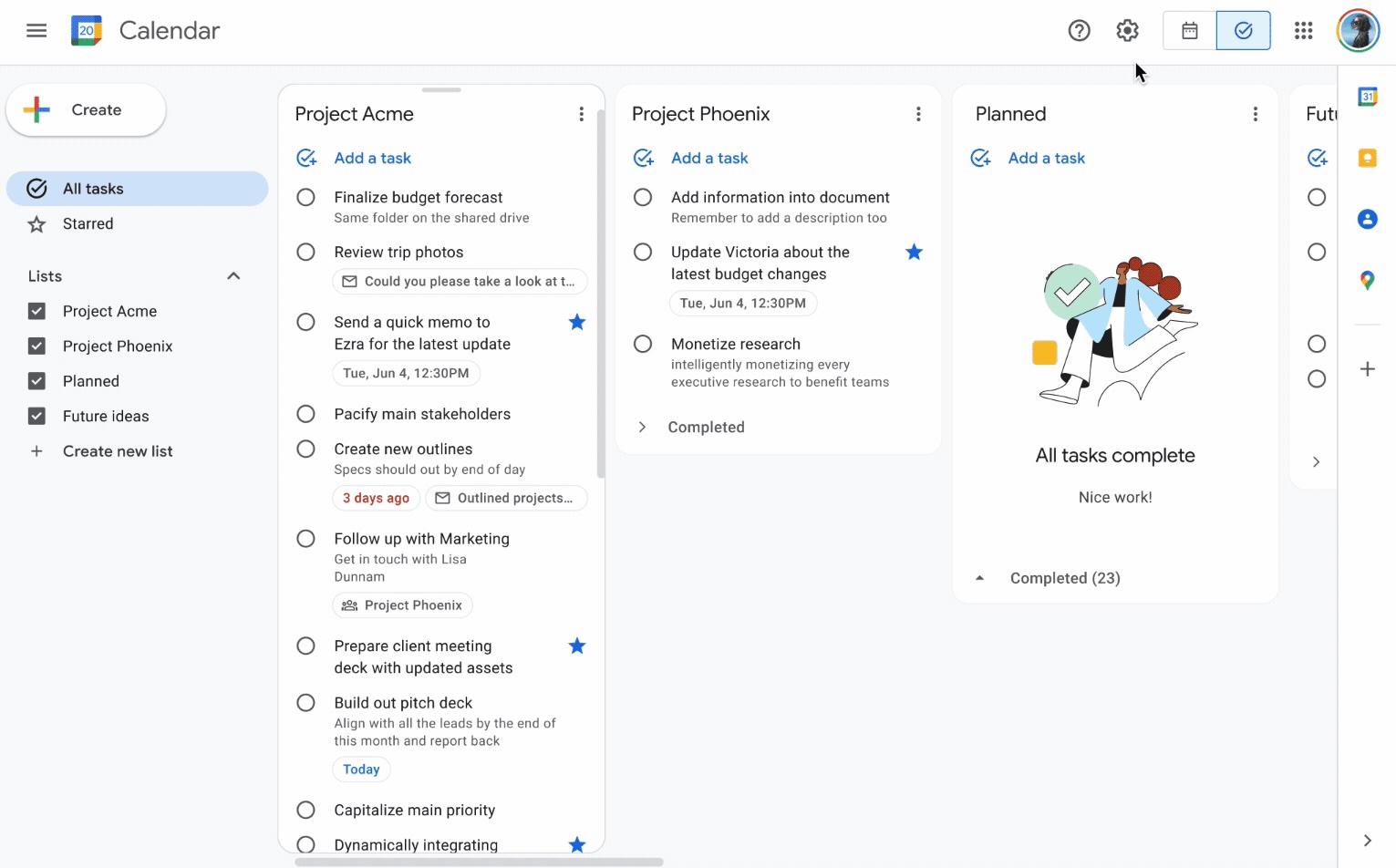
Google Tasks is list-based by default. TasksBoard adds a drag-and-drop kanban board on top of your Google Tasks lists. On the web, tasks.google.com also shows lists as side-by-side columns.

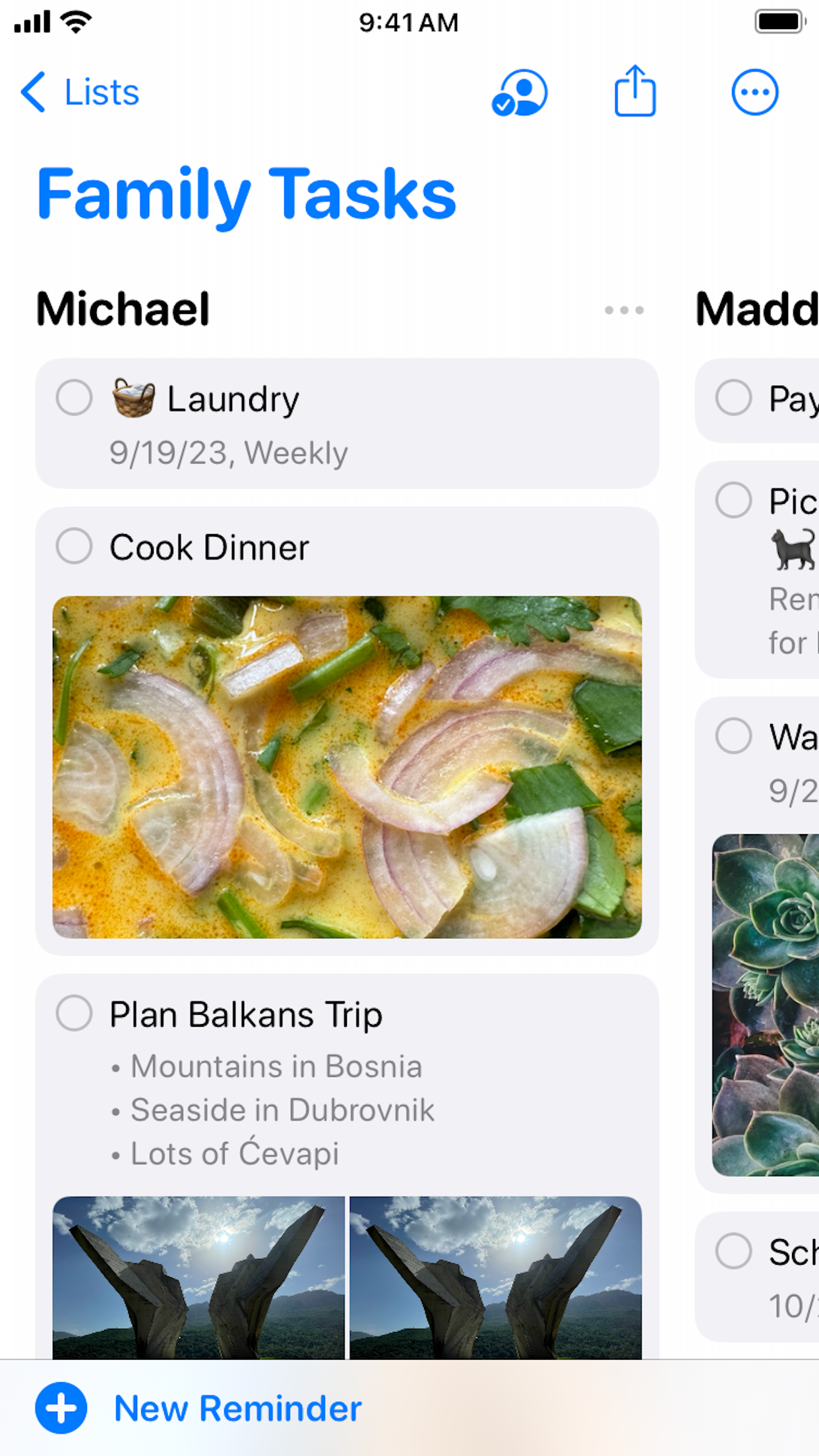
Apple Reminders added a column view in iOS 17 that arranges list sections as kanban-style columns. It is useful for personal and family lists, but is not the same as a shared project board for mixed-platform teams.

Google Tasks
Google Tasks multi-column board view on the web from 9to5Google
Kanban columns via TasksBoard, syncs to Google Tasks.
Apple Reminders
Official Apple Reminders column view for shared Family Tasks
Column view (iOS 17+) for section-based boards.

It's a tie

Apple Reminders column view suits personal lists; TasksBoard kanban suits cross-platform team boards. Pick based on your platform mix.


Feature 5

Team sharing and collaboration

Native Google Tasks has limited list-sharing. TasksBoard adds real-time board sharing with anyone who has a Google account — on Mac, Windows, Android, or iOS.

Apple Reminders supports iCloud list sharing and collaboration, but every participant needs an Apple Account. There is no native Reminders app for Windows or Android teammates.

Google Tasks
Sharing a Google Tasks board with teammates via TasksBoard
Share with any Google account on any platform.
Apple Reminders
Apple Reminders family list shared via iCloud
iCloud sharing, Apple ID required for all members.

Winner: Google Tasks

TasksBoard sharing works with any Google account on Windows, Android, and iOS — not just Apple IDs.


Feature 6

Location-based reminders

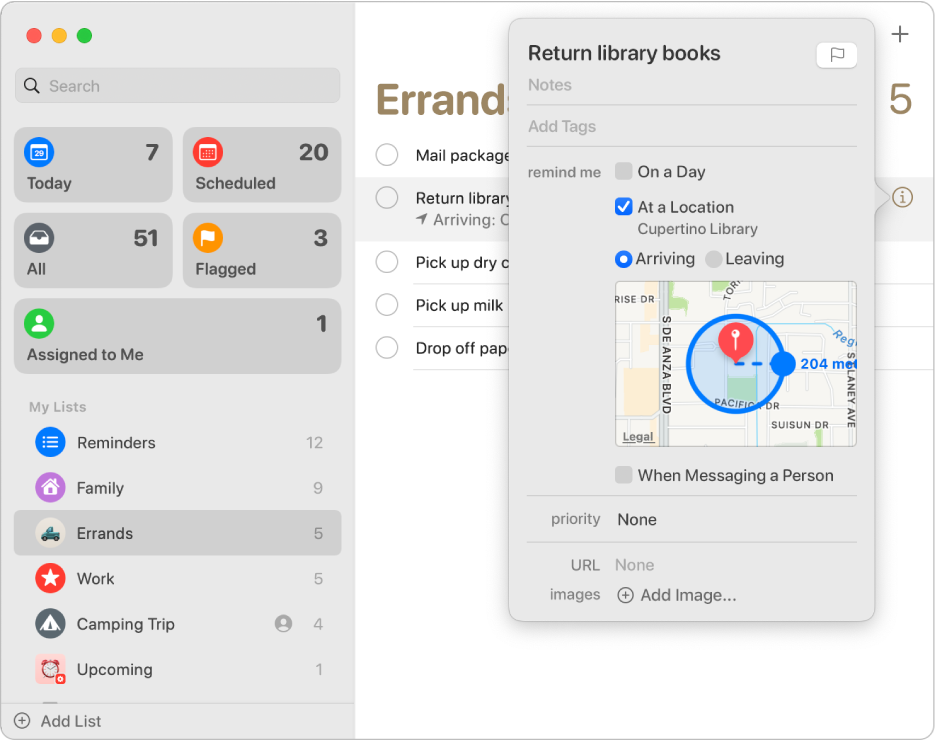
Apple Reminders excels at geo-fenced alerts: "Remind me when I get home" or "When I arrive at the office." Siri and Apple Maps power precise location triggers.

Google Tasks uses time-based due dates synced through Google Calendar. It does not support arrive/leave location triggers natively.

Google Tasks
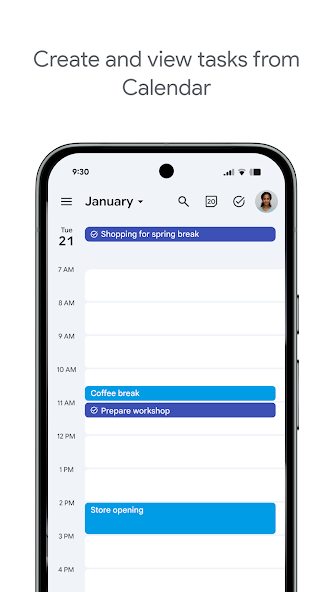
Google Tasks time-based due date synced to Google Calendar
Time-based reminders via Calendar sync.
Apple Reminders
Apple Support screenshot of a location-based reminder with map radius
Arrive/leave triggers with Apple Maps.

Winner: Apple Reminders

Location-based arrive/leave triggers are a core Apple Reminders strength; Google Tasks only supports time-based due dates.


Feature 7

Subtasks

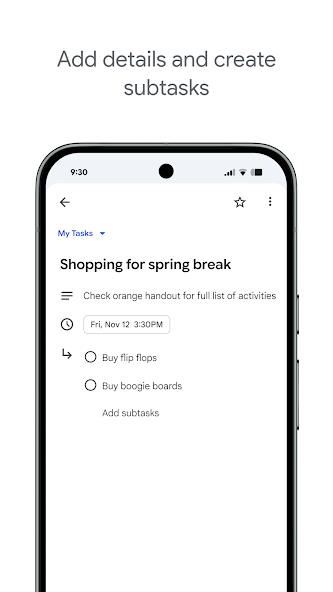
Both apps support breaking a task into smaller steps. Google Tasks nests subtasks under a parent task in the mobile and web apps.

Apple Reminders does the same with indented subtasks under a main reminder. For simple checklists, both work well, the difference is ecosystem and sharing, not subtask support.

Google Tasks
Official Google Play screenshot of subtasks in Google Tasks
Nested subtasks in Google Tasks app.
Apple Reminders
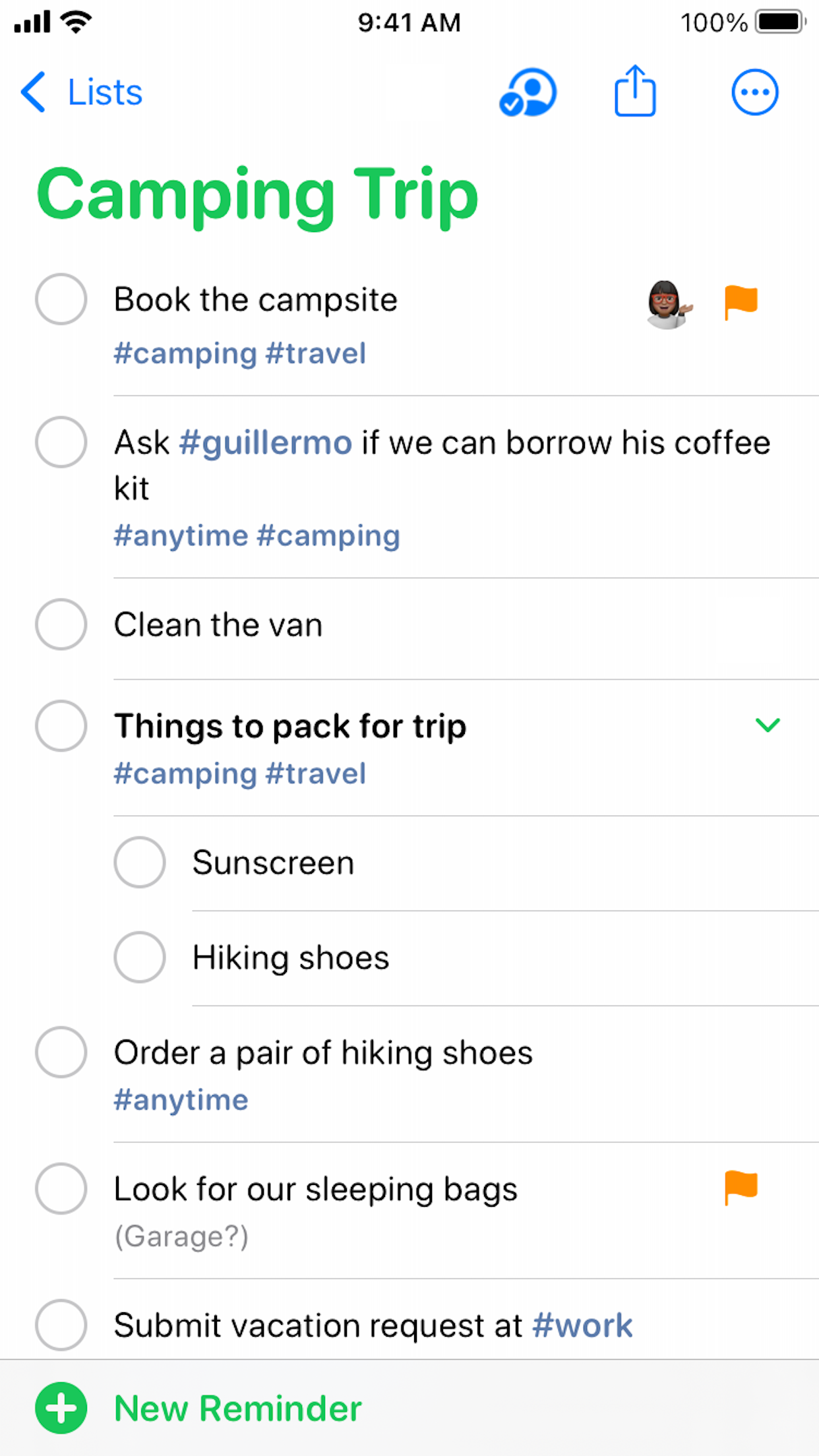
Official Apple Reminders screenshot with nested subtasks on a shared list
Indented subtasks in Reminders list.

It's a tie

Both apps nest subtasks under a parent task equally well for simple checklists.


Feature 8

Recurring tasks

Both Google Tasks and Apple Reminders support repeating schedules — daily standups, weekly reviews, monthly bills.

Google Tasks repeats appear in Google Calendar. Note: Google Tasks does not allow repeat on tasks that already have subtasks. Apple Reminders repeats sync via iCloud across Apple devices.

Google Tasks
Google Tasks recurring task with weekly repeat schedule
Repeating tasks visible in Google Tasks and Calendar.
Apple Reminders
Apple Reminders recurring reminder set for every Monday
Repeat schedules synced via iCloud.

It's a tie

Both support repeating schedules. Google Tasks syncs repeats to Calendar; Apple Reminders syncs via iCloud.


Feature 9

Works without an Apple device

Google Tasks is the practical choice for mixed-device teams. Android phones, Windows laptops, and Chromebooks all have full access through apps or the browser.

Apple Reminders has no native Android or Windows app. iCloud.com offers limited web access, but still requires an Apple Account and is not a substitute for teammates on non-Apple platforms.

Google Tasks
Google Tasks on Android phone
Full Android app and web access.
Apple Reminders
Apple Reminders showing Apple device requirement
No access from Windows or Android.

Winner: Google Tasks

Android, Windows, and Chromebook users get full access — Apple Reminders has no native apps on those platforms.


Feature 10

Cloud list sharing

Google Tasks lists can be shared in Google Workspace contexts, and TasksBoard extends this with board-level sharing for project teams across platforms.

Apple Reminders supports cloud list sharing via an Apple Account. Collaborators can work on shared lists, but the experience is Apple-first and there is no native app for Windows or Android.

Google Tasks
Sharing Google Tasks lists with Google account holders
Google account sharing, any platform.
Apple Reminders
Apple Reminders shared list via cloud collaboration
Cloud list sharing, Apple Account required.

Winner: Google Tasks

Google account sharing reaches teammates on any OS; Apple cloud sharing requires every collaborator to use an Apple Account.


Amado por milhares de usuários

4.8 / 5 de mais de 1.000 avaliações na Chrome Web Store

"Always have 101 things to do and this helps me organize and prioritize like no other app can. It syncs to my phone and laptop, and when I add dates to tasks, they automatically integrate into my Google Calendar, which is immensely convenient. I can look at my daily, weekly, and monthly overview in Google Calendar and clearly see how much I was able to accomplish! Great tool indeed. Excited to see how it will evolve over time."

PR Parina Ramjee avatar
Parina Ramjee

"Seriously, makes my tasks easier to share with the team, and the free version is quite nice for our little office. Eventually, we will expand, and this is definitely a great tool to do that! Syncs with my Workspace and Calendar."

CC Chase Cattrall avatar
Chase Cattrall

"I love the simple, intuitive interface and the Add to Tasks feature, especially as I work through my emails! Sharing my tasks is also easy. Overall, outstanding and simple to use, and that means a lot with too many complex tasks out there!"

GC Greg Cantori avatar
Greg Cantori

"Great too for managing daily routine and plan tasks. Would be perfect if it was updated for generating reports for statistics. For google tasks and google calendar"

NV Nick Vlasov avatar
Nick Vlasov

Perguntas frequentes

Is Google Tasks better than Apple Reminders?

Google Tasks is better for cross-platform work, Gmail integration, and team collaboration. Apple Reminders is better for personal Siri and location-based reminders on Apple devices only.

Can I sync Google Tasks with Apple Reminders?

No official sync exists. Some third-party apps offer limited bridges, but tasks remain in separate systems. Most users pick one and migrate active items manually.

Does Google Tasks work on iPhone?

Yes. Google Tasks has a native iOS app and works in Safari. TasksBoard also runs in the mobile browser for kanban board access on iPhone.

Which has better location reminders?

Apple Reminders has superior location-based reminders tied to Siri and Apple Maps. Google Tasks uses time-based due dates synced through Google Calendar.

Can Apple Reminders share lists with non-Apple users?

Apple Reminders sharing requires iCloud accounts and Apple devices. Google Tasks with TasksBoard allows sharing with anyone who has a Google account, on any platform.

What is Google Tasks vs Reminders?

Google Tasks vs Reminders usually refers to comparing Google Tasks with Apple Reminders or Samsung Reminders. Google Tasks is cross-platform; device-specific Reminders apps are tied to their ecosystems.

Should I use both Apple Reminders and Google Tasks?

Some users keep Apple Reminders for personal Siri capture and Google Tasks for work. For team projects, consolidate in Google Tasks with TasksBoard to avoid split systems.


Get started

Cross-platform tasks with kanban and sharing

Sign in with Google and get a full-screen kanban board. Share with teammates on any device.

No credit card required. Works on Mac, Windows, and mobile.