
Support
⚠️ TasksBoard cannot access your Google Tasks
Please try the following solutions to solve this issue:
Looking for help with Google Tasks reminder notifications on your phone? That is a different issue, see our Google Tasks notifications troubleshooting guide .
Allow from Google Workspace Admin panel
If you are using a Google WorkSpace (G Suite) account (@yourCompanyName.com instead of @gmail.com) please ask your WorkSpace (G Suite) administrator to check if your Calendar and Tasks accesses are enabled for your account on the Google Workspace Apps settings page .
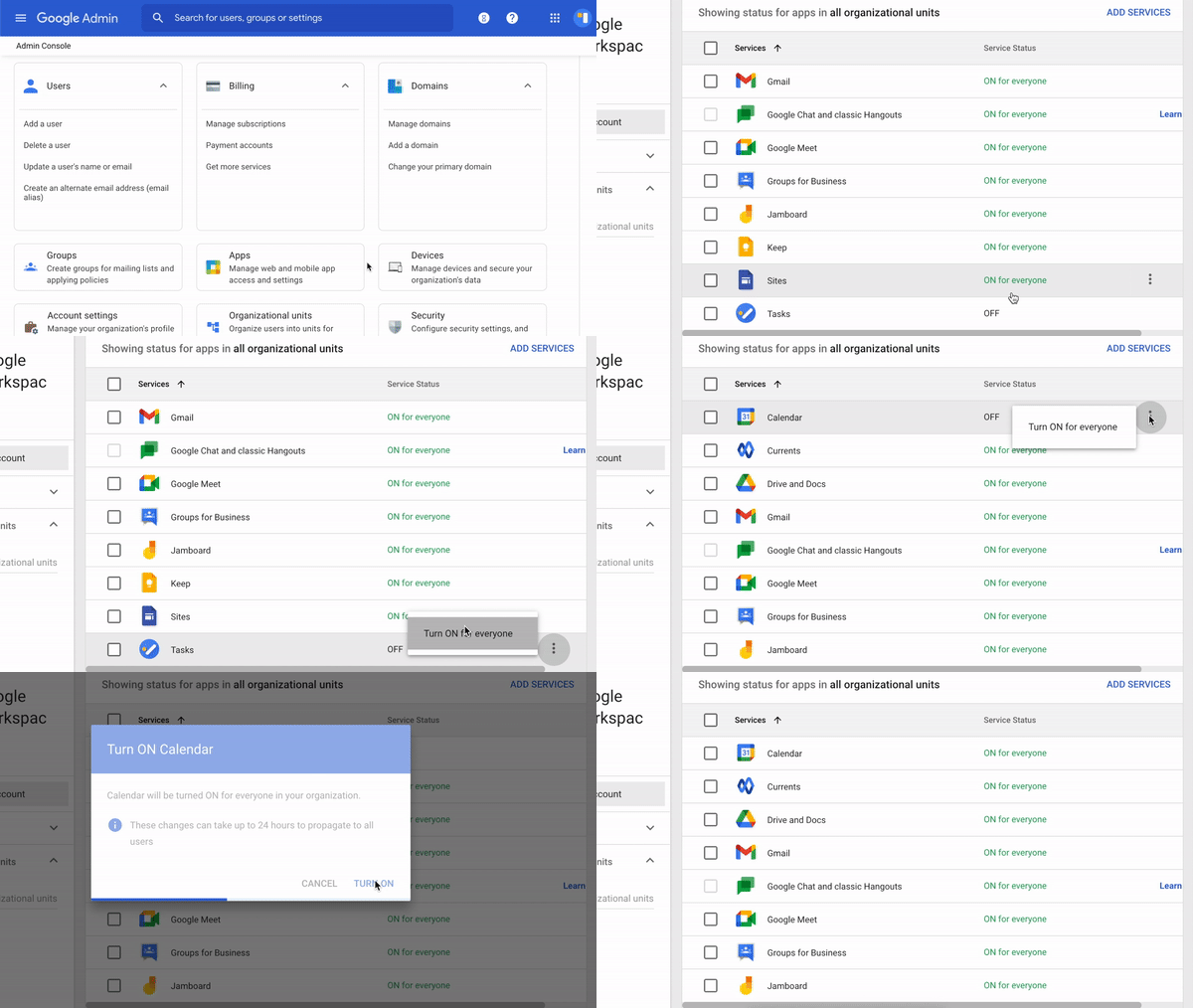
Then try to Sign in again.
Reset account access
If the error persists or you are not using Google Workspace, you can try to reset the access to your Google Account to solve your connection issue.
Automatic reset
To reset the access automatically, please use this link Reset access .
Manual reset
If this doesn't solve your connection problem, please follow these steps:
- Go on your Google account permission page
- Then select "TasksBoard" on the section named "Third-party apps with account access"
- Then click "Remove Access"
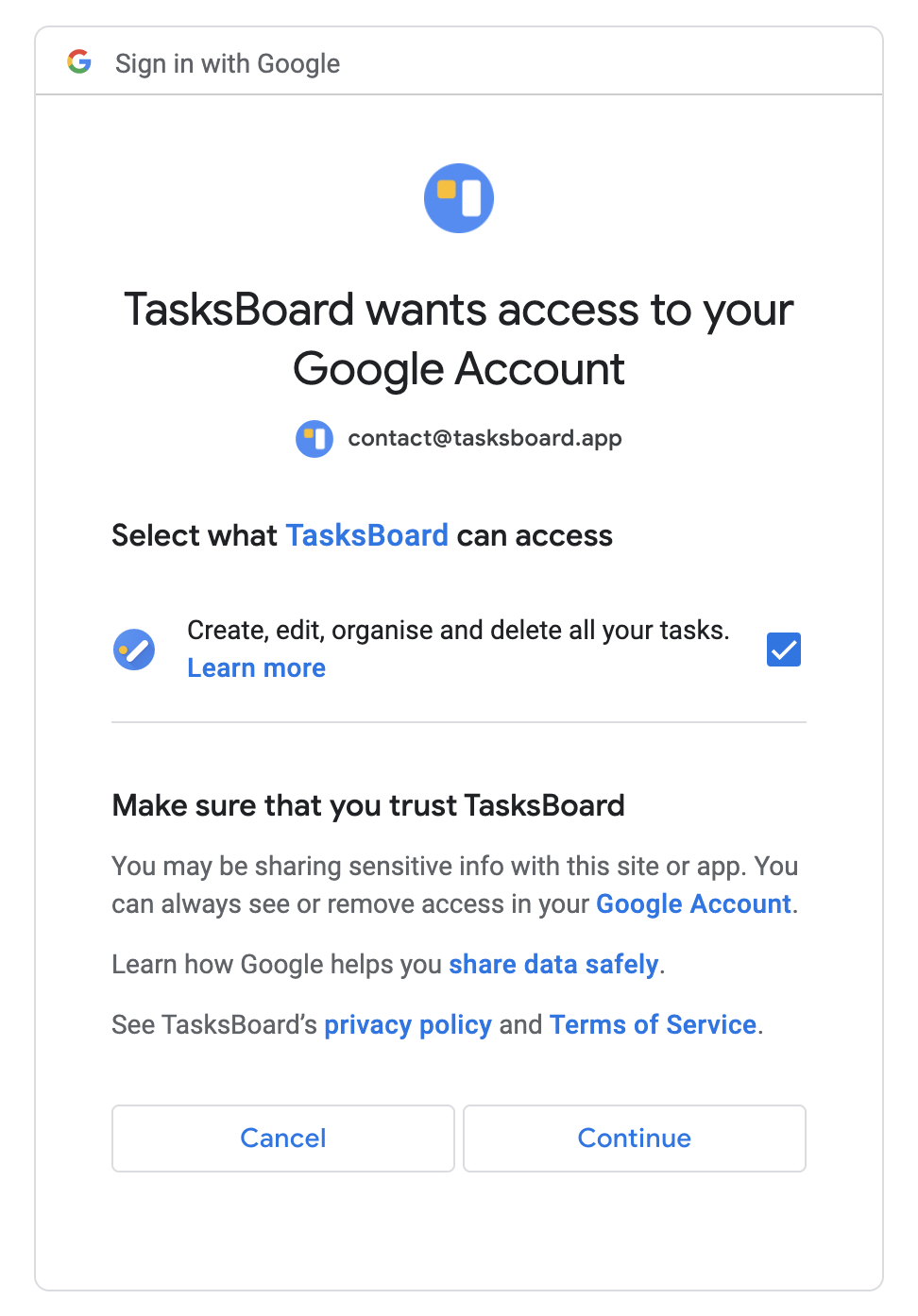
- Come back to TasksBoard and try to Sign in again by accepting all requested access (to allow TasksBoard to manage your tasks).
Clear your browser cache
If this problem persists, please clear your browser cache and try again.
If you are using Google Chrome , select Menu (3 dots icon on the top right corner of the browser), click on the "Privacy and Security" tab, then click "Cookies and other site data", then click "See all site data and permissions", then search for TasksBoard and click on the bin icon to remove the data stored by TasksBoard.
If you are using Safari , go to the settings, then "Privacy", then "Manage website data", then search for "tasksboard" and click the remove button to remove the data stored by TasksBoard.
If you are using Microsoft Edge , select Menu (3 dots icon on the top right corner of the browser), then "Settings", then "Privacy & Services", then "Privacy", then "Clear browsing data", then search for "tasksboard" and click the remove button to remove the data stored by TasksBoard.
Then try to Sign in again.
Check browser extensions
Please also check if you don't have any browser (Chrome, Safari...) extension that could prevent TasksBoard from connecting properly such as an ad blocker or Privacy Badger.
Then try to Sign in again.
Contact Support
If none of the above solution worked, please feel free to contact the support for help at contact@tasksboard.com .