
Google Tasks para equipos
Google Tasks para equipos: Añade uso compartido y kanban sin salir de Google
Google Tasks es genial para tareas personales, pero no tiene uso compartido en equipo, ni asignaciones, ni vista de tablero. TasksBoard es la capa de equipo encima, con tableros compartidos, sincronización en tiempo real y cero migración.
Utilizado por más de 2 millones de personas. Gratis para empezar.
Por qué los equipos eligen TasksBoard sobre Google Tasks nativo
Comparte tableros con un enlace
Google Tasks nativo no tiene uso compartido. TasksBoard te permite invitar a tus compañeros de equipo a un tablero compartido donde todos ven la misma vista en vivo respaldada por Google Tasks.
Sincronización en tiempo real para cada compañero
Cuando una persona completa una tarea, todos la ven al instante. Los cambios se sincronizan automáticamente con la cuenta de Google Tasks de cada colaborador.
Tablero kanban para flujos de trabajo en equipo
Mueve tarjetas entre las columnas Por hacer, En progreso y Hecho. Google Tasks por sí solo es una lista plana, TasksBoard le da a tu equipo un flujo de trabajo visual.
Se mantiene dentro de Google Workspace
Inicia sesión con Google, adjunta archivos de Drive y mantén las fechas de vencimiento en Calendar. Sin cuentas nuevas, sin exportación de datos, sin dependencia de proveedores.
Uso compartido en equipo
El uso compartido que Google Tasks nunca lanzó
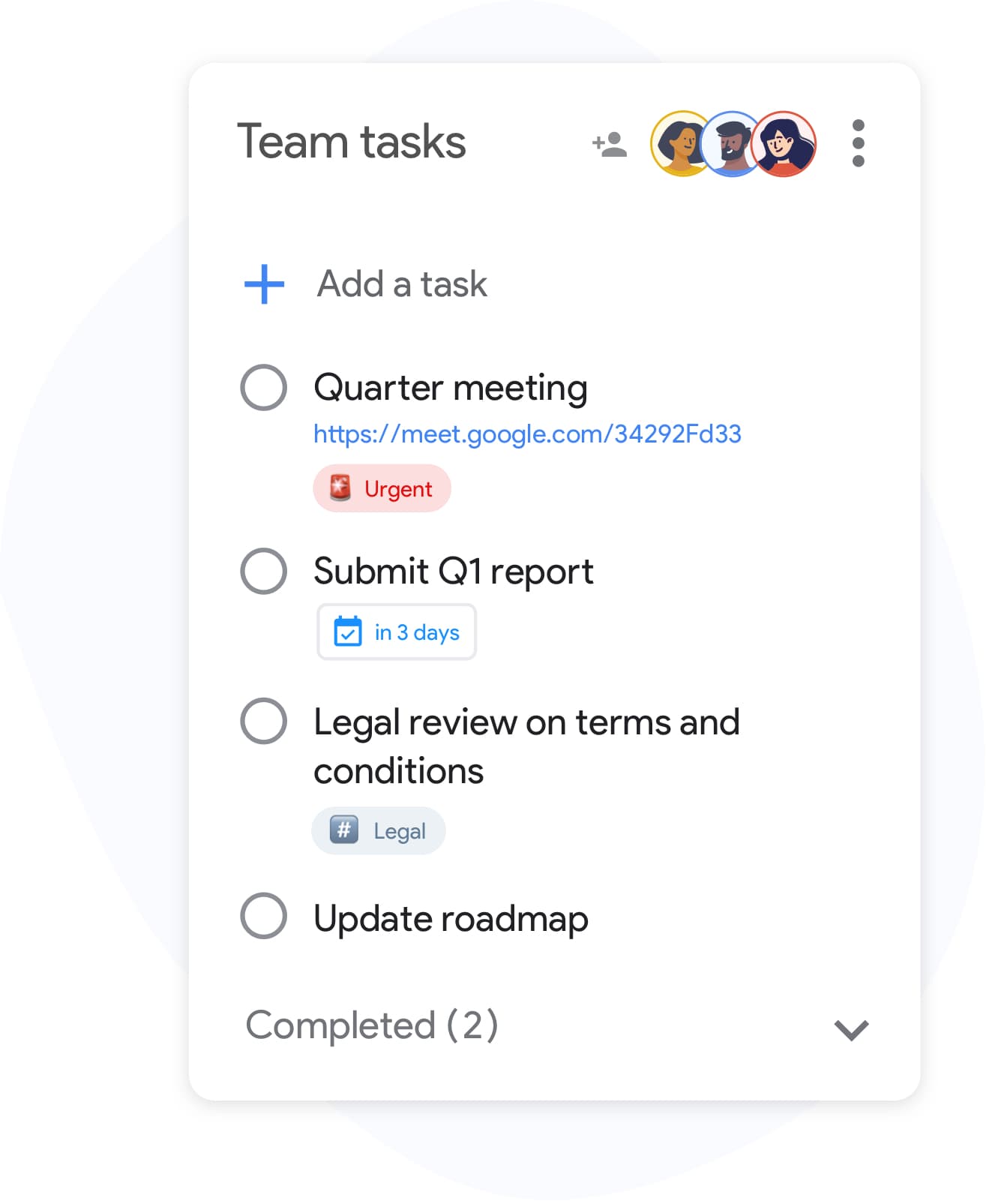
Uso compartido en equipo
El uso compartido que Google Tasks nunca lanzó
Las listas de Google Tasks son privadas para cada cuenta. TasksBoard resuelve esto con tableros compartidos: invita a tus colegas por correo electrónico y todos trabajarán desde la misma vista Kanban. Las tareas siguen viviendo en Google Tasks bajo el capó, tu equipo obtiene colaboración sin cambiar de herramienta.
- Invita a compañeros de equipo con un solo enlace
- Todos ven actualizaciones en vivo en tiempo real
- Sin listas duplicadas ni correos electrónicos de estado manuales
Kanban de equipo
Ejecuta sprints y reuniones diarias en un tablero compartido
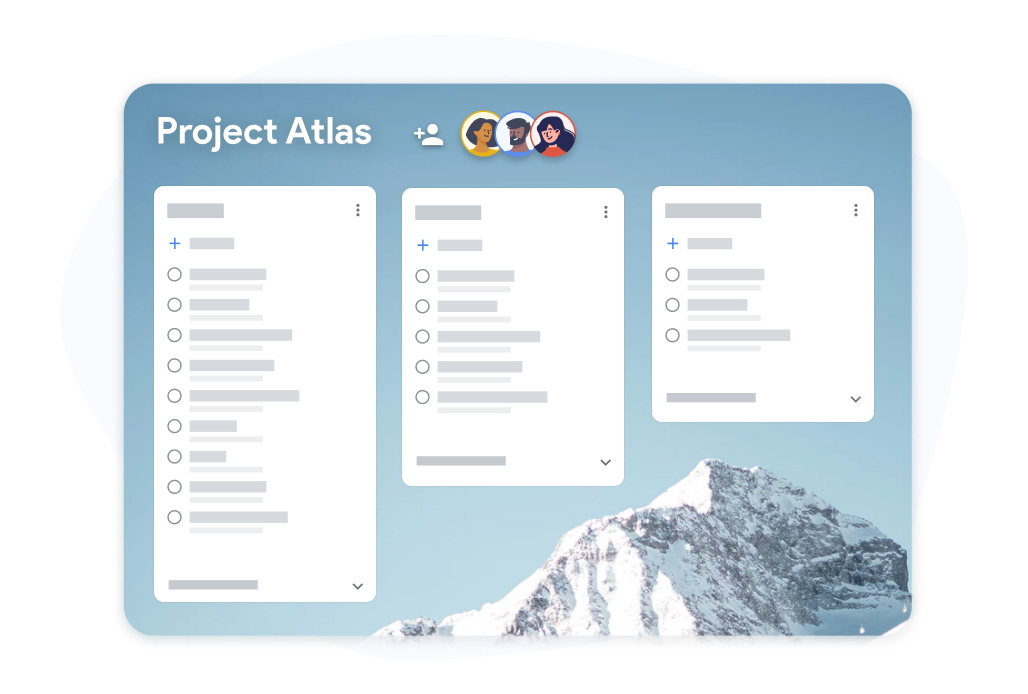
Kanban de equipo
Ejecuta sprints y reuniones diarias en un tablero compartido
Organiza las listas de Google Tasks de tu equipo como columnas Kanban. Arrastra tarjetas entre Pendientes, Esta semana y Hecho durante la reunión diaria. Las tareas vencidas se marcan para que nada se pase por alto.
- Arrastra tarjetas entre columnas durante las reuniones
- Progreso de subtareas visible en cada tarjeta
- Vista a pantalla completa, no una barra lateral estrecha
Listo para Workspace
Creado para equipos de Google Workspace
Listo para Workspace
Creado para equipos de Google Workspace
TasksBoard está publicado en Google Workspace Marketplace. Tu equipo inicia sesión con cuentas de Workspace existentes, adjunta archivos de Drive a las tareas y mantiene los plazos sincronizados con Google Calendar.
- Funciona con planes Business, Education y Nonprofit
- Inicio de sesión OAuth 2.0, sin contraseñas nuevas
- Las tareas permanecen en la infraestructura de Google
Cómo usar Google Tasks con tu equipo
-
Inicia sesión con Google
Abre TasksBoard e inicia sesión con tu cuenta de Google o Workspace. Tus listas de Google Tasks existentes aparecen como columnas de tablero inmediatamente.
-
Invita a tu equipo
Haz clic en compartir y añade a tus compañeros de equipo por correo electrónico. Cada persona se une al tablero y ve la misma vista en tiempo real de tus Google Tasks.
-
Colabora en el tablero
Añade tareas, establece fechas de vencimiento, arrastra tarjetas entre columnas y marca elementos juntos. Cada cambio se sincroniza con el Google Tasks de cada miembro.
Amado por miles de usuarios
4.8 / 5 de más de 1,000 reseñas en Chrome Web Store
"Always have 101 things to do and this helps me organize and prioritize like no other app can. It syncs to my phone and laptop, and when I add dates to tasks, they automatically integrate into my Google Calendar, which is immensely convenient. I can look at my daily, weekly, and monthly overview in Google Calendar and clearly see how much I was able to accomplish! Great tool indeed. Excited to see how it will evolve over time."

"Seriously, makes my tasks easier to share with the team, and the free version is quite nice for our little office. Eventually, we will expand, and this is definitely a great tool to do that! Syncs with my Workspace and Calendar."

"I love the simple, intuitive interface and the Add to Tasks feature, especially as I work through my emails! Sharing my tasks is also easy. Overall, outstanding and simple to use, and that means a lot with too many complex tasks out there!"

"Great too for managing daily routine and plan tasks. Would be perfect if it was updated for generating reports for statistics. For google tasks and google calendar"





Preguntas frecuentes
¿Se pueden compartir Google Tasks con un equipo de forma nativa?
No. Google Tasks nativo no admite compartir listas o tableros con otras personas. Cada cuenta tiene sus propias listas de tareas privadas. TasksBoard añade uso compartido en equipo sobre Google Tasks a través de tableros compartidos.
¿Cómo permite TasksBoard la colaboración en equipo en Google Tasks?
TasksBoard crea un tablero Kanban compartido respaldado por Google Tasks. Invitas a tus compañeros por correo electrónico y todos ven el mismo tablero en vivo. Las tareas se almacenan en Google Tasks y se sincronizan con la cuenta de cada colaborador.
¿Todos los miembros del equipo necesitan una cuenta de Google?
Sí. Debido a que las tareas se sincronizan a través de la API de Google Tasks, cada colaborador necesita una cuenta de Google. Las cuentas de Google Workspace funcionan mejor para equipos empresariales.
¿Puedo asignar tareas a miembros específicos del equipo?
TasksBoard admite la propiedad de tareas en tableros compartidos para que puedas ver quién es responsable de cada tarjeta. Google Tasks nativo no tiene asignados, TasksBoard añade esto a nivel de tablero.
¿Es TasksBoard gratuito para equipos que usan Google Tasks?
Sí. El plan gratuito incluye tableros compartidos, vista Kanban y sincronización con Google Tasks. Los planes Premium añaden equipos más grandes, fondos personalizados y soporte prioritario.
¿Qué sucede con las tareas si un compañero de equipo abandona el tablero?
Las tareas permanecen en la cuenta de Google Tasks de cada persona. Eliminar a alguien de un tablero compartido revoca su acceso a la vista de TasksBoard pero no elimina sus datos subyacentes de Google Tasks.
¿En qué se diferencia TasksBoard de Google Tasks para la gestión de proyectos?
Google Tasks es una lista de tareas personales ligera. TasksBoard añade uso compartido en equipo, tableros Kanban y una interfaz de escritorio a pantalla completa mientras mantiene a Google Tasks como el almacén de datos. Para una gestión de proyectos más pesada, consulta nuestra guía de gestión de proyectos.
Empieza ahora
Dale a tu equipo un tablero de Google Tasks compartido hoy mismo
Inicia sesión con Google e invita a tu equipo en minutos. Gratis para siempre, no se requiere tarjeta de crédito.
No se requiere tarjeta de crédito. Funciona con equipos de Google Workspace.