
เทมเพลตรายการตรวจสอบ
เทมเพลตรายการตรวจสอบ: สร้างครั้งเดียว ใช้ซ้ำได้ทุกครั้ง
Stop rebuilding the same checklist from scratch. TasksBoard lets you build a checklist once, duplicate it in one click, and share it with your team, all backed by Google Tasks so it syncs everywhere.
มีผู้ใช้งานกว่า 2 ล้านคน เริ่มต้นใช้งานฟรี
ทำไมเทมเพลตรายการตรวจสอบของ TasksBoard ถึงดีกว่าสเปรดชีตแบบเดิม
ทำซ้ำได้ในคลิกเดียว
Keep a master checklist you never check off and duplicate it in one click. Your next onboarding, sprint, or review cycle starts clean in seconds.
แชร์กับเพื่อนร่วมทีมได้ทันที
Share a checklist with your whole team via a single link, or duplicate it so each member can run their own copy.
แนบไฟล์กับรายการใดก็ได้
เชื่อมโยง Google Doc, Sheet หรือไฟล์ Drive เข้ากับรายการตรวจสอบโดยตรง ข้อมูลอ้างอิงที่ถูกต้องจะอยู่ใกล้แค่เอื้อมเมื่อต้องดำเนินการตามรายการตรวจสอบ
ซิงค์ข้ามทุกอุปกรณ์
Every checklist lives in Google Tasks. Open it on the web or in the Google Tasks apps for iOS and Android and it is always up to date, no manual sync, no file sharing.
การสร้างเทมเพลต
สร้างรายการตรวจสอบที่นำกลับมาใช้ใหม่ได้ในเวลาไม่ถึงสองนาที
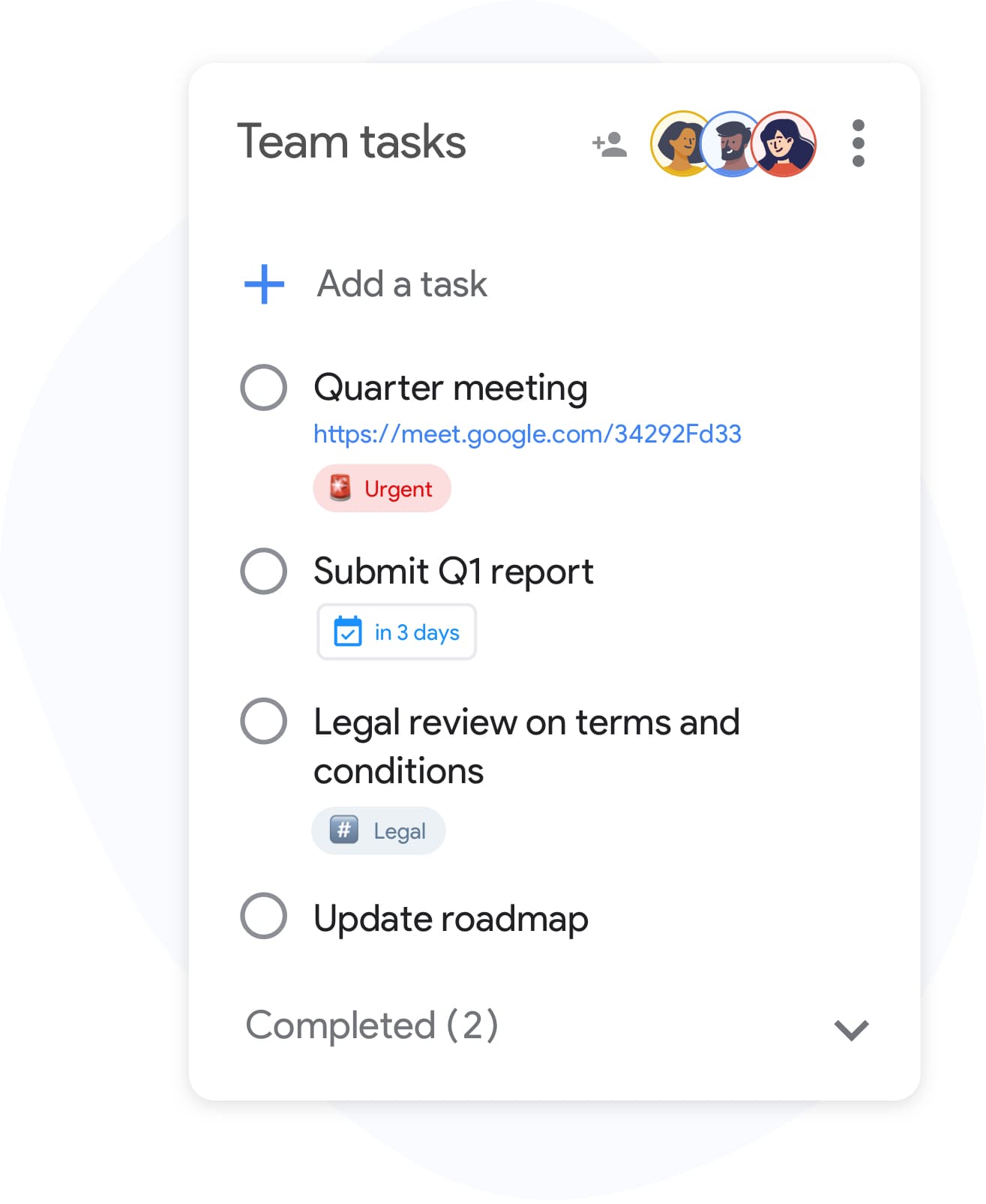
การสร้างเทมเพลต
สร้างรายการตรวจสอบที่นำกลับมาใช้ใหม่ได้ในเวลาไม่ถึงสองนาที
สร้างรายการใน TasksBoard และเพิ่มทุกขั้นตอนที่กระบวนการของคุณต้องการ รวมงานย่อยสำหรับรายการที่ซับซ้อนและแนบไฟล์อ้างอิงไปยังแถวแต่ละแถว เมื่อพร้อมแล้ว ให้ตั้งชื่อให้ชัดเจน เช่น "เทมเพลตการรับลูกค้าใหม่" หรือ "การตรวจสอบประจำสัปดาห์" เพื่อให้ค้นหาและทำซ้ำได้ง่าย
- เพิ่มรายการอย่างรวดเร็วด้วยปุ่ม Enter, ไม่ต้องใช้เมาส์คลิก
- ซ้อนงานย่อยภายใต้รายการตรวจสอบใดก็ได้สำหรับขั้นตอนที่มีหลายส่วน
- แนบไฟล์ Google Drive ไปยังรายการแต่ละรายการเพื่อใช้อ้างอิง
รายการตรวจสอบของทีม
รันรายการตรวจสอบเดียวกันทั้งทีมของคุณ
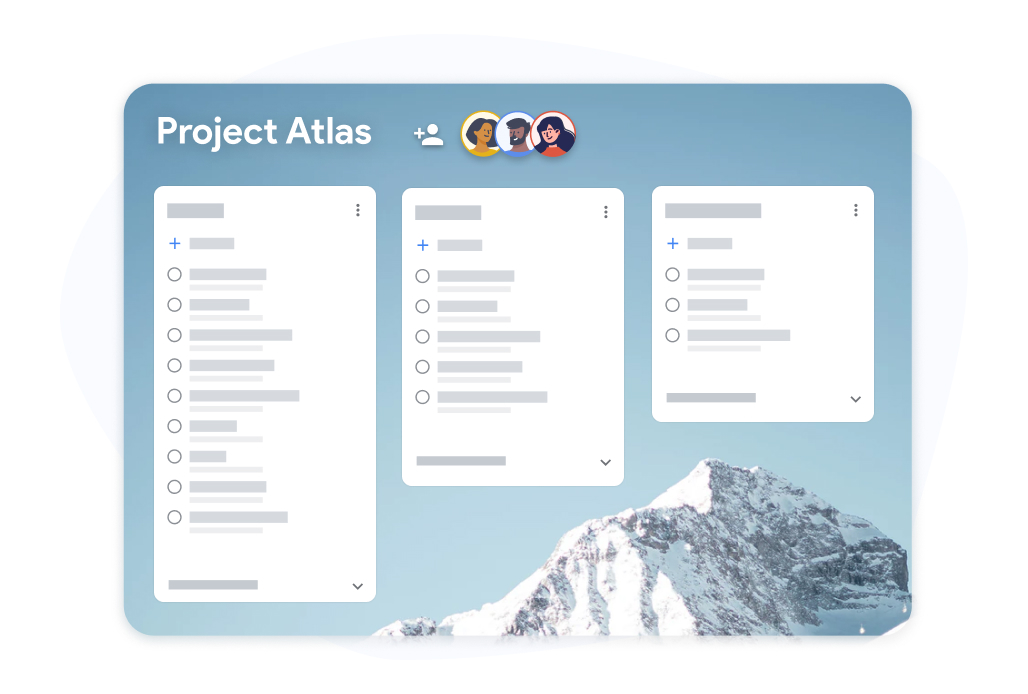
รายการตรวจสอบของทีม
รันรายการตรวจสอบเดียวกันทั้งทีมของคุณ
แชร์กระดานเทมเพลตรายการตรวจสอบกับเพื่อนร่วมทีม แต่ละคนสามารถทำเครื่องหมายรายการที่ได้รับมอบหมายของตนเอง และความคืบหน้าจะแสดงให้ทุกคนเห็นแบบเรียลไทม์ ไม่ต้องส่งสเปรดชีตไปมาเพื่อติดตามว่าใครทำอะไรอีกต่อไป
- ความคืบหน้าแบบเรียลไทม์ที่ทุกคนที่ทำงานร่วมกันมองเห็นได้
- เพื่อนร่วมทีมแต่ละคนสามารถทำเครื่องหมายรายการที่ได้รับมอบหมายของตนเองได้
- ส่งออกรายการตรวจสอบที่เสร็จสิ้นแล้วไปยัง Google Sheets เพื่อเก็บเป็นบันทึก
วิธีการสร้างและนำเทมเพลตรายการตรวจสอบกลับมาใช้ใหม่ใน TasksBoard
-
สร้างเทมเพลตรายการตรวจสอบ
Open TasksBoard and create a new list. Add every step, attach any reference files, and set due dates where needed. This becomes your master checklist: keep it unchecked.
-
ทำซ้ำสำหรับการใช้งานแต่ละครั้ง
When you need to run the checklist again, duplicate the master list. You get a fresh copy with every step and you are ready to start.
-
แชร์และติดตามความคืบหน้า
เชิญเพื่อนร่วมทีมมายังรายการตรวจสอบที่ทำซ้ำ ติดตามความคืบหน้าแบบเรียลไทม์และส่งออกไปยัง Google Sheets เมื่อคุณต้องการบันทึกการเสร็จสิ้น
เป็นที่ชื่นชอบของผู้ใช้หลายพันคน
4.8 / 5 จากรีวิวกว่า 1,000 รายการบน Chrome Web Store
"Always have 101 things to do and this helps me organize and prioritize like no other app can. It syncs to my phone and laptop, and when I add dates to tasks, they automatically integrate into my Google Calendar, which is immensely convenient. I can look at my daily, weekly, and monthly overview in Google Calendar and clearly see how much I was able to accomplish! Great tool indeed. Excited to see how it will evolve over time."

"Seriously, makes my tasks easier to share with the team, and the free version is quite nice for our little office. Eventually, we will expand, and this is definitely a great tool to do that! Syncs with my Workspace and Calendar."

"I love the simple, intuitive interface and the Add to Tasks feature, especially as I work through my emails! Sharing my tasks is also easy. Overall, outstanding and simple to use, and that means a lot with too many complex tasks out there!"

"Great too for managing daily routine and plan tasks. Would be perfect if it was updated for generating reports for statistics. For google tasks and google calendar"





คำถามที่พบบ่อย
เทมเพลตรายการตรวจสอบคืออะไร?
เทมเพลตรายการตรวจสอบคือรายการตรวจสอบที่สร้างไว้ล่วงหน้าซึ่งคุณนำกลับมาใช้ใหม่สำหรับกระบวนการที่เกิดขึ้นซ้ำๆ แทนที่จะสร้างรายการเดิมทุกครั้ง คุณเพียงแค่คัดลอกเทมเพลตและเริ่มดำเนินการได้ทันที
Are reusable checklists free in TasksBoard?
Yes. Creating, duplicating, and sharing checklists is included in the free plan. Advanced team features, bulk import, and expanded sharing are available on the premium plan.
ฉันจะนำเทมเพลตรายการตรวจสอบกลับมาใช้ใหม่ใน TasksBoard ได้อย่างไร?
Keep a master checklist you never check off and duplicate it in TasksBoard. All items copy over, so you get a clean copy of the same checklist ready to use in under ten seconds.
ฉันสามารถแชร์เทมเพลตรายการตรวจสอบกับคนที่ไม่มี TasksBoard ได้ไหม?
Collaborators need a Google account to edit a shared checklist so changes sync back to Google Tasks. Everyone you share with can edit the list; to give someone a read-only snapshot, export the list to Google Sheets.
ฉันสามารถแนบไฟล์กับรายการในเทมเพลตรายการตรวจสอบได้ไหม?
ได้ คุณสามารถเชื่อมโยงไฟล์ Google Drive (Docs, Sheets, Slides, PDFs) เข้ากับรายการตรวจสอบแต่ละรายการได้ เพื่อให้แน่ใจว่ามีสื่ออ้างอิงที่ถูกต้องแนบอยู่เสมอเมื่อมีคนดำเนินการตามรายการตรวจสอบ
รายการตรวจสอบประเภทใดที่เหมาะสำหรับเป็นเทมเพลต?
รายการตรวจสอบการรับพนักงานใหม่, เทมเพลตสรุปผลงาน, รายการตรวจสอบการวางแผนกิจกรรม, ขั้นตอนการเปิดตัวผลิตภัณฑ์ และรายการตรวจสอบประจำสัปดาห์ ล้วนเป็นตัวเลือกที่ดี กระบวนการใดก็ตามที่คุณทำมากกว่าหนึ่งครั้งจะได้รับประโยชน์จากเทมเพลตรายการตรวจสอบที่นำกลับมาใช้ใหม่ได้
TasksBoard ซิงค์เทมเพลตรายการตรวจสอบกับ Google Calendar หรือไม่?
Yes. Items in a checklist that have due dates appear in Google Calendar, including in the copies you duplicate. This keeps deadlines visible without any manual calendar entries.
เริ่มต้นใช้งาน
สร้างเทมเพลตรายการตรวจสอบแรกของคุณใน TasksBoard วันนี้
ลงชื่อเข้าใช้ด้วย Google และสร้างรายการตรวจสอบที่คุณสามารถนำกลับมาใช้ใหม่ได้ตลอดไป ฟรีสำหรับบุคคลทั่วไป ไม่ต้องใช้บัตรเครดิต
ไม่ต้องใช้บัตรเครดิต ใช้งานได้กับ Google Tasks ที่คุณมีอยู่แล้ว