Google Tasks vs Asana: Which Is Right for Your Team in 2026?

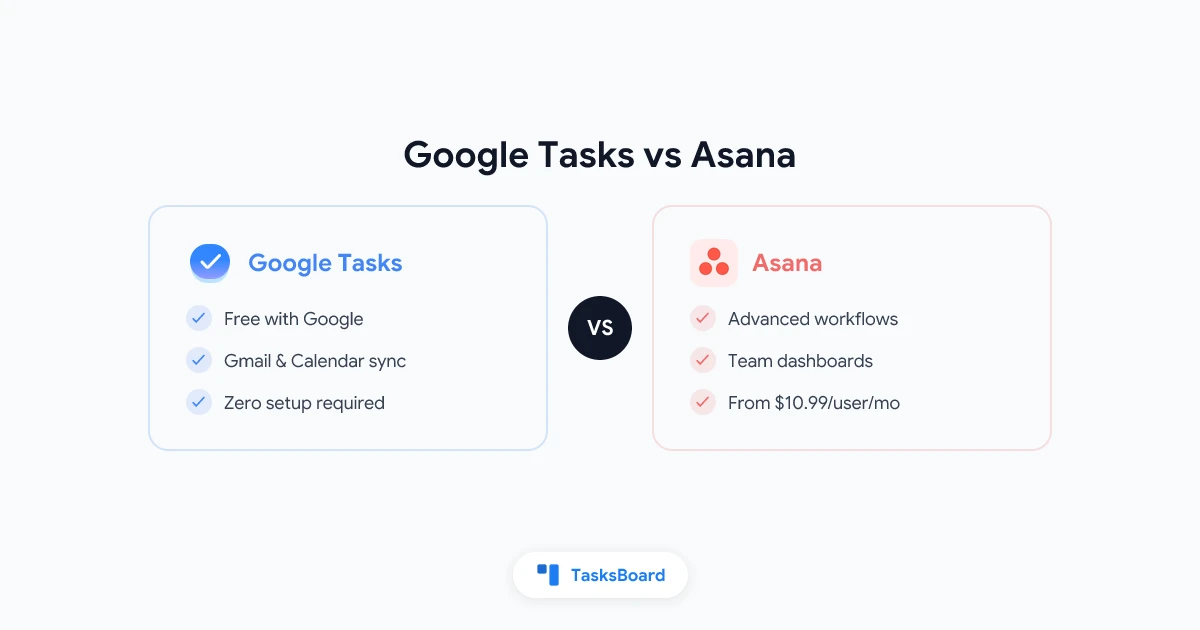
Google Tasks is already built into your Gmail and Google Calendar. Asana is a dedicated project management platform used by millions of teams. When it comes to getting work done, which one actually wins?
The answer depends entirely on how your team works. This guide compares Google Tasks vs Asana across pricing, features, ease of use, and team collaboration so you can pick the right tool in 2026.
Google Tasks vs Asana at a Glance
| Feature | Google Tasks | Asana |
|---|---|---|
| Price | Free | Free (basic) / Starter from $10.99/user/mo |
| Platform | Web, iOS, Android | Web, iOS, Android, Windows, Mac |
| Setup time | Zero | Low to medium |
| Gmail integration | Native sidebar | Via extension or Zapier |
| Google Calendar sync | Automatic | Manual or third-party |
| Task lists | Yes | Yes |
| Subtasks | Yes (one level) | Yes (multiple levels) |
| Due dates | Yes | Yes |
| Kanban board | No | Yes |
| Timeline / Gantt | No | Yes (paid plans) |
| Task assignments | No | Yes |
| Team dashboards | No | Yes |
| Automation | No | Yes (paid plans) |
| Learning curve | None | Low to medium |
| Google Workspace fit | Native | Partial |
Google Tasks: Simple and Always There
Google Tasks is a lightweight to-do list built directly into your Google account. It lives in the sidebar of Gmail, Google Calendar, Google Drive, and other Google apps. Every Google account includes it at no extra cost.
The feature set is intentionally focused. You get task lists, one level of subtasks, due dates, and short notes. That covers most personal task management needs. The standout feature is automatic sync with Google Calendar: any task with a due date appears on your calendar in a single unified view, with no configuration required.
There is nothing to install, configure, or learn. For people who live in Google Workspace all day, that frictionless access is a real advantage.
The limits are equally clear. Google Tasks has no task assignments, no priority labels, no board views, no time tracking, and no way to share a task list with a teammate. It is a personal productivity tool, not a team project manager.
Asana: A Dedicated Project Management Platform
Asana is built specifically for team task management and project coordination. It gives teams a shared workspace where tasks can be created, assigned, tracked, and reported on in one place.
The free tier covers basic task management: task lists, board views, project views, due dates, and comment threads. The paid Starter plan unlocks timelines, custom fields, dashboards, forms, and automation rules. For teams that need structured project tracking, the upgrade is often worth it.
Asana supports multiple views of the same project. You can switch between list view, board view, timeline, and calendar without duplicating any data. This makes it easy for a team to manage sprints, track deliverables, and monitor progress over time.
Unlike Google Tasks, Asana is built from the ground up for collaboration. Every task can have an assignee, a due date, followers, subtasks, attachments, and a comment thread. Teams can track not just what is due, but who is responsible and where things stand.
Where Google Tasks Has the Edge
Google Tasks wins on simplicity, Google integration, and cost.
Zero setup. You open Gmail and Google Tasks is already there. There is nothing to install, configure, or learn.
Calendar sync. Tasks with due dates appear in Google Calendar automatically. You see your work and your meetings in the same view with no extra steps.
Speed. Adding a task takes two seconds. You can turn an email into a task in one click from the Gmail sidebar.
Cost. Google Tasks is completely free. There are no tiers, no per-user fees, and no usage limits.
Google Workspace fit. Google Tasks is the only task manager that lives natively inside Gmail, Google Drive, and Google Calendar. No other tool integrates as deeply with the rest of the Google suite.
Strengths: zero setup, free, deep Google Workspace sync
Limits: no sharing, no assignments, no board view
Strengths: multiple views, automation, team dashboards
Limits: per-user cost, more setup, less Google sync
Where Asana Has the Edge
Asana wins when you need team coordination and structured project management.
Task assignments. Every task in Asana can have a designated owner. Team members see exactly what they are responsible for, and managers can track workloads across the whole team.
Multiple project views. Asana lets you view a project as a list, a kanban board, a timeline (Gantt chart), or a calendar. Your team can switch between views based on preference without changing the underlying data.
Automation. Asana’s rules engine can automatically assign tasks, move cards between columns, send notifications, or update fields when certain conditions are met. This cuts down on repetitive manual updates.
Dashboards and reporting. Asana gives managers a project-level and portfolio-level view of progress. You can build custom dashboards that pull status from multiple projects into a single overview.
File attachments and comments. Each task in Asana can hold attachments, comments, and a full activity log. Context stays attached to the task, not scattered across email threads.
Who Should Use Google Tasks?
Google Tasks is the right choice if:
- You already use Gmail and Google Calendar every day and want tasks in the same place
- You manage personal tasks and do not need to assign work to teammates
- You prefer a tool with zero learning curve and zero setup
- You want task management that is completely free with no subscription
- Speed and simplicity are your top priorities
If you need to capture action items, link them to emails, and see them alongside your calendar, Google Tasks does the job with no friction.
Who Should Use Asana?
Asana is the right choice if:
- Your team needs to assign tasks and track who owns what
- You run projects with deadlines, milestones, and progress tracking
- You want kanban boards, timelines, or dashboard reports for stakeholders
- Your work involves multi-step workflows that benefit from automation
- You manage more than one project simultaneously and need a portfolio view
Asana shines when team coordination and visibility matter more than raw simplicity.
The Hybrid Option: TasksBoard for Google Workspace Teams
Many teams using Google Workspace face a specific problem. Google Tasks is already there and familiar, but it is missing the sharing and board features that teams need. Switching to Asana means moving away from the Google ecosystem and paying per seat.
TasksBoard solves this gap without requiring a platform switch.
TasksBoard is a kanban board and shared task management layer built directly on top of Google Tasks. Your tasks stay in Google Tasks and continue to sync with Gmail and Google Calendar exactly as before. But TasksBoard adds the features that Google Tasks is missing.
With TasksBoard you get:
- Shared kanban boards so your team can see and update tasks in real time
- Task assignments to make clear who owns each item
- Multiple task lists displayed on a single board view
- Real-time collaboration without leaving the Google Workspace ecosystem
For Google Workspace teams that need collaboration without Asana’s cost and complexity, TasksBoard is the practical middle path. You can learn more about setting up shared boards in our guide on how to share Google Tasks and explore team workflows in our article on Google Tasks for teams.
 Try TasksBoard
Get kanban boards, shared task lists, and team collaboration on top of Google Tasks. No Asana subscription needed.
Get Started →Feature Comparison: Google Tasks, Asana, and TasksBoard
How to Make the Decision
Here is a simple way to decide.
Choose Google Tasks if you need a personal to-do list inside Gmail and Google Calendar. It is fast, free, and requires no setup. Best for individual contributors in Google Workspace who do not need to share tasks with others.
Choose Asana if your team needs structured project management with assignments, timelines, and dashboards. The learning curve is low but it does require some setup, and cost scales with team size.
Choose TasksBoard if you already use Google Tasks and want to add shared boards, kanban views, and team collaboration without leaving the Google ecosystem. It is the fastest upgrade path for Google Workspace users who need team features without Asana’s overhead.
For a broader look at what is available beyond Google Tasks, see our Google Tasks alternatives guide.
FAQ
Conclusion
Google Tasks and Asana are built for different purposes. Google Tasks is the fastest, simplest way to capture personal action items inside the Google ecosystem. Asana is a full project management platform designed for team coordination, accountability, and structured project tracking.
If you are a Google Workspace user who wants more than a basic task list but does not need the full power of Asana, TasksBoard offers the best of both worlds. You get kanban boards, shared lists, and team collaboration built directly on top of Google Tasks, with none of the setup or per-seat costs of a dedicated project management tool.
Start with what fits your current problem. You can always scale up from there.
Ready to share your Google Tasks?
Get started with TasksBoard for free, no credit card required.
Sign in