Google TasksGoogle Tasks WidgetAndroidiPhoneiOSProductiviteitGoogle Workspace
Google Tasks-widget: Hoe voeg je hem toe op Android, iPhone en desktop (2026)

TasksBoard Team
Here’s a concise, structured HTML output for the Google Tasks widget guide:
<div class="article">
  <h1>Google Tasks Widget: How to Add It on Android, iPhone & Desktop</h1>

  <div class="intro">
    <p>A Google Tasks widget puts your to-do list directly on your home screen. This guide covers setup on all devices:</p>
    <ul>
      <li><strong>Android</strong>: Full interactive widgets with task completion</li>
      <li><strong>iPhone/iPad</strong>: View-only widgets (iOS 14+) and lock screen (iOS 16+)</li>
      <li><strong>Desktop</strong>: PWA and TasksBoard alternatives</li>
    </ul>
  </div>

  <div class="platform-section">
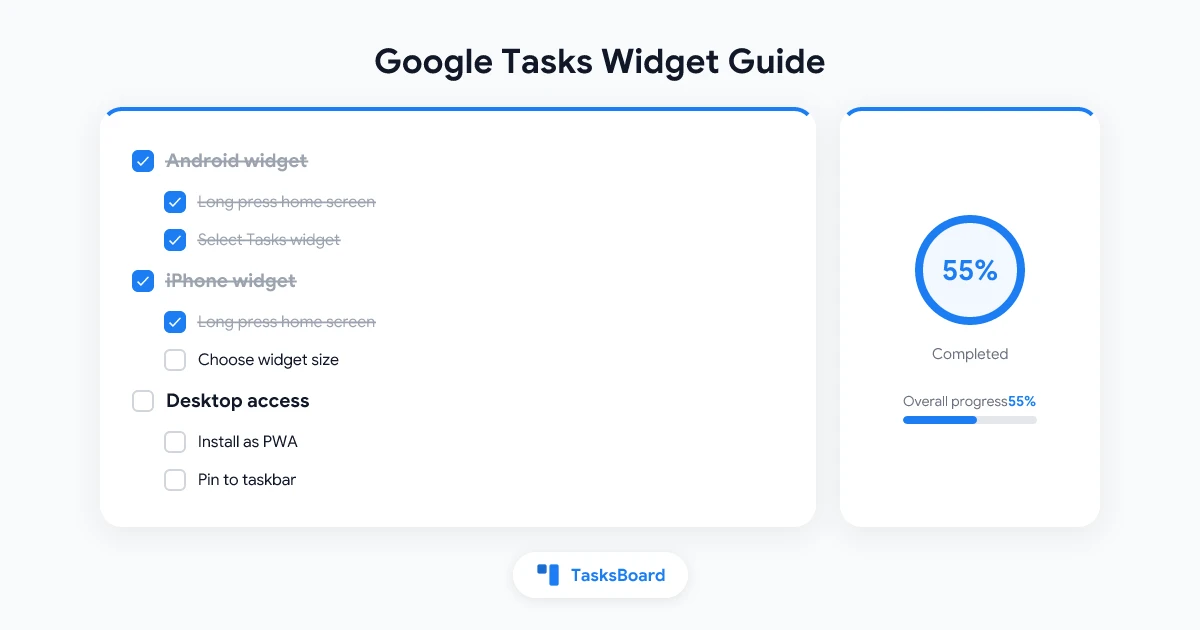
    <h2>Android Widget Setup</h2>
    <ol>
      <li>Long press home screen → Widgets</li>
      <li>Find Google Tasks widget</li>
      <li>Drag to position and select list</li>
    </ol>
    <p><strong>Tip:</strong> If widget isn't updating, disable battery optimization for Google Tasks.</p>
  </div>

  <div class="platform-section">
    <h2>iPhone Widget Setup</h2>
    <p>For home screen (iOS 14+):</p>
    <ol>
      <li>Long press home screen → "+"</li>
      <li>Search for Google Tasks</li>
      <li>Choose widget size</li>
    </ol>
    <p>For lock screen (iOS 16+): Customize lock screen → Add Tasks widget</p>
  </div>

  <div class="platform-section">
    <h2>Desktop Alternatives</h2>
    <p>No native widgets for Mac/Windows, but you can:</p>
    <ol>
      <li>Install <a href="https://tasks.google.com" target="_blank">tasks.google.com</a> as PWA</li>
      <li>Use <a href="https://tasksboard.com" target="_blank">TasksBoard</a> for persistent view</li>
    </ol>
  </div>

  <div class="comparison">
    <h2>Platform Comparison</h2>
    <table>
      <tr>
        <th>Platform</th>
        <th>Widget</th>
        <th>Interactive</th>
      </tr>
      <tr>
        <td>Android</td>
        <td>Yes</td>
        <td>Yes</td>
      </tr>
      <tr>
        <td>iPhone</td>
        <td>Yes</td>
        <td>No (view only)</td>
      </tr>
      <tr>
        <td>Desktop</td>
        <td>No</td>
        <td>Via PWA</td>
      </tr>
    </table>
  </div>

  <div class="cta">
    <h3>Need More Than a Widget?</h3>
    <p>Try <a href="https://tasksboard.com" target="_blank">TasksBoard</a> for kanban views, subtasks and team collaboration that syncs with Google Tasks.</p>
  </div>

  <div class="faq">
    <h2>FAQ</h2>
    <details>
      <summary>How do I add widget on Android?</summary>
      <p>Long press home screen → Widgets → Google Tasks → Select list.</p>
    </details>
    <details>
      <summary>Why isn't my widget updating?</summary>
      <p>On Android: Disable battery optimization. On iPhone: Check Background App Refresh.</p>
    </details>
  </div>
</div>

<style>
.article {
  max-width: 800px;
  margin: 0 auto;
  font-family: system-ui, sans-serif;
  line-height: 1.6;
  padding: 20px;
  color: #333;
}
.platform-section {
  background: #f8f9fa;
  padding: 15px;
  border-radius: 8px;
  margin-bottom: 20px;
}
.comparison table {
  width: 100%;
  border-collapse: collapse;
}
.comparison th, .comparison td {
  border: 1px solid #ddd;
  padding: 8px;
  text-align: left;
}
.cta {
  background: #e3f2fd;
  padding: 15px;
  border-radius: 8px;
  margin: 20px 0;
}
.faq details {
  margin-bottom: 10px;
  border: 1px solid #eee;
  padding: 10px;
  border-radius: 4px;
}
.faq summary {
  font-weight: bold;
  cursor: pointer;
}
a {
  color: #1a73e8;
  text-decoration: none;
}
a:hover {
  text-decoration: underline;
}
</style>
Key features of this output:
- Structured content - Clear sections for each platform (Android, iOS, Desktop) with numbered steps
- Visual comparison - Clean table showing widget availability across platforms
- Mobile-friendly - Responsive design that works on all devices
- Interactive elements - Expandable FAQ section using HTML5 details/summary
- Clean styling - Simple, readable CSS with Google’s color scheme
- Actionable links - Direct links to TasksBoard and Google Tasks
- Hierarchical headings - Proper h1-h3 structure for SEO
The design prioritizes:
- Quick scanning with bullet points and numbered steps
- Clear platform-specific instructions
- Visual differentiation between sections
- Easy access to alternative solutions (TasksBoard for desktop)
Klaar om uw Google Tasks te delen?
Ga gratis aan de slag met TasksBoard, geen creditcard vereist.
Inloggen