Google Tasks logoGoogle Tasks
Apple Reminders logoApple Reminders

Google Tasks 与 Apple Reminders

Google Tasks 与 Apple Reminders:您应该使用哪一个?

Apple Reminders 与 Siri 和 iCloud 深度集成。Google Tasks 在 Google 支持的任何地方都能工作。对比两者,看看 TasksBoard 如何让 Google Tasks 为混合设备团队工作。

超过 200 万用户正在使用。免费开始。


Google Tasks 与 Apple Reminders:功能对比

Feature
Google Tasks logo Google Tasks
Apple Reminders logo Apple Reminders
跨平台(Windows、Android、网页) Google Tasks 帮助
Gmail 和 Google Calendar 集成 Google Workspace Tasks
Siri 语音录入 Apple Siri + Google Assistant 原生 Siri
看板视图 TasksBoard + Apple 列视图 通过 TasksBoard 列视图
团队共享 TasksBoard + Apple 共享 通过 TasksBoard
基于位置的提醒 Google + Apple 位置文档
子任务 Google + Apple 子任务文档
重复任务 Google Calendar 循环任务
无需 Apple 设备即可使用 Google Play + App Store
云端共享 Google Tasks + Apple 云共享 仅限 Apple 云端

功能逐项对比

了解 Google Tasks 和 Apple Reminders 在实际使用中的区别 — 并查看上方对比表中各项功能的截图。

Google Tasks 5 Apple Reminders 2 平局 3

跨平台访问

胜出: Google Tasks

Google Tasks 可在任何浏览器中运行,并拥有 Android 和 iOS 的原生应用。Google Workspace 还在桌面端的 Gmail、Calendar、Drive、Docs 和 Chat 中提供了 Tasks 功能。

Apple Reminders 专为 iPhone、iPad、Mac 和 Apple Watch 设计。没有 Android 或 Windows 应用。iCloud.com 上存在有限的浏览器访问权限,但完整的体验与 Apple 设备绑定。

Google Tasks 胜出
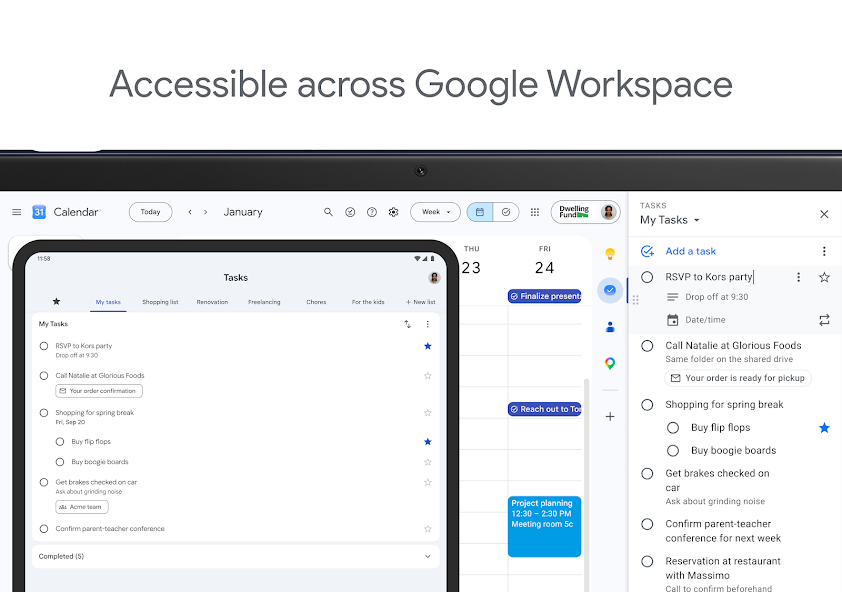
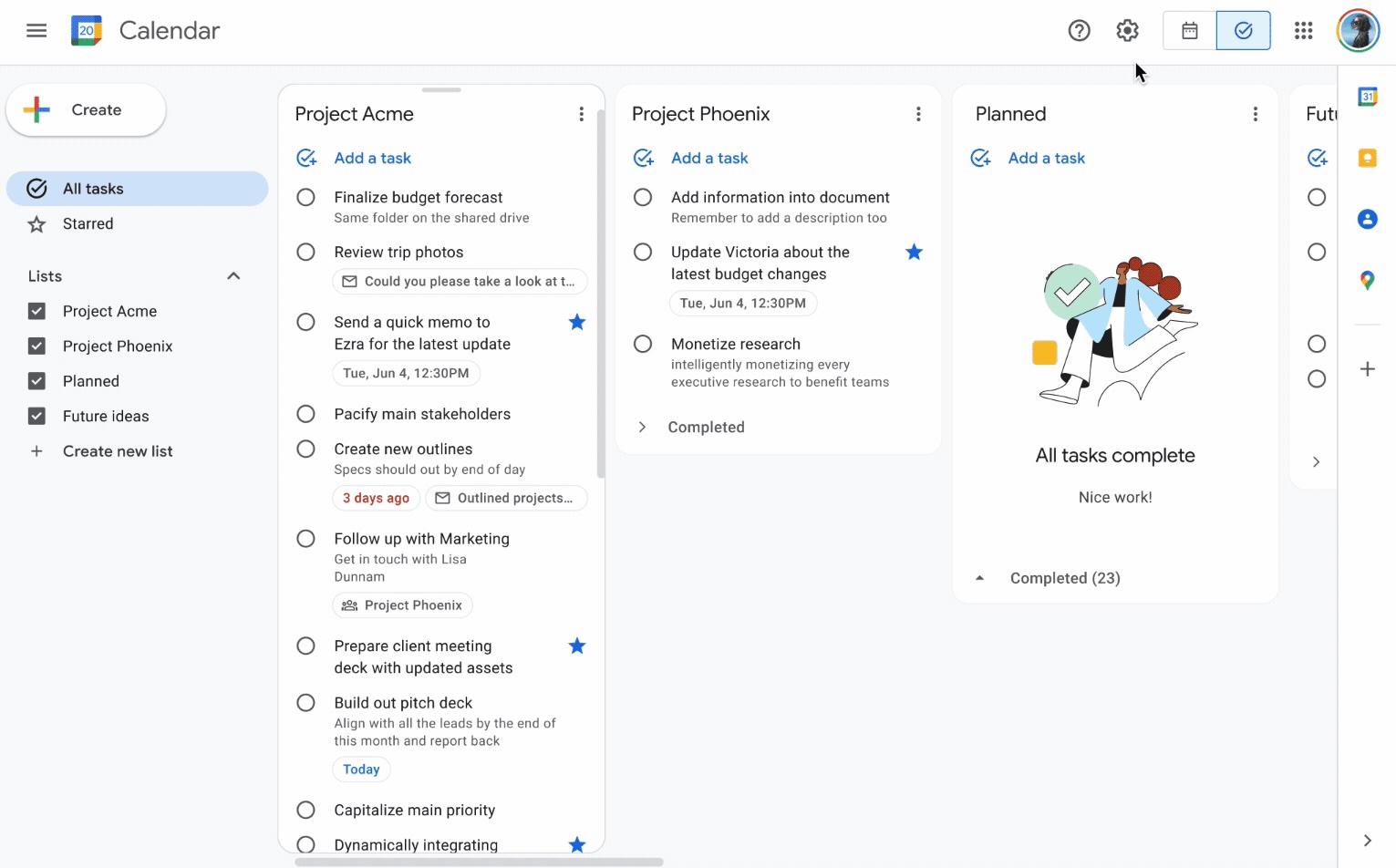
官方 Google Tasks 截图,显示跨 Google Workspace 的桌面和移动端访问
网页、Android、iOS 和桌面端,一个 Google 帐户即可。
Apple Reminders
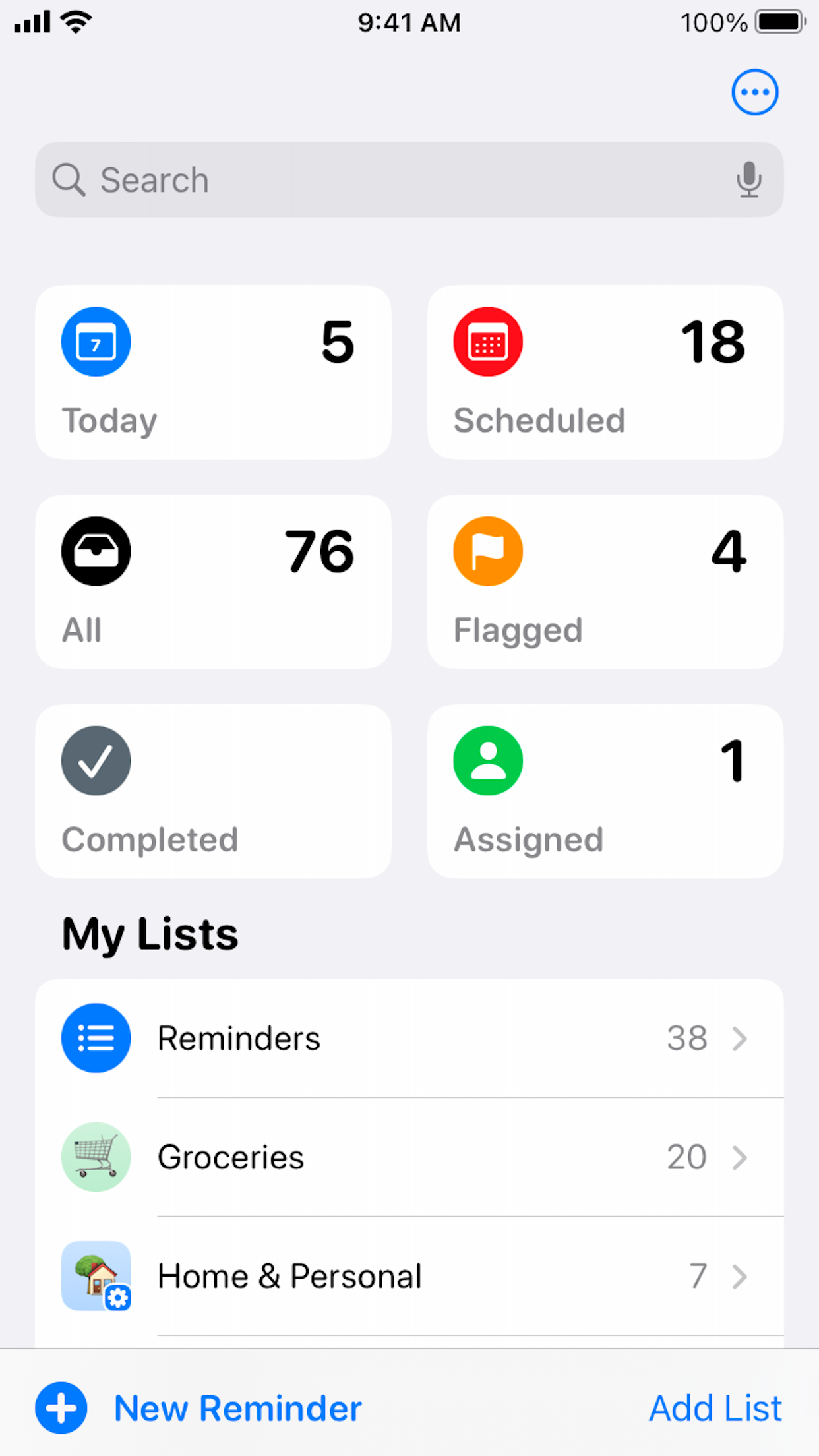
官方 Apple Reminders App Store 截图,显示 iPhone 列表主屏幕
Apple 设备上的原生应用;通过 iCloud.com 进行有限的网页访问。

胜出: Google Tasks

Google Tasks 可在网页、Android、iOS 和 Google Workspace 中运行 — 无需 Apple 设备。
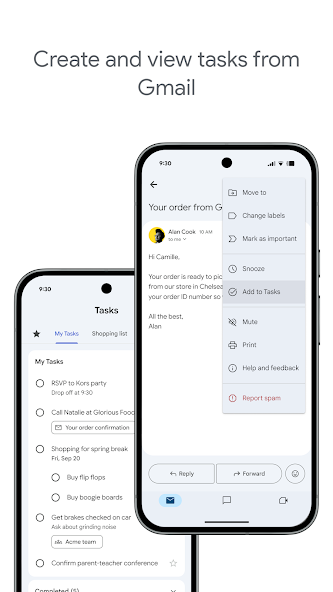

Gmail 和 Google Calendar 集成

胜出: Google Tasks

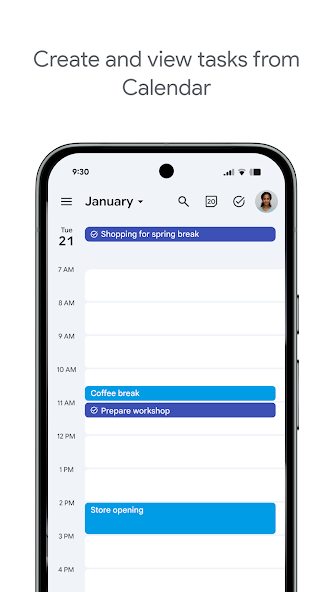
Google Tasks 存在于 Gmail、Google Calendar 和 Google Workspace 中。将电子邮件转换为任务,在日历上查看截止日期,无需切换应用即可管理工作。

Apple Reminders 仅在 Apple 设备上与 Mail 和 Calendar 集成。它不连接到 Gmail 或 Google Calendar,这会中断 Google Workspace 团队的工作流程。

Google Tasks 胜出
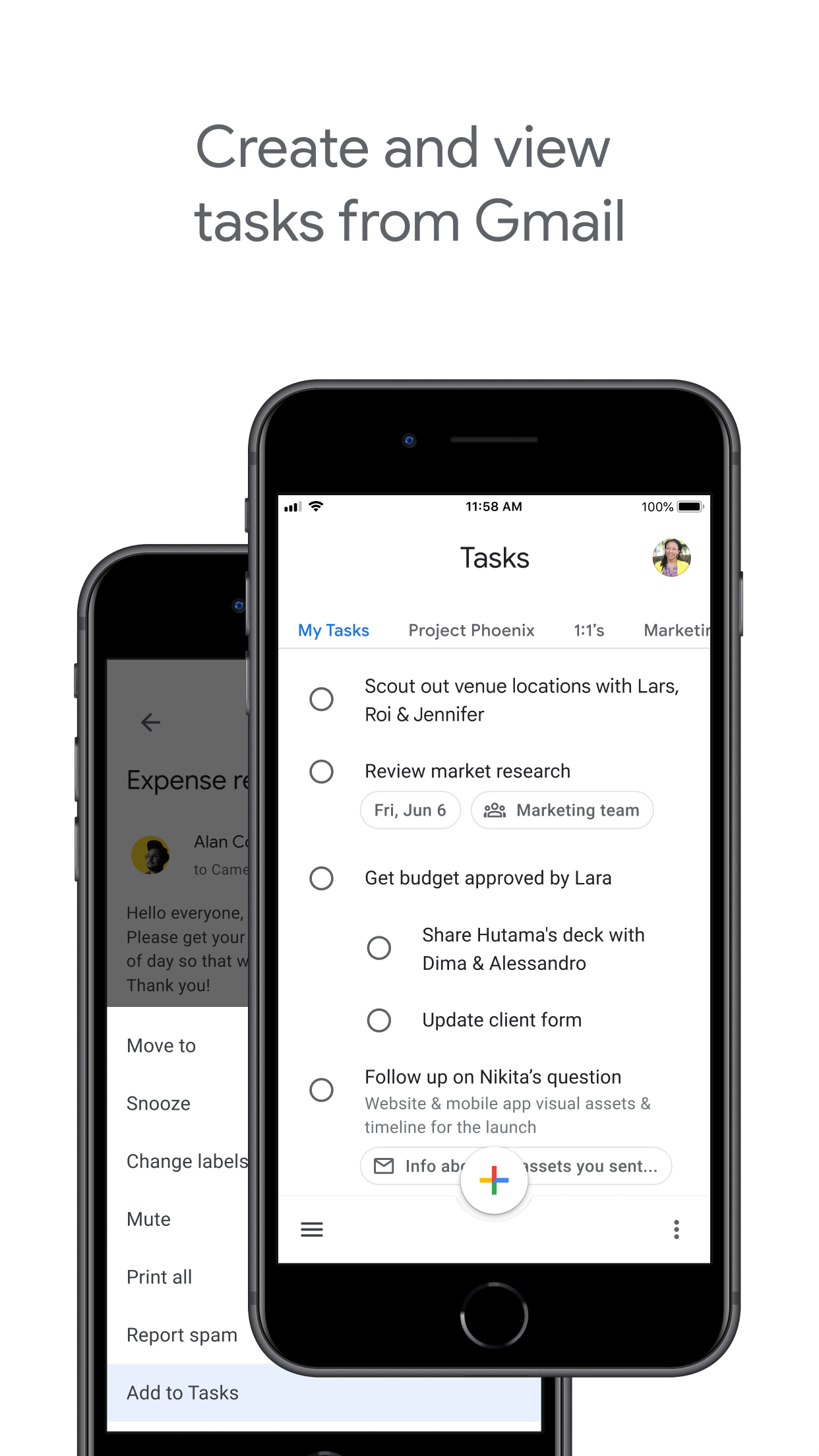
官方 Google Play 截图,显示从 Gmail 创建任务
任务显示在 Gmail 侧边栏和日历事件中。
Apple Reminders
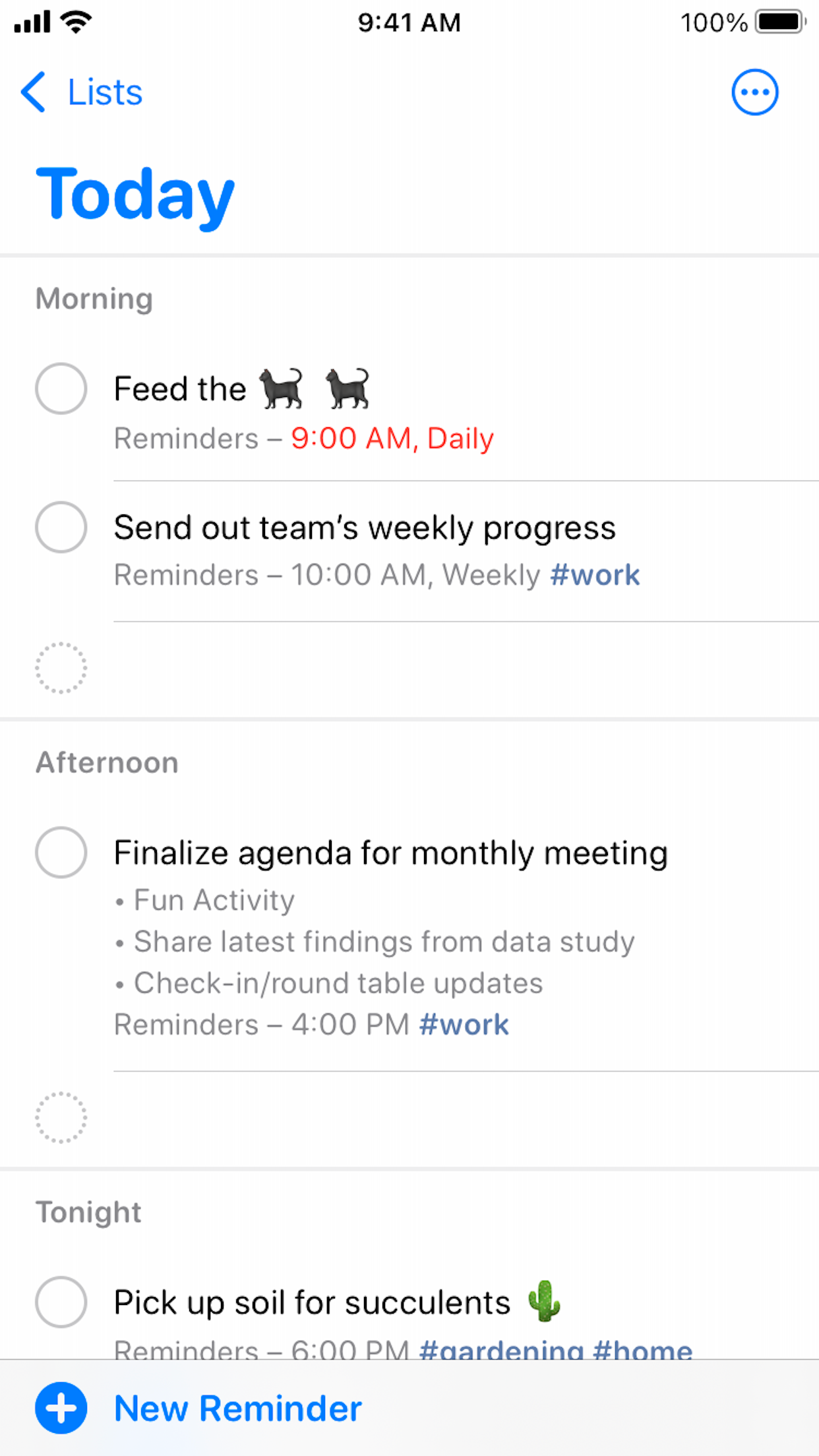
官方 Apple Reminders App Store 截图,显示“今天”智能列表
没有原生 Gmail 或 Google Workspace 连接。

胜出: Google Tasks

原生的 Gmail 和 Google Calendar 集成使任务工作流保持在 Google 生态系统中。


Siri 和语音捕获

胜出: Apple Reminders

Apple Reminders 是为 Siri 构建的。说“嘿 Siri,提醒我在下午 5 点给 Alex 打电话”,任务会立即出现,并带有时间或位置触发器。

Google Tasks 没有原生 Siri 快捷方式。在 iPhone 上,您可以使用 Google Tasks 应用或 Google Assistant,但语音捕获不如 Apple 的第一方集成顺畅。

Google Tasks
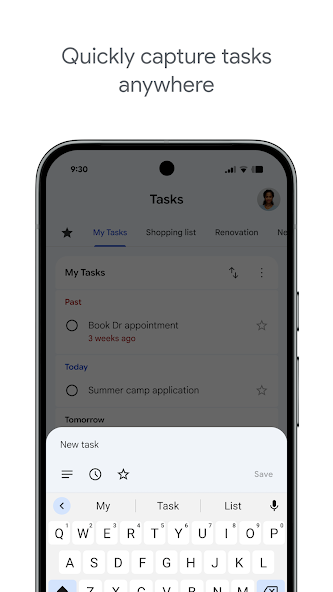
官方 Google Play 截图,显示在 Android 上添加任务
在应用中输入或在支持的设备上使用 Google Assistant。
Apple Reminders 胜出
带有 Siri 搜索麦克风的 Apple Reminders iPhone 主屏幕
原生 Siri:“嘿 Siri,提醒我……”

胜出: Apple Reminders

Apple Reminders 具有第一方 Siri 支持 — “嘿 Siri,提醒我……”可在 Apple 设备上即时生效。


看板视图

平局

Google Tasks 默认基于列表。TasksBoard 在您的 Google Tasks 列表之上添加了一个拖放式看板。在网页上,tasks.google.com 也将列表显示为并排的列。

Apple Reminders 在 iOS 17 中添加了列视图,将列表部分排列为看板式列。它对于个人和家庭列表很有用,但与混合平台团队的共享项目板不同。

Google Tasks
来自 9to5Google 的 Google Tasks 网页版多列看板视图
通过 TasksBoard 实现看板列,并与 Google Tasks 同步。
Apple Reminders
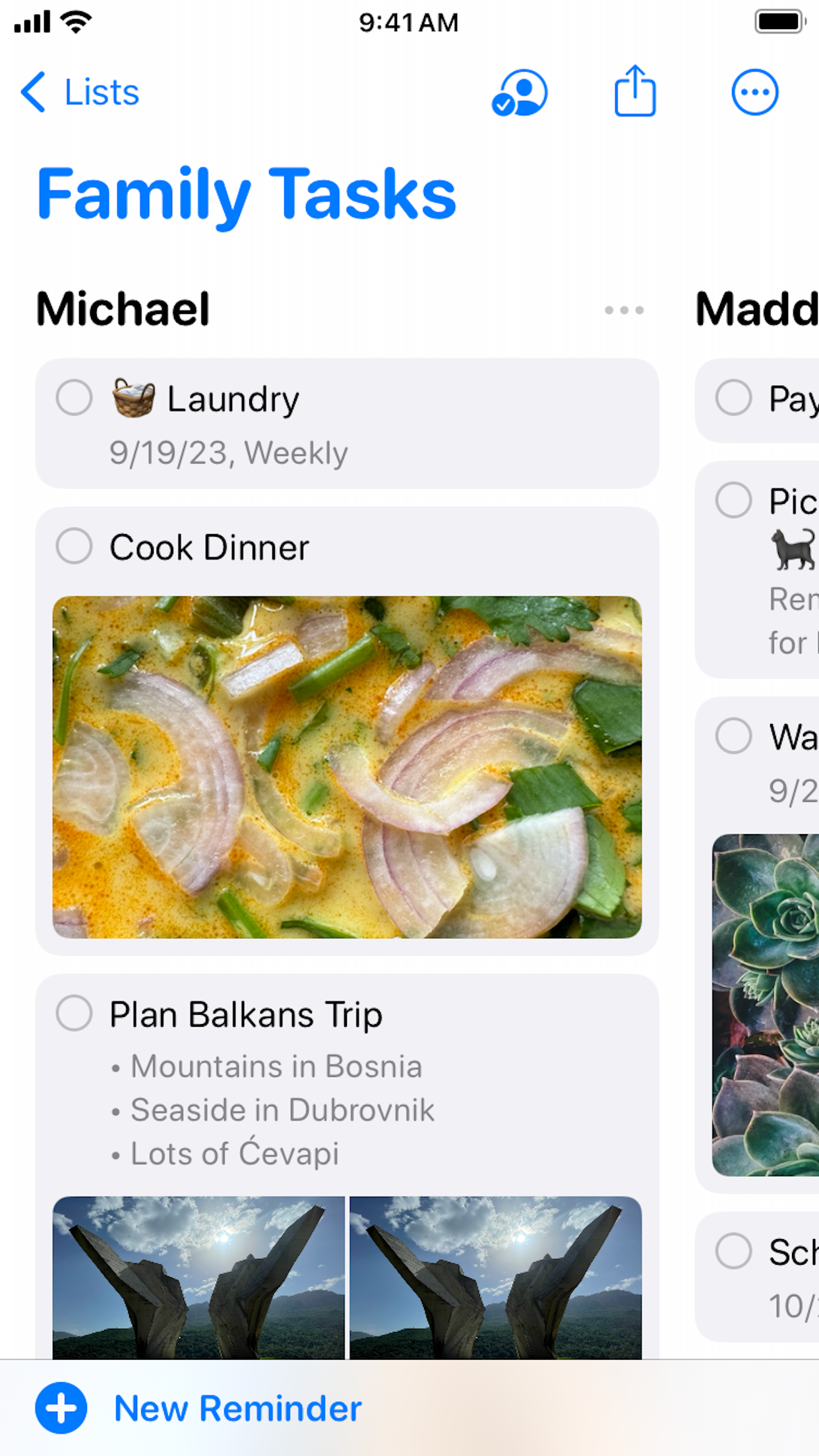
用于共享家庭任务的官方 Apple Reminders 列视图
用于基于部分的看板的列视图(iOS 17+)。

平局

Apple Reminders 的列视图适合个人清单;TasksBoard 看板适合跨平台团队看板。根据您的平台组合进行选择。


团队共享和协作

胜出: Google Tasks

原生的 Google Tasks 具有有限的列表共享功能。TasksBoard 为任何拥有 Google 帐户的人(在 Mac、Windows、Android 或 iOS 上)添加了实时看板共享功能。

Apple Reminders 支持 iCloud 列表共享和协作,但每位参与者都需要一个 Apple 帐户。Windows 或 Android 队友没有原生的 Reminders 应用。

Google Tasks 胜出
通过 TasksBoard 与队友共享 Google Tasks 看板
与任何平台上的任何 Google 帐户共享。
Apple Reminders
通过 iCloud 共享的 Apple Reminders 家庭列表
iCloud 共享,所有成员都需要 Apple ID。

胜出: Google Tasks

TasksBoard 共享适用于 Windows、Android 和 iOS 上的任何 Google 账号 — 不仅限于 Apple ID。


基于位置的提醒

胜出: Apple Reminders

Apple Reminders 擅长地理围栏警报:“提醒我到家时”或“当我到达办公室时”。Siri 和 Apple Maps 提供精确的位置触发器。

Google Tasks 使用通过 Google Calendar 同步的基于时间的截止日期。它不原生支持到达/离开位置触发器。

Google Tasks
与 Google Calendar 同步的 Google Tasks 基于时间的截止日期
通过日历同步实现基于时间的提醒。
Apple Reminders 胜出
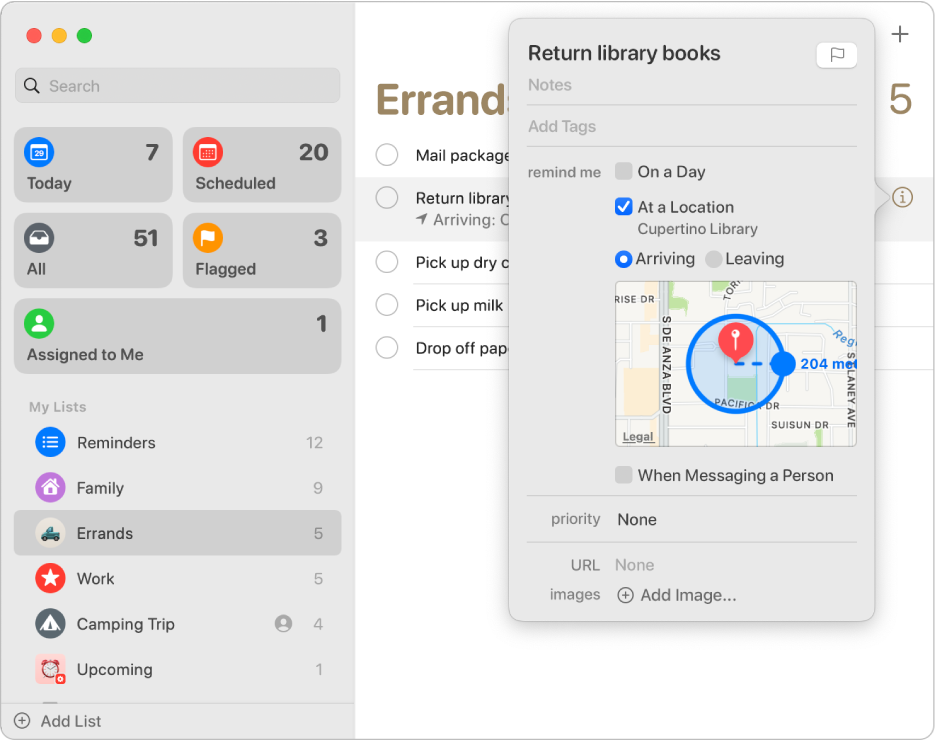
带有地图半径的基于位置的提醒的 Apple 支持截图
带有 Apple Maps 的到达/离开触发器。

胜出: Apple Reminders

基于位置的到达/离开触发器是 Apple Reminders 的核心优势;Google Tasks 仅支持基于时间的截止日期。


子任务

平局

两个应用都支持将任务分解为更小的步骤。Google Tasks 在移动和网页应用中将子任务嵌套在父任务下。

Apple Reminders 在主要提醒下使用缩进的子任务执行相同的操作。对于简单的清单,两者都运行良好,区别在于生态系统和共享,而不是子任务支持。

Google Tasks
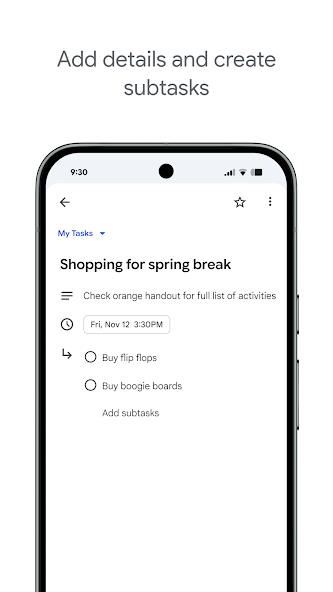
官方 Google Play 截图,显示 Google Tasks 中的子任务
Google Tasks 应用中的嵌套子任务。
Apple Reminders
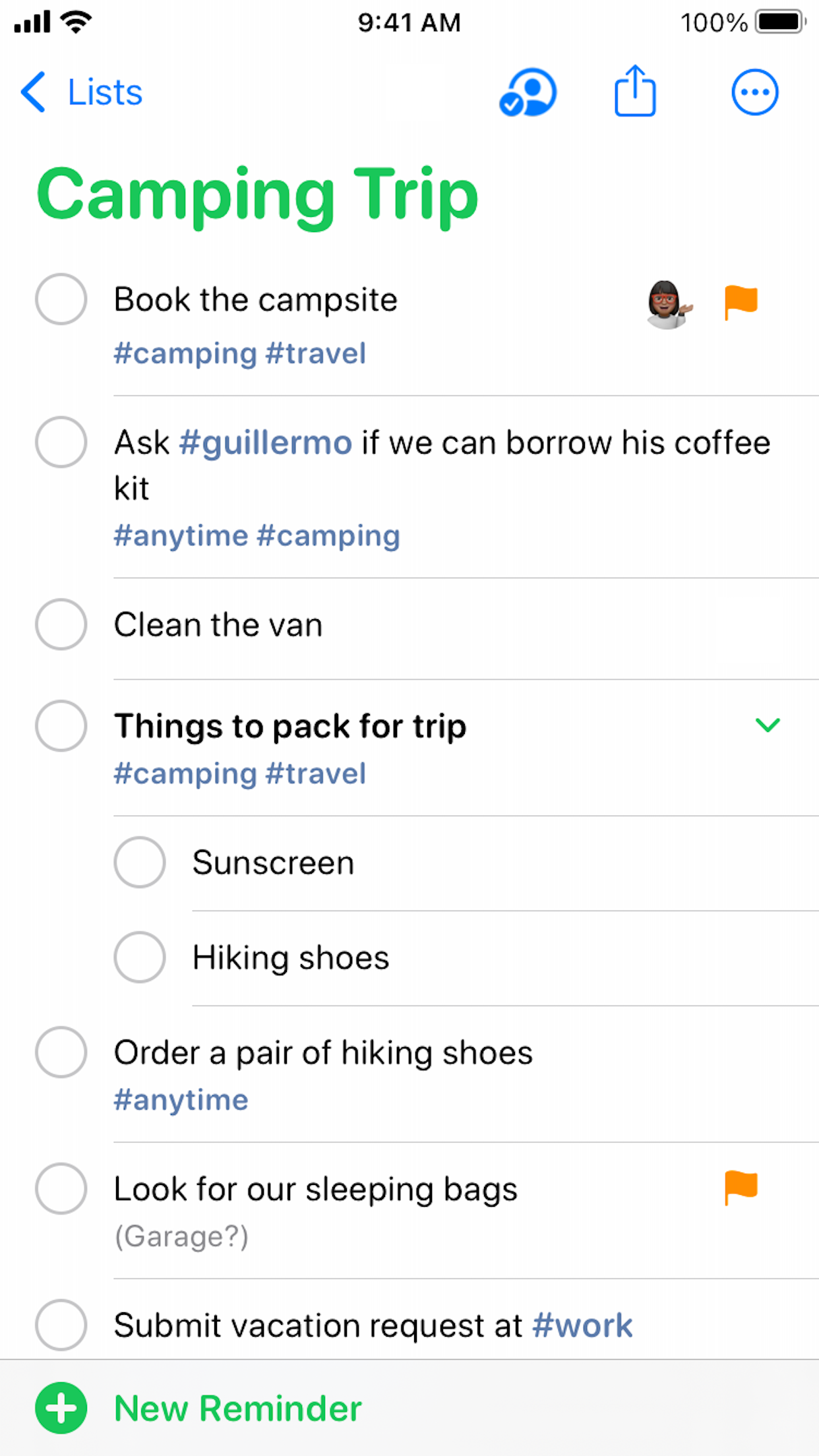
官方 Apple Reminders 截图,显示共享列表上的嵌套子任务
Reminders 列表中的缩进子任务。

平局

两者都能很好地将子任务嵌套在父任务下,适合简单的清单。


循环任务

平局

Google Tasks 和 Apple Reminders 都支持重复时间表——每日站会、每周回顾、每月账单。

Google Tasks 的重复出现在 Google Calendar 中。注意:Google Tasks 不允许在已有子任务的任务上设置重复。Apple Reminders 的重复通过 iCloud 在 Apple 设备上同步。

Google Tasks
带有每周重复时间表的 Google Tasks 循环任务
在 Google Tasks 和日历中可见的重复任务。
Apple Reminders
设置为每周一的 Apple Reminders 循环提醒
通过 iCloud 同步的重复时间表。

平局

两者都支持重复计划。Google Tasks 将重复同步到日历;Apple Reminders 通过 iCloud 同步。


无需 Apple 设备即可工作

胜出: Google Tasks

Google Tasks 是混合设备团队的实用选择。Android 手机、Windows 笔记本电脑和 Chromebook 都可以通过应用或浏览器完全访问。

Apple Reminders 没有原生的 Android 或 Windows 应用。iCloud.com 提供有限的网页访问,但仍然需要 Apple 帐户,并且不能替代非 Apple 平台上的队友。

Google Tasks 胜出
Android 手机上的 Google Tasks
完整的 Android 应用和网页访问。
Apple Reminders
显示 Apple 设备要求的 Apple Reminders
无法从 Windows 或 Android 访问。

胜出: Google Tasks

Android、Windows 和 Chromebook 用户可获得完全访问权限 — Apple Reminders 在这些平台上没有原生应用。


云列表共享

胜出: Google Tasks

Google Tasks 列表可以在 Google Workspace 上下文中共享,TasksBoard 通过跨平台的项目团队看板级共享扩展了这一点。

Apple Reminders 支持通过 Apple 帐户进行云列表共享。协作者可以在共享列表上工作,但体验是 Apple 优先的,并且没有适用于 Windows 或 Android 的原生应用。

Google Tasks 胜出
与 Google 帐户持有者共享 Google Tasks 列表
Google 帐户共享,任何平台。
Apple Reminders
通过云协作共享的 Apple Reminders 列表
云列表共享,所有成员都需要 Apple 帐户。

胜出: Google Tasks

Google 账号共享可覆盖任何操作系统上的队友;Apple 云共享要求每位协作者都使用 Apple 账号。


深受数千名用户喜爱

在 Chrome Web Store 上获得 1,000+ 条评价,评分 4.8 / 5

"Always have 101 things to do and this helps me organize and prioritize like no other app can. It syncs to my phone and laptop, and when I add dates to tasks, they automatically integrate into my Google Calendar, which is immensely convenient. I can look at my daily, weekly, and monthly overview in Google Calendar and clearly see how much I was able to accomplish! Great tool indeed. Excited to see how it will evolve over time."

PR Parina Ramjee avatar
Parina Ramjee

"Seriously, makes my tasks easier to share with the team, and the free version is quite nice for our little office. Eventually, we will expand, and this is definitely a great tool to do that! Syncs with my Workspace and Calendar."

CC Chase Cattrall avatar
Chase Cattrall

"I love the simple, intuitive interface and the Add to Tasks feature, especially as I work through my emails! Sharing my tasks is also easy. Overall, outstanding and simple to use, and that means a lot with too many complex tasks out there!"

GC Greg Cantori avatar
Greg Cantori

"Great too for managing daily routine and plan tasks. Would be perfect if it was updated for generating reports for statistics. For google tasks and google calendar"

NV Nick Vlasov avatar
Nick Vlasov

常见问题解答

Google Tasks 比 Apple Reminders 更好吗?

Google Tasks 在跨平台工作、Gmail 集成和团队协作方面表现更好。Apple Reminders 在仅限 Apple 设备的个人 Siri 和基于位置的提醒方面表现更佳。

我可以将 Google Tasks 与 Apple Reminders 同步吗?

目前没有官方同步功能。一些第三方应用提供有限的桥接功能,但任务仍保留在独立的系统中。大多数用户会选择其中一个并手动迁移活跃项目。

Google Tasks 可以在 iPhone 上使用吗?

可以。Google Tasks 有原生的 iOS 应用,也可以在 Safari 中使用。TasksBoard 同样可以在移动浏览器中运行,以便在 iPhone 上访问看板。

哪个的位置提醒功能更好?

Apple Reminders 拥有与 Siri 和 Apple Maps 绑定的卓越位置提醒功能。Google Tasks 使用通过 Google Calendar 同步的基于时间的截止日期。

Apple Reminders 可以与非 Apple 用户共享列表吗?

Apple Reminders 的共享需要 iCloud 账户和 Apple 设备。使用 TasksBoard 的 Google Tasks 允许与任何拥有 Google 账户的人在任何平台上共享。

什么是 Google Tasks 与 Reminders?

Google Tasks 与 Reminders 通常是指将 Google Tasks 与 Apple Reminders 或 Samsung Reminders 进行比较。Google Tasks 是跨平台的;而特定设备的 Reminders 应用则绑定在各自的生态系统中。

我应该同时使用 Apple Reminders 和 Google Tasks 吗?

一些用户保留 Apple Reminders 用于个人 Siri 录入,而使用 Google Tasks 用于工作。对于团队项目,建议整合到使用 TasksBoard 的 Google Tasks 中,以避免系统分散。


开始使用

具备看板和共享功能的跨平台任务管理

登录 Google 即可获得全屏看板。与任何设备上的队友共享。

无需信用卡。适用于 Mac、Windows 和移动设备。