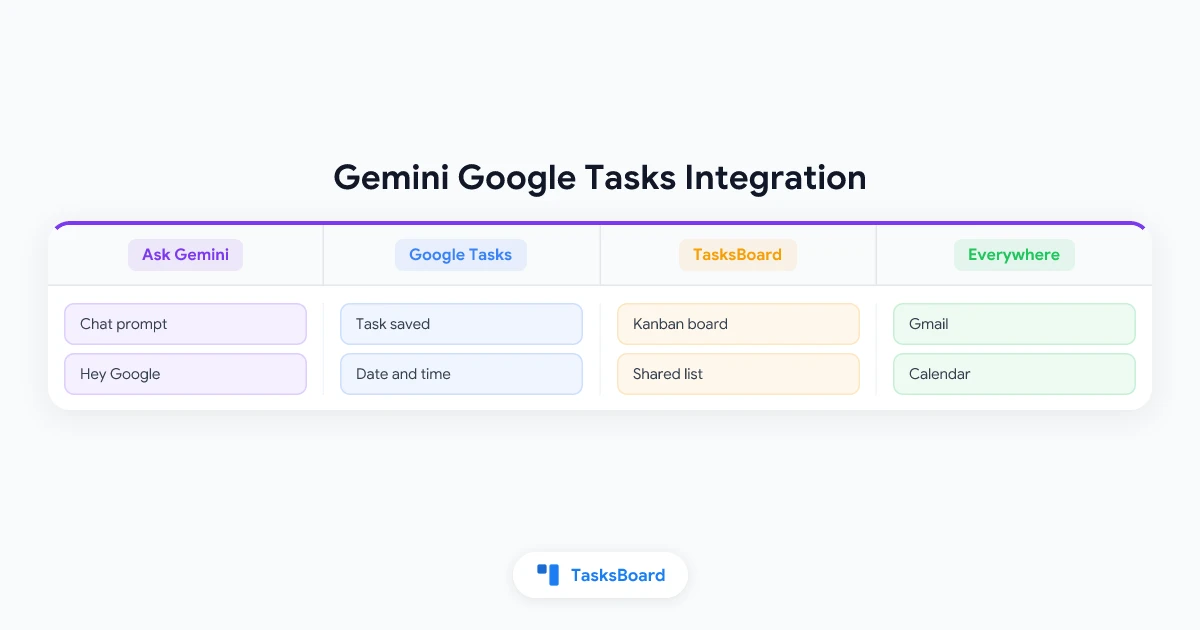
Google Tasks has quietly become the place where Google saves everything you ask to be reminded about. Say “remind me” to Gemini on your phone, in the web app or to a speaker in the kitchen, and a task appears in Google Tasks.
The Gemini Google Tasks integration goes well beyond reminders. You can ask Gemini to add tasks with a date and a time, list what is due this week, rename or complete tasks, and even turn a photo of a handwritten list into to-dos.
This guide explains how to connect the two, which prompts Google documents, what works by voice, what a Workspace admin controls, and how the tasks Gemini captures end up on a TasksBoard kanban board.
Does Gemini Work with Google Tasks?
Yes. Google’s help page on capturing tasks and reminders with Gemini Apps says you can ask Gemini to add, edit and show your tasks and reminders from Google Tasks. The same page covers Samsung Reminder on recent Galaxy phones, but Google Tasks is the app that works on every device.
In Gemini, Google Tasks is part of a connected app called Google Workspace, next to Gmail, Drive, Calendar, Keep and Docs. The Workspace admin help page lists Google Tasks among the Workspace apps that users can connect to the Gemini app.
For business and school accounts the feature left beta in May 2025, when Google’s Workspace Updates announcement said users can add reminders and tasks, including ones based on their conversations with Gemini, and view and update their task list.
In practice Gemini does three things with your tasks: it adds them, it shows them and it updates them.
 What one Gemini prompt saves to Google Tasks
How to Connect Google Tasks to Gemini
Google’s help page lists two requirements before anything else. You must be signed in to the Gemini app, and Keep Activity must be turned on, because Gemini cannot connect to any tasks or reminders app while that setting is off.
- Open Gemini. On a computer, go to gemini.google.com. On a phone or tablet, open the Gemini mobile app or the same website.
- Use the right account. Sign in with the account whose Google Tasks you want to manage, the same one you use in TasksBoard.
- Ask for a task. Type a request such as “Add order printer paper in my to-dos”. To make sure Gemini uses Google Tasks rather than another app, add “@Google Tasks” to the prompt.
- Connect Google Workspace. If it is not connected yet, Gemini offers to connect it. Follow the on-screen instructions once.
- Check the result. Gemini confirms what it saved and links the list under its reply.
To disconnect later, Google points to the Connected Apps section of Gemini’s settings. Your tasks stay in Google Tasks after you disconnect.
One more tip from the same page: with several tasks or reminders apps connected, Gemini defaults to the one it used last. Add ”@” to your prompt to pick a different one.
Prompts That Add, Show and Update Google Tasks
Google’s documentation includes example prompts for each of the three jobs. Replace the bracketed parts with your own details.
Add a task with specific details
- “Remind me on [date] at [time] to [task].”
- “Remind me at [time] to call [name].”
- “Add [task] in my to-dos.”
A reminder set for Friday at 3pm becomes a task due on Friday at 3pm. Google Tasks shows that time in its apps and in Calendar, as our guide to setting a due time on a Google Task explains.
Add tasks from the conversation
This is where Gemini differs from a plain reminders app. Google’s examples chain a question with a follow-up:
- “When does [movie name] come out?” and then “Remind me 1 week before that to buy tickets for it.”
- “Help me plan a trip to [country or place]. Create a packing list for me.” and then “Create a reminder to bring those things in Google Tasks.”
- Take a photo of a handwritten list, then say “Add the items from this image to my to-dos for [time, date].”
Show your tasks
- “What are my upcoming tasks?”
- “What are my to-dos for [time, date]?”
- “What are my tasks related to [topic, activity, event]?”
- “What are the tasks I need to get done this week?”
Update or delete tasks
- “Change the date of [task name] task to [date].”
- “Mark [task name] as done in Tasks.”
- “Change the name of task [task name] to [task name].”
- “Delete my tasks about [topic, activity, event].”
Every action comes with a confirmation that has an Undo button, and you can also open the linked list and fix things by hand. Gemini cannot undo an action created while Gemini Live was running in the background, so check those afterwards.
Google’s documentation does not describe a way to choose which list a new task goes to. If you keep separate lists for projects, plan to sort tasks after capture. Our guide to moving a Google Task between lists covers every method, and on a TasksBoard board it is a single drag.
Add Google Tasks by Voice on a Phone, Speaker or Display
On Android, the help page says you can say “Hey Google” to have Gemini use a connected app, and Google Tasks is one of them. If nothing happens, check that “Hey Google” and Voice Match are set up on the phone.
On speakers and displays, Google’s Home help on setting Google Tasks by voice explains that Gemini for Home and Google Assistant create, edit and delete tasks with phrases such as “Hey Google, set a task” or “Remind me to call Mom at noon tomorrow”. Gemini for Home also supports recurring reminders, such as a weekly one at a set time.
Whichever device takes the request, the task is stored in Google Tasks. Four details from that page matter:
- Set up Voice Match and Personal results on the speaker or display first.
- Install the Google Tasks or Google Calendar app on your phone. The speaker saves the task, but the phone app sends the alert.
- Location-based tasks are gone. Google Assistant no longer supports them, and Google Tasks has no equivalent.
- Assistant’s AI-supported task actions are limited to English, the United States and users 18 and older.
Where Your Reminders Live Now
Google has spent several years moving reminders into Google Tasks. Google’s help page on Keep reminders in Google Tasks explains that Keep reminders moved to Tasks in the second half of 2025, that new reminders are saved as tasks, and that you can view, edit and complete them in Calendar, Gemini, Keep and Tasks.
Migrated reminders carry a “From Keep” label, and Keep itself no longer sends reminder notifications. Whether you ask Gemini, a speaker or Keep, there is now one place to look, and TasksBoard shows all of it.
Work and School Accounts: What the Admin Controls
If you use Gemini with a Google Workspace account, your administrator decides whether Gemini may touch Workspace apps at all. The admin help page quoted above sets out the rules:
- The setting is on by default. Admins find it under Generative AI, then Gemini app, in the Apps section, and can scope it to an organizational unit or group.
- Conversation history must be on. Workspace apps in Gemini do not work while it is off.
- The Tasks service itself must be on. If an organization has turned off Google Tasks, the Tasks app is not available in Gemini.
- Mixed prompts fail together. If a request needs Calendar and Tasks and one of the two is off, none of the actions are completed.
- Additional-service access does not count. Users who get Gemini as an additional Google service cannot use Workspace apps in it.
The May 2025 announcement adds that Workspace extensions are limited to users 13 and older. When Gemini cannot reach your tasks on a work account, check these settings first.
Tasks in Gemini Is Not the Same as Google Tasks
Google now uses the word “tasks” for two different things, and search results mix them up.
Google Tasks is the to-do app this article is about. Gemini reads and writes it through the Google Workspace connection on any account that meets the requirements above.
Tasks in Gemini is an agentic feature. According to Google’s help page on managing tasks and workflows in Gemini Apps, you click Task below the text box and describe a job for Gemini to carry out, such as researching something on the web or running a workflow on a schedule. It requires a personal Google Account, a Google AI Pro or Ultra subscription and a user aged 18 or over. It is not available in the European Economic Area, Nigeria, Switzerland or the United Kingdom, and you can have up to 15 tasks running at once.
Those Gemini tasks are not saved to your to-do list. The same page warns that Gemini can perform bulk actions on private Google Tasks without confirmation, so read a request such as “delete my tasks about the move” twice before you send it.
 Four ways to add Google Tasks with AI
From Gemini Capture to a TasksBoard Board
Gemini is a fast way to get a task out of your head. It is not a place to plan a week or run a project with other people. TasksBoard adds that on top of the same Google Tasks data.
- Capture with Gemini. Say or type the task wherever you are. It lands in Google Tasks with its date and time.
- Open TasksBoard. The TasksBoard sync help page explains that TasksBoard pulls your lists from Google when it opens and whenever you return to its tab or window. The refresh icon in the header fetches changes immediately.
- Sort the capture. Drag the new task into the right project list. According to the drag and drop help page, dropping a task in another list moves it with its details, date and labels.
- Plan and share. Lists become columns on a kanban board, and a shared list lets a colleague or family member see and complete the task you captured in the car.
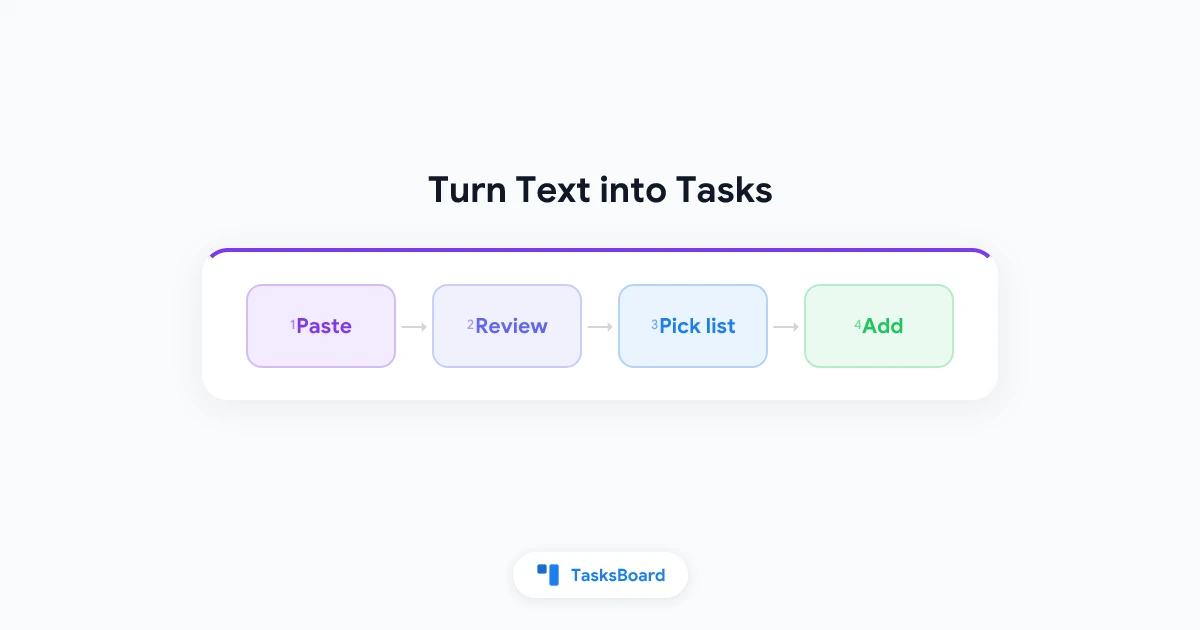
TasksBoard also has two AI entry points of its own. Paste an email or meeting notes into TasksBoard and turn the text into Google Tasks with dates, priorities and subtasks, a Premium feature. Or install the free TasksBoard app for ChatGPT, which can add a task to a named list with a due date, something Gemini’s documentation does not offer.
Try TasksBoard
Everything Gemini saves to Google Tasks shows up on your TasksBoard board the next time you open it. Drag it into a project list, turn lists into kanban columns and share up to 5 lists on the free plan.
Get Started →Troubleshooting Gemini and Google Tasks
- Gemini says it cannot access your tasks. Check that Google Workspace is connected in Gemini’s Connected Apps settings and that Keep Activity is on.
- Nothing happens in Google Messages. Google states that the supported tasks and reminders apps are not available in Gemini in Google Messages.
- The task went to another app. With several reminders apps connected, Gemini uses the last one it accessed. Add “@Google Tasks” to the prompt.
- A work account refuses. Your admin may have turned off Workspace apps in Gemini, or conversation history may be off.
- No notification arrived. Alerts come from the Google Tasks or Google Calendar app, so install one of them on your phone.
Frequently Asked Questions
Conclusion
The Gemini Google Tasks integration turns any Gemini conversation, and any “Hey Google”, into a way to capture tasks. Connect Google Workspace once, keep Keep Activity on, and use “@Google Tasks” when you want to be explicit. Everything lands in one Google Tasks account.
Capture is only half the job. Open TasksBoard to see those tasks as a kanban board, drag them into the right list, share a list with the people who need it, and plan the week on a calendar. Gemini gets the task out of your head. TasksBoard is where you decide what to do with it.