Google Tasks API, Webhooks and Zapier: A Public API for Power Users

You want a task created in Google Tasks every time a form is submitted. Or a Slack message when a teammate completes a task on the shared launch list. Or a nightly script that files overdue tasks into a spreadsheet.
Google has a Tasks API, and it works. But it has no webhooks, so “when a task is completed” means polling every list on a timer. It knows nothing about labels, assignees or boards, because Google Tasks has none. And every script starts with a Google Cloud project, an OAuth consent screen and a token refresh routine.
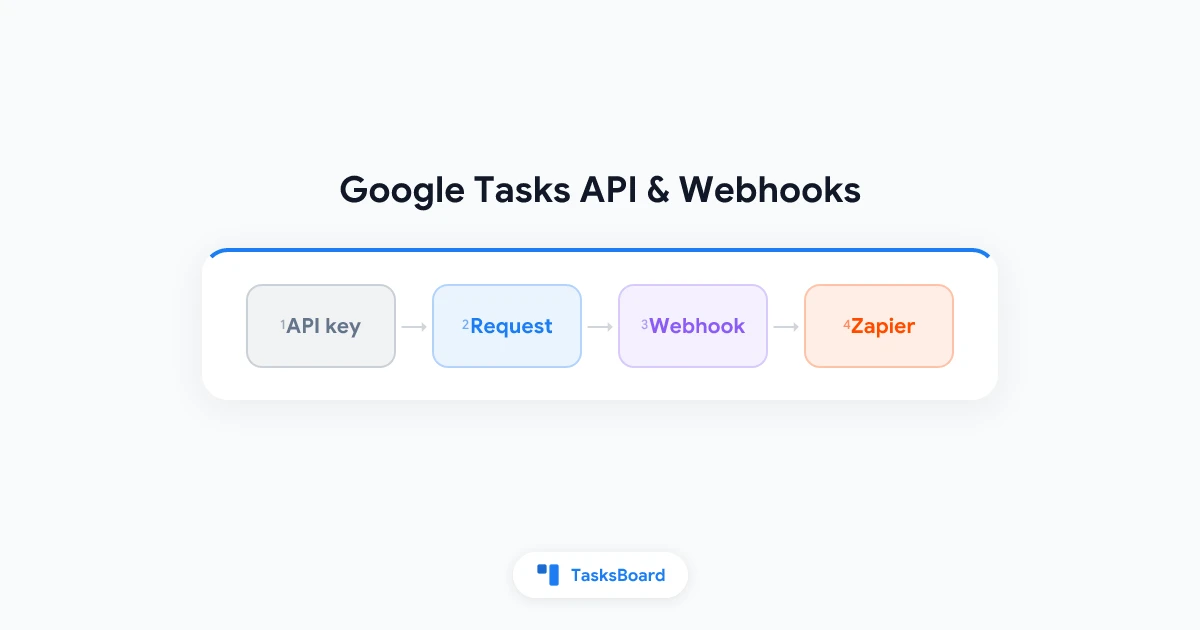
TasksBoard now exposes a public REST API on top of your Google Tasks data, with personal API keys, webhooks signed with HMAC, and a Zapier app. This guide covers what it offers, how to get a key, the endpoints you will use most, how webhooks and polling work, and who this is for. The API is part of the Team plan.
What the TasksBoard API adds to Google Tasks
The API reads and writes the same Google Tasks lists and tasks you see in Gmail and the Google Tasks app. Every list and task id is the Google Tasks id, so anything you build stays compatible with Google Tasks itself and with other tools that use Google’s API.
On top of that, it exposes what TasksBoard adds:
- Labels and assignees as proper fields. Google Tasks only stores a title, notes and a due date; TasksBoard keeps labels and the assignee inside the notes (labels on the first line, then
👤 Assigned to <email>). The API reads and writes them aslabelsandassignee, so the free text innotesis what people see on the board. - Boards: which lists each TasksBoard board shows.
- Shared lists: a
sharedflag on each list, and events when a collaborator changes a shared task. - Webhooks for
task.created,task.updated,task.completedandtask.deleted.
Base URL: https://api.tasksboard.com/v1. Responses are JSON under a data key; errors come as { "error": { "code", "message", "details" } }, where code is stable and details names the invalid fields on a 422.
Create an API key
Keys are personal. A key acts as the user who created it: whatever that person can do in Google Tasks, the key can do.
- In TasksBoard, click your avatar and open Team, then the API tab (or go straight to
/team?tab=api). - Click to create a key. Choose whether it may write; a key without the write scope gets
403 forbiddenon every write. - Copy the key. It starts with
tb_live_and is shown once. - Send it as a bearer token on every request:
curl https://api.tasksboard.com/v1/lists \
  -H "Authorization: Bearer tb_live_…"
The same tab lists your keys with their scope, lets you revoke one, and shows your webhooks. Revoke a key the moment it may have leaked; a new one takes a few seconds.
The main endpoints
A quick tour of the resources. The full reference, generated from the OpenAPI definition, is in the help center: TasksBoard API reference.
Account
GET /me: the account the key belongs to, its plan and the key’s scopes.
Lists
GET /lists: your Google Tasks lists, withsharedandboardId.POST /lists: create a list (title).GET /lists/{listId}: one list.
Tasks
GET /lists/{listId}/tasks: open tasks by default;status=completedorall,updatedAfter,dueBefore,dueAfter,includeDeleted.POST /lists/{listId}/tasks: create a task withtitle,notes,due,labels,assignee,parent(make it a subtask),previous(insert after a sibling).GET /tasks/{taskId}?listId=: one task. Google addresses a task by list and id, solistIdis required.PATCH /tasks/{taskId}: partial update; sendnullto clearnotes,due,labelsorassignee;status: "open"reopens a completed task.POST /tasks/{taskId}/complete: complete it.DELETE /tasks/{taskId}?listId=: delete it.
Boards
GET /boards: your boards and the list ids each one shows. The main board is always first.
Webhooks
GET,POST /webhooks, andGET,PATCH,DELETE /webhooks/{webhookId}.
Creating a task with a label and an assignee looks like this:
curl -X POST https://api.tasksboard.com/v1/lists/LIST_ID/tasks \
  -H "Authorization: Bearer tb_live_…" \
  -H "Content-Type: application/json" \
  -d '{"title": "Send the Q3 report", "due": "2026-10-24",
       "labels": ["❗️Important"], "assignee": "bob@example.com"}'
The assignee must be a collaborator of the list (or you). List endpoints return meta.nextCursor when there is more; pass it back as cursor with the same filters.
- 60 requests per minute per key. Responses carry X-RateLimit-Limit and X-RateLimit-Remaining; a 429 carries Retry-After in seconds. Google Tasks' own quotas apply on top
- Due dates are dates. Google Tasks drops the time of day; a due value always comes back at midnight UTC
- 10 webhooks per account, https URLs only
- Team plan required. A key whose owner leaves the plan answers 403 team_plan_required
Webhooks: get told when a task changes
Polling is the weak point of the Google Tasks API. A webhook replaces it: TasksBoard calls your URL when a task is created, updated, completed or deleted.
- Register a webhook with the events you want:
curl -X POST https://api.tasksboard.com/v1/webhooks \
  -H "Authorization: Bearer tb_live_…" \
  -H "Content-Type: application/json" \
  -d '{"url": "https://hooks.example.com/tasksboard",
"events": ["task.created", "task.completed"]}'- Save the
secretfrom the response. It is returned once, in that response only; you can also supply your own. - Answer every delivery with any 2xx within 10 seconds.
Each delivery carries three headers: X-TasksBoard-Event (the event name), X-TasksBoard-Delivery (a delivery id) and X-TasksBoard-Signature. The body holds the event, a createdAt timestamp, the attempt number, the full task under data.task, and a source: api for a REST call, sync for a change that arrived through a shared list, poll for the 15-minute poll described below.
Verify the signature
The signature header has the form t=<unix seconds>,v1=<hex>, where v1 is the HMAC-SHA256 of "<t>.<raw body>" with your secret. Compute the HMAC over the raw request body exactly as received, before any JSON parsing, and reject timestamps that are too old:
const crypto = require("crypto")

function verify(secret, rawBody, header, toleranceSeconds = 300) {
  const parts = Object.fromEntries(header.split(",").map((p) => p.split("=")))
  if (Math.abs(Date.now() / 1000 - Number(parts.t)) > toleranceSeconds) return false
  const expected = crypto.createHmac("sha256", secret).update(`${parts.t}.${rawBody}`).digest("hex")
  return crypto.timingSafeEqual(Buffer.from(parts.v1, "hex"), Buffer.from(expected, "hex"))
}
Retries and switching off
Failed deliveries are retried up to 3 times with backoff. After 20 consecutive failures the webhook is switched off (active: false) until you re-enable it with PATCH /webhooks/{id} and "active": true. The API tab on the Team page shows each webhook with its URL, events and an Active or Disabled badge, so a dead endpoint is easy to spot.
Polling for lists that are not shared
Where do webhook events come from? From three places: the API’s own writes, changes propagated on shared lists, and, if you turn it on, a poll of your other lists.
That last one matters. A change made in Gmail or the Google Tasks app on a list that is not shared is not observed by TasksBoard unless something looks at the list. On the API tab, turn on poll my lists every 15 minutes: TasksBoard then checks those lists on that schedule and emits events with source: "poll". Without it, only shared lists and API writes produce events.
If you only need to react to changes on the lists your team shares, leave polling off.
Zapier
Not everyone wants to write code. The TasksBoard app for Zapier authenticates with the same personal API key and offers:
- Triggers: New Task, Task Completed. Both poll
GET /lists/{listId}/taskswithupdatedAfter, the same idiom you would use in your own script. - Actions: Create Task, Complete Task, Create List.
The Zapier integration is being published. Once it is listed, you search for TasksBoard in Zapier, paste your key when asked and pick a list. Until then, the REST API and webhooks cover the same ground, and the triggers and actions above tell you what to expect. For a wider look at automation options, see our guide to Google Tasks integrations.
 Try TasksBoard Team
Shared lists, roles, an activity log and a REST API with webhooks, on top of the Google Tasks you already use. One bill for the whole team.
See plans →Who this is for
The API is a Team plan feature, and the fit is specific:
- Teams with a shared list as the source of truth. A webhook on
task.completedwithsource: "sync"fires when any collaborator finishes a task, whichever app they used. That is the hook for a Slack message, a row in Sheets or a ticket update. - Operations people stitching tools together. Forms, CRMs and support desks can create tasks with a label and an assignee in one call, and the task appears on the right person’s board and in their Google Tasks app.
- Developers who tried the Google Tasks API and stopped at polling, OAuth setup or the lack of assignees. One key, one header, Google’s own ids.
It is not for replacing Google’s API wholesale. If you only need your own tasks in a personal script and already have an OAuth client, Google’s API is free and does the job. Our Google Tasks export guide covers the one-off cases.
FAQ
Conclusion
Google Tasks has an API, but no webhooks, no labels or assignees, and a setup cost that stops most small automations before they start. The TasksBoard API keeps Google’s ids and adds the missing pieces: a personal key you create in a minute, endpoints for lists, tasks and boards, webhooks you can verify, optional polling for unshared lists, and a Zapier app on the way.
Create a key on the API tab of the Team page, make one GET /lists call, and the rest follows from the API reference.
Ready to share your Google Tasks?
Get started with TasksBoard for free, no credit card required.
Sign in