Google Tasks vs Any.do: Which To-Do App Should You Use in 2026?
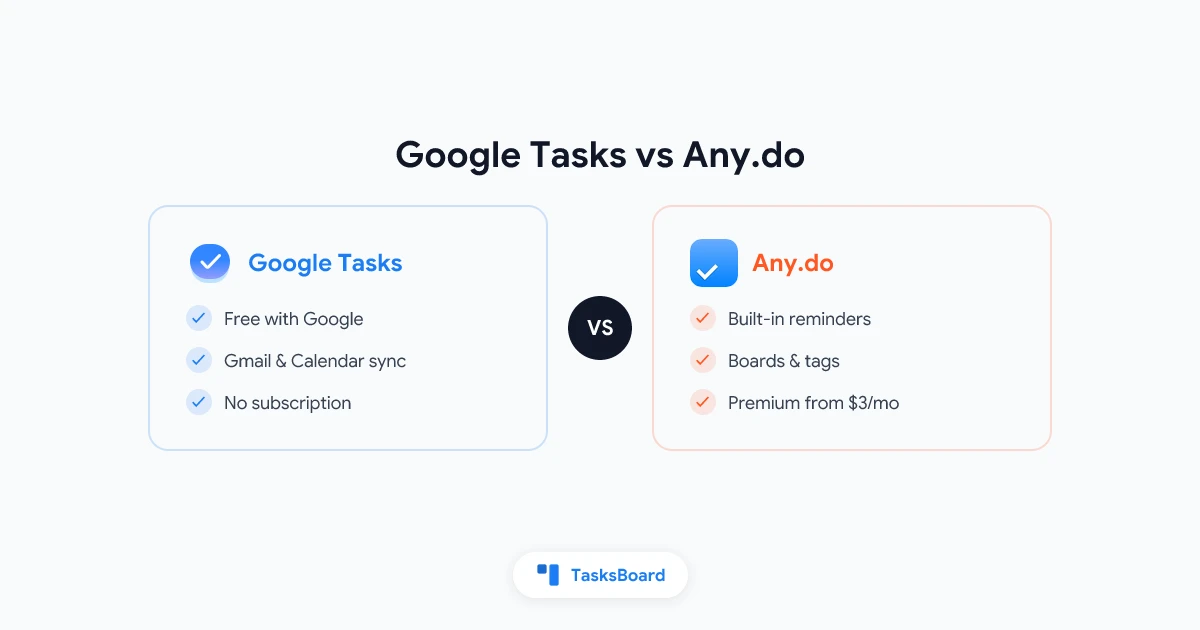
Google Tasks and Any.do solve the same basic problem in very different ways. Google Tasks is the free, no-frills list that already lives inside Gmail and Google Calendar. Any.do is a standalone app built around reminders, a daily planning view, and a paid tier full of extras.
If you are trying to decide between them, the choice usually comes down to how much structure you want and whether you are willing to leave the Google ecosystem to get it.
This guide compares Google Tasks vs Any.do feature by feature, so you can pick the app that actually fits how you work in 2026.
Google Tasks vs Any.do at a Glance
| Feature | Google Tasks | Any.do |
|---|---|---|
| Price | Free | Free plan, Premium from about $3/month |
| Ecosystem | Google Workspace (Gmail, Calendar, Drive) | Standalone, with calendar sync |
| Platform support | Web, iOS, Android, Gmail sidebar | Web, iOS, Android, Mac, Windows, browser extensions |
| Recurring tasks | Yes | Yes |
| Subtasks | One level | One level |
| Time-based reminders | Via Calendar sync only | Built-in push reminders |
| Daily planning view | No | Yes (“My Day” style planning) |
| List sharing | No native sharing | Shared lists (Premium plans) |
| Tags or labels | No | Yes (Premium) |
| Kanban board view | No | Yes (Any.do Boards, Premium) |
| WhatsApp reminders | No | Yes (Premium) |
| Offline support | Limited | Yes |
Google Tasks stays deliberately minimal because it is meant to be a companion to Gmail and Calendar, not a full planning app. Any.do packs in more features, but most of what makes it interesting sits behind a paywall.
What Any.do Adds That Google Tasks Doesn’t
Any.do sends actual push reminders at a set time, something Google Tasks cannot do on its own. It also offers a daily planning ritual, color tags, and a kanban-style board view for organizing tasks visually, all wrapped into one app instead of scattered across Google services.
Any.do’s biggest advantage is that reminders work like reminders. Set a time, get a notification, done. Google Tasks only shows a task on your Google Calendar when it has a due date. There is no dedicated alert coming from Google Tasks itself.
Any.do also has a “Boards” view built on kanban columns, tags for color-coding tasks, and an optional WhatsApp bot that can send you reminders and let you add tasks by messaging yourself. For people who want one app that handles planning, reminders, and light project structure, that combination is appealing.
The catch is that most of these features (tags, boards, WhatsApp reminders, shared lists) sit behind the Premium plan. The free version of Any.do is closer to a basic list with reminders than the full product you see in its marketing.
What Google Tasks Does Better
Google Tasks wins on integration and cost. It is completely free with no upsell, and it lives exactly where your work already happens.
- Zero setup. If you have a Google account, Google Tasks is already there in Gmail, Google Calendar, and Google Docs.
- One-click task creation from email. Turn a Gmail message into a task without switching apps.
- Automatic calendar sync. Any task with a due date appears on your Google Calendar, keeping your schedule and your list aligned.
- A public API. Third-party tools can build on top of Google Tasks. TasksBoard uses this to add a kanban board and sharing on top of your existing Google Tasks data, closing the gap with Any.do’s Boards feature without a subscription.
For anyone who already lives in Gmail and Calendar, adding a separate app like Any.do means keeping two task systems in sync manually, or moving everything over and losing that native Gmail connection.
Feature-by-Feature Comparison
Reminders and notifications
Any.do wins this category outright. Reminders trigger at a specific time with a push notification, and you can layer on location-based or WhatsApp reminders on the Premium plan. Google Tasks depends entirely on Google Calendar. Set a due date and the task shows up as a calendar entry, but Google Tasks will not push a standalone alert to your phone.
If timed reminders are the main reason you want a to-do app, Any.do is the stronger option out of the box.
Organization: tags, boards, and structure
Any.do Premium includes color tags and a kanban-style Boards view for grouping tasks visually. Google Tasks has none of this natively. You get a flat list with subtasks, one level deep.
That said, this is exactly the gap TasksBoard fills for Google Tasks users. It turns your Google Tasks lists into a full kanban board with drag-and-drop columns, so you get that structure without paying for a second app or moving your data anywhere.
Collaboration and sharing
Neither app started as a team tool. Google Tasks has no native list sharing at all. Any.do offers shared lists and task assignment, but only on its paid Teams and Business plans.
For a look at dedicated shared list tools, see our comparison of the best shared to-do list apps in 2026.
Price
Google Tasks is entirely free, on every Google account and every Workspace plan. Any.do has a usable free tier, but reminders beyond the basics, tags, boards, WhatsApp integration, and sharing all require a Premium subscription, which runs from about $3 to $8 per month depending on the plan and billing cycle.
If budget matters and you are willing to add structure through a separate free layer, Google Tasks plus a tool like TasksBoard costs nothing.
Which App Should You Use?
Choose Google Tasks if you…
- Already use Gmail and Google Calendar every day
- Want your due dates to show up on your calendar automatically
- Prefer a free tool with no upsell path
- Like turning emails into tasks with one click
- Plan to add a kanban board or sharing through a tool built on the Google Tasks API
Choose Any.do if you…
- Want built-in, time-based push reminders without relying on Calendar
- Like the idea of a daily planning ritual inside your task app
- Are fine paying a monthly fee for tags, boards, and WhatsApp reminders
- Don’t use Gmail or Google Calendar as your daily hub
- Want reminders and light project structure in a single standalone app
When you want the best of both
Most of the reasons people choose Any.do (boards, structure, a cleaner planning view) can be added to Google Tasks for free. TasksBoard reads your existing Google Tasks lists and turns them into a kanban board with drag-and-drop cards, so you keep the free Gmail and Calendar integration while getting the visual layout Any.do charges for.
If reminders are the only thing pulling you toward Any.do, pairing Google Tasks with your phone’s own reminder app or a Google Calendar notification can often close that gap without adding a second subscription.
Frequently Asked Questions
 Try TasksBoard
Get the kanban board and sharing you like about Any.do, built on top of the free Google Tasks you already use.
Get Started →Conclusion
Google Tasks vs Any.do really comes down to how much you value native Google integration versus built-in reminders and structure.
Google Tasks is the right pick if you live in Gmail and Google Calendar and want a free list that shows up automatically wherever you already work. Any.do is the right pick if timed reminders, tags, and a kanban view matter more to you than staying inside the Google ecosystem, and you don’t mind paying for them.
You don’t have to choose blind, either. If what draws you to Any.do is the board view and a bit of visual structure, TasksBoard adds that directly on top of your existing Google Tasks lists, for free.
For more options beyond these two, check out our full roundup of the best Google Tasks alternatives in 2026, or read our honest Google Tasks review before you decide.
Ready to share your Google Tasks?
Get started with TasksBoard for free, no credit card required.
Sign in