Etichette e tag in Google Tasks: soluzioni alternative per una funzionalità mancante

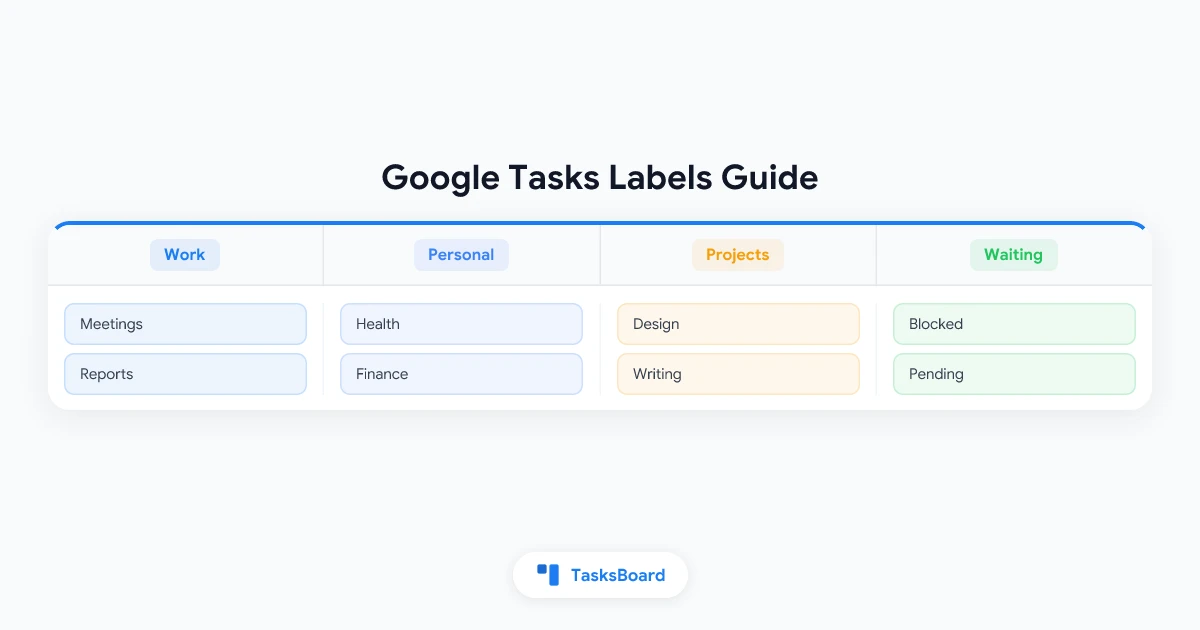
Here’s a concise, engaging rewrite of your Google Tasks labels article with improved structure and clarity:
How to Fake Labels & Tags in Google Tasks (5 Clever Workarounds)
Google Tasks remains stubbornly label-free in 2026 - but you don’t have to switch apps to get organized. These 5 workarounds recreate 90% of label functionality using the existing features.
Why Labels Matter (And Why Google Won’t Add Them)
Labels let you:
- Group tasks by context (@home, @computer)
- Track projects across lists (#website-redesign)
- Visualize priorities (❗Urgent)
- Monitor statuses (Waiting for…)
Google prioritizes simplicity over features, but we can hack the system.
Workaround 1: Lists as Label Buckets (Best for Simple Systems)
How it works: Create separate lists for each category (Work, Personal, Errands)
Pro tip: Right-click lists in Gmail sidebar to color-code them (Workspace accounts only)
Workaround 2: Smart Naming (Most Flexible)
Embed labels directly in task names:
[WORK] Draft proposal🚨URGENT Client callback#ProjectX Wireframes@Home Water plants
Bonus: Use emoji for visual scanning (🔴 🟡 🟢 for priority)
Workaround 3: Calendar Color Coding
Tasks with due dates appear in Calendar. While you can’t color individual tasks, Workspace users can:
- Right-click task list
- Choose color
- All tasks from that list inherit the color in Calendar
Workaround 4: Subtask Status Tracking
Create “status” parent tasks:
- ”⏳ Waiting On”
- Client feedback
- Vendor quote
- ”🚧 In Progress”
- Blog draft
- Wireframes
Workaround 5: TasksBoard (Best for Power Users)
TasksBoard supercharges Google Tasks by:
- Turning lists into kanban columns
- Adding drag-and-drop organization
- Enabling team collaboration
- Syncing instantly with Google Tasks
Pro Tip: The 5-List Sweet Spot
Most people succeed with:
- Work
- Personal
- Waiting On
- Someday
- One project list
Any more becomes unwieldy without true label filtering.
FAQ Quick Hits
Q: Can I filter by my fake labels? A: Only visually or with browser search (Ctrl+F)
Q: Will Google ever add real labels? A: No signs as of 2026 - they’re committed to simplicity
Q: Best method for teams? A: TasksBoard’s shared columns + real-time syncing
The bottom line? You can build a surprisingly robust system without leaving Google Tasks. Start with naming conventions, add lists as needed, and graduate to TasksBoard when you outgrow the basics.
Pronto a condividere i tuoi Google Tasks?
Inizia a usare TasksBoard gratuitamente, non è richiesta alcuna carta di credito.
Accedi