Google Tasks vs Microsoft Planner: Qual gerenciador de tarefas em equipe se destaca em 2026?

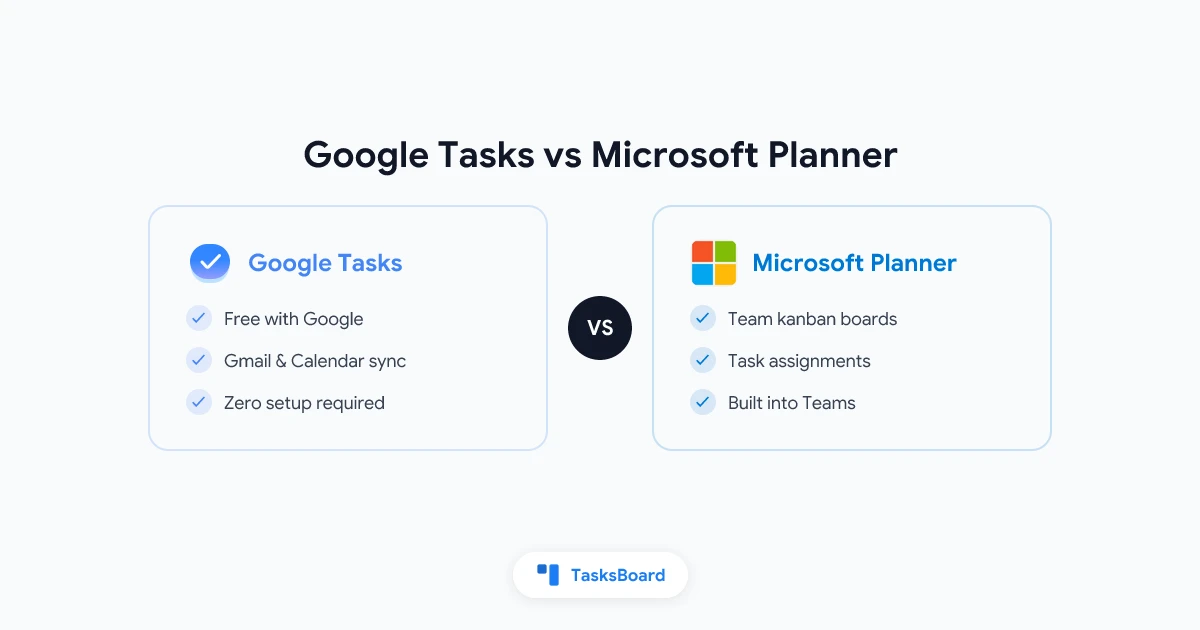
Google Tasks and Microsoft Planner are both free task management tools built into major productivity ecosystems. Google Tasks is a personal to-do list woven into Gmail and Google Calendar. Microsoft Planner is a team task board built into Microsoft 365.
Google Tasks is a focused, no-frills task manager. It lives inside Gmail, Google Calendar, Google Drive, and most Google Workspace apps as a sidebar panel. Every Google account includes it at zero cost.
Microsoft Planner is a project management tool built into Microsoft 365. It gives teams a shared kanban board (called a “Plan”) where tasks live in columns (called “buckets”) and can be assigned to specific team members.
Planner is included at no extra cost with most Microsoft 365 subscriptions. If your organization pays for Microsoft 365 Business or Enterprise, Planner is already available through the Teams app or planner.microsoft.com.
Where Microsoft Planner excels:
- Kanban board view. Drag tasks between buckets like “To Do,” “In Progress,” and “Done.”
- Task assignments. Assign tasks to one or more team members and track who owns what.
- Priority labels. Mark tasks as Urgent, Important, Medium, or Low priority.
- Progress tracking. Tasks have a status field (Not started, In progress, Completed, Late).
- Checklists. Add step-by-step checklists within each task card.
- File attachments. Attach files from SharePoint, OneDrive, or your local machine.
- Due dates and alerts. Set due dates that show up in Outlook Calendar and trigger reminders via Teams or email.
- Charts and reporting. A built-in Charts view shows task status, priority breakdown, and bucket distribution for each plan.
- Teams integration. Add a Planner tab directly inside a Microsoft Teams channel so the whole team can see the board without leaving Teams.
Where Microsoft Planner falls short:
Planner is good for team-level task tracking but it is not a full project management tool. It lacks Gantt charts, time tracking, budget tracking, and advanced automation. For complex projects, teams often need to pair Planner with other Microsoft 365 tools like Project for the web or Azure DevOps.
Where Google Tasks excels:
- Speed. Adding a task takes two seconds. You can create a task from a Gmail thread in one click using the “Add to Tasks” button.
- Zero setup. Open Gmail and Google Tasks is already there. Nothing to install, configure, or pay for.
- Calendar alignment. Tasks with due dates show up on your Google Calendar alongside meetings, making it easy to see what you need to do on any given day.
- Sync everywhere. Tasks sync across the Google Tasks mobile app, Gmail sidebar, Google Calendar, and any other Google Workspace app.
Where Google Tasks falls short:
Google Tasks has no shared lists, no task assignments, no priority labels, no file attachments, no kanban board, and no built-in reminders (notifications rely on Google Calendar). For personal productivity inside a Google-first workflow, it is excellent. For team coordination, it runs out of features quickly.
Where Microsoft Planner excels:
Microsoft Planner is the right choice if:
- Your team is already on Microsoft 365
- You manage projects with multiple people and need task assignments
- You want a visual kanban board inside Microsoft Teams
- You need file attachments, priority labels, and progress tracking at no extra cost
Where Microsoft Planner falls short:
Microsoft Planner is the right choice if:
- Your team is already on Microsoft 365
- You manage projects with multiple people and need task assignments
- You want a visual kanban board inside Microsoft Teams
- You need file attachments, priority labels, and progress tracking at no extra cost
Where Google Tasks excels:
Google Tasks is the right choice if:
- You use Gmail and Google Calendar every day
- You want a personal to-do list that requires zero setup
- You need tasks to appear on your Google Calendar automatically
- Your productivity workflow is individual, not team-based
Where Google Tasks falls short:
Google Tasks is the right choice if:
- You use Gmail and Google Calendar every day
- You want a personal to-do list that requires zero setup
- You need tasks to appear on your Google Calendar automatically
- Your productivity workflow is individual, not team-based
Where Microsoft Planner excels:
Microsoft Planner is the right choice if:
- Your team is already on Microsoft 365
- You manage projects with multiple people and need task assignments
- You want a visual kanban board inside Microsoft Teams
- You need file attachments, priority labels, and progress tracking at no extra cost
Where Microsoft Planner falls short:
Microsoft Planner is the right choice if:
- Your team is already on Microsoft 365
- You manage projects with multiple people and need task assignments
- You want a visual kanban board inside Microsoft Teams
- You need file attachments, priority labels, and progress tracking at no extra cost
Where Google Tasks excels:
Google Tasks is the right choice if:
- You use Gmail and Google Calendar every day
- You want a personal to-do list that requires zero setup
- You need tasks to appear on your Google Calendar automatically
- Your productivity workflow is individual, not team-based
Where Google Tasks falls short:
Google Tasks is the right choice if:
- You use Gmail and Google Calendar every day
- You want a personal to-do list that requires zero setup
- You need tasks to appear on your Google Calendar automatically
- Your productivity workflow is individual, not team-based
Where Microsoft Planner excels:
Microsoft Planner is the right choice if:
- Your team is already on Microsoft 365
- You manage projects with multiple people and need task assignments
- You want a visual kanban board inside Microsoft Teams
- You need file attachments, priority labels, and progress tracking at no extra cost
Where Microsoft Planner falls short:
Microsoft Planner is the right choice if:
- Your team is already on Microsoft 365
- You manage projects with multiple people and need task assignments
- You want a visual kanban board inside Microsoft Teams
- You need file attachments, priority labels, and progress tracking at no extra cost
Where Google Tasks excels:
Google Tasks is the right choice if:
- You use Gmail and Google Calendar every day
- You want a personal to-do list that requires zero setup
- You need tasks to appear on your Google Calendar automatically
- Your productivity workflow is individual, not team-based
Where Google Tasks falls short:
Google Tasks is the right choice if:
- You use Gmail and Google Calendar every day
- You want a personal to-do list that requires zero setup
- You need tasks to appear on your Google Calendar automatically
- Your productivity workflow is individual, not team-based
Where Microsoft Planner excels:
Microsoft Planner is the right choice if:
- Your team is already on Microsoft 365
- You manage projects with multiple people and need task assignments
- You want a visual kanban board inside Microsoft Teams
- You need file attachments, priority labels, and progress tracking at no extra cost
Where Microsoft Planner falls short:
Microsoft Planner is the right choice if:
- Your team is already on Microsoft 365
- You manage projects with multiple people and need task assignments
- You want a visual kanban board inside Microsoft Teams
- You need file attachments, priority labels, and progress tracking at no extra cost
Where Google Tasks excels:
Google Tasks is the right choice if:
- You use Gmail and Google Calendar every day
- You want a personal to-do list that requires zero setup
- You need tasks to appear on your Google Calendar automatically
- Your productivity workflow is individual, not team-based
Where Google Tasks falls short:
Google Tasks is the right choice if:
- You use Gmail and Google Calendar every day
- You want a personal to-do list that requires zero setup
- You need tasks to appear on your Google Calendar automatically
- Your productivity workflow is individual, not team-based
Where Microsoft Planner excels:
Microsoft Planner is the right choice if:
- Your team is already on Microsoft 365
- You manage projects with multiple people and need task assignments
- You want a visual kanban board inside Microsoft Teams
- You need file attachments, priority labels, and progress tracking at no extra cost
Where Microsoft Planner falls short:
Microsoft Planner is the right choice if:
- Your team is already on Microsoft 365
- You manage projects with multiple people and need task assignments
- You want a visual kanban board inside Microsoft Teams
- You need file attachments, priority labels, and progress tracking at no extra cost
Where Google Tasks excels:
Google Tasks is the right choice if:
- You use Gmail and Google Calendar every day
- You want a personal to-do list that requires zero setup
- You need tasks to appear on your Google Calendar automatically
- Your productivity workflow is individual, not team-based
Where Google Tasks falls short:
Google Tasks is the right choice if:
- You use Gmail and Google Calendar every day
- You want a personal to-do list that requires zero setup
- You need tasks to appear on your Google Calendar automatically
- Your productivity workflow is individual, not team-based
Where Microsoft Planner excels:
Microsoft Planner is the right choice if:
- Your team is already on Microsoft 365
- You manage projects with multiple people and need task assignments
- You want a visual kanban board inside Microsoft Teams
- You need file attachments, priority labels, and progress tracking at no extra cost
Where Microsoft Planner falls short:
Microsoft Planner is the right choice if:
- Your team is already on Microsoft 365
- You manage projects with multiple people and need task assignments
- You want a visual kanban board inside Microsoft Teams
- You need file attachments, priority labels, and progress tracking at no extra cost
Where Google Tasks excels:
Google Tasks is the right choice if:
- You use Gmail and Google Calendar every day
- You want a personal to-do list that requires zero setup
- You need tasks to appear on your Google Calendar automatically
- Your productivity workflow is individual, not team-based
Where Google Tasks falls short:
Google Tasks is the right choice if:
- You use Gmail and Google Calendar every day
- You want a personal to-do list that requires zero setup
- You need tasks to appear on your Google Calendar automatically
- Your productivity workflow is individual, not team-based
Where Microsoft Planner excels:
Microsoft Planner is the right choice if:
- Your team is already on Microsoft 365
- You manage projects with multiple people and need task assignments
- You want a visual kanban board inside Microsoft Teams
- You need file attachments, priority labels, and progress tracking at no extra cost
Where Microsoft Planner falls short:
Microsoft Planner is the right choice if:
- Your team is already on Microsoft 365
- You manage projects with multiple people and need task assignments
- You want a visual kanban board inside Microsoft Teams
- You need file attachments, priority labels, and progress tracking at no extra cost
Where Google Tasks excels:
Google Tasks is the right choice if:
- You use Gmail and Google Calendar every day
- You want a personal to-do list that requires zero setup
- You need tasks to appear on your Google Calendar automatically
- Your productivity workflow is individual, not team-based
Where Google Tasks falls short:
Google Tasks is the right choice if:
- You use Gmail and Google Calendar every day
- You want a personal to-do list that requires zero setup
- You need tasks to appear on your Google Calendar automatically
- Your productivity workflow is individual, not team-based
Where Microsoft Planner excels:
Microsoft Planner is the right choice if:
- Your team is already on Microsoft 365
- You manage projects with multiple people and need task assignments
- You want a visual kanban board inside Microsoft Teams
- You need file attachments, priority labels, and progress tracking at no extra cost
Where Microsoft Planner falls short:
Microsoft Planner is the right choice if:
- Your team is already on Microsoft 365
- You manage projects with multiple people and need task assignments
- You want a visual kanban board inside Microsoft Teams
- You need file attachments, priority labels, and progress tracking at no extra cost
Where Google Tasks excels:
Google Tasks is the right choice if:
- You use Gmail and Google Calendar every day
- You want a personal to-do list that requires zero setup
- You need tasks to appear on your Google Calendar automatically
- Your productivity workflow is individual, not team-based
Where Google Tasks falls short:
Google Tasks is the right choice if:
- You use Gmail and Google Calendar every day
- You want a personal to-do list that requires zero setup
- You need tasks to appear on your Google Calendar automatically
- Your productivity workflow is individual, not team-based
Where Microsoft Planner excels:
Microsoft Planner is the right choice if:
- Your team is already on Microsoft 365
- You manage projects with multiple people and need task assignments
- You want a visual kanban board inside Microsoft Teams
- You need file attachments, priority labels, and progress tracking at no extra cost
Where Microsoft Planner falls short:
Microsoft Planner is the right choice if:
- Your team is already on Microsoft 365
- You manage projects with multiple people and need task assignments
- You want a visual kanban board inside Microsoft Teams
- You need file attachments, priority labels, and progress tracking at no extra cost
Where Google Tasks excels:
Google Tasks is the right choice if:
- You use Gmail and GoogleCalendar every day
- You want a personal to-do list that requires zero setup
- You need tasks to appear on your Google Calendar automatically
- Your productivity workflow is individual, not team-based
Where Google Tasks falls short:
Google Tasks is the right choice if:
- You use Gmail and GoogleCalendar every day
- You want a personal to-do list that requires zero setup
- You need tasks to appear on your Google Calendar automatically
- Your productivity workflow is individual, not team-based
Where Microsoft Planner excels:
Microsoft Planner is the right choice if:
- Your team is already on Microsoft 365
- You manage projects with multiple people and need task assignments
- You want a visual kanban board inside Microsoft Teams
- You need file attachments, priority labels, and progress tracking at no extra cost
Where Microsoft Planner falls short:
Microsoft Planner is the right choice if:
- Your team is already on Microsoft 365
- You manage projects with multiple people and need task assignments
- You want a visual kanban board inside Microsoft Teams
- You need file attachments, priority labels, and progress tracking at no extra cost
Where Google Tasks excels:
Google Tasks is the right choice if:
- You use Gmail and GoogleCalendar every day
- You want a personal to-do list that requires zero setup
- You need tasks to appear on your Google Calendar automatically
- Your productivity workflow is individual, not team-based
Where Google Tasks falls short:
Google Tasks is the right choice if:
- You use Gmail and GoogleCalendar every day
- You want a personal to-do list that requires zero setup
- You need tasks to appear on your Google Calendar automatically
- Your productivity workflow is individual, not team-based
Where Microsoft Planner excels:
Microsoft Planner is the right choice if:
- Your team is already on Microsoft 365
- You manage projects with multiple people and need task assignments
- You want a visual kanban board inside Microsoft Teams
- You need file attachments, priority labels, and progress tracking at no extra cost
Where Microsoft Planner falls short:
Microsoft Planner is the right choice if:
- Your team is already on Microsoft 365
- You manage projects with multiple people and need task assignments
- You want a visual kanban board inside Microsoft Teams
- You need file attachments, priority labels, and progress tracking at no extra cost
Where Google Tasks excels:
Google Tasks is the right choice if:
- You use Gmail and GoogleCalendar every day
- You want a personal to-do list that requires zero setup
- You need tasks to appear on your Google Calendar automatically
- Your productivity workflow is individual, not team-based
Where Google Tasks falls short:
Google Tasks is the right choice if:
- You use Gmail and GoogleCalendar every day
- You want a personal to-do list that requires zero setup
- You need tasks to appear on your Google Calendar automatically
- Your productivity workflow is individual, not team-based
Where Microsoft Planner excels:
Microsoft Planner is the right choice if:
- Your team is already on Microsoft 365
- You manage projects with multiple people and need task assignments
- You want a visual kanban board inside Microsoft Teams
- You need file attachments, priority labels, and progress tracking at no extra cost
Where Microsoft Planner falls short:
Microsoft Planner is the right choice if:
- Your team is already on Microsoft 365
- You manage projects with multiple people and need task assignments
- You want a visual kanban board inside Microsoft Teams
- You need file attachments, priority labels, and progress tracking at no extra cost
Where Google Tasks excels:
Google Tasks is the right choice if:
- You use Gmail and GoogleCalendar every day
- You want a personal to-do list that requires zero setup
- You need tasks to appear on your Google Calendar automatically
- Your productivity workflow is individual, not team-based
Where Google Tasks falls short:
Google Tasks is the right choice if:
- You use Gmail and GoogleCalendar every day
- You want a personal to-do list that requires zero setup
- You need tasks to appear on your Google Calendar automatically
- Your productivity workflow is individual, not team-based
Where Microsoft Planner excels:
Microsoft Planner is the right choice if:
- Your team is already on Microsoft 365
- You manage projects with multiple people and need task assignments
- You want a visual kanban board inside Microsoft Teams
- You need file attachments, priority labels, and progress tracking at no extra cost
Where Microsoft Planner falls short:
Microsoft Planner is the right choice if:
- Your team is already on Microsoft 365
- You manage projects with multiple people and need task assignments
- You want a visual kanban board inside Microsoft Teams
- You need file attachments, priority labels, and progress tracking at no extra cost
Where Google Tasks excels:
Google Tasks is the right choice if:
- You use Gmail and GoogleCalendar every day
- You want a personal to-do list that requires zero setup
- You need tasks to appear on your Google Calendar automatically
- Your productivity workflow is individual, not team-based
Where Google Tasks falls short:
Google Tasks is the right choice if:
- You use Gmail and GoogleCalendar every day
- You want a personal to-do list that requires zero setup
- You need tasks to appear on your Google Calendar automatically
- Your productivity workflow is individual, not team-based
Where Microsoft Planner excels:
Microsoft Planner is the right choice if:
- Your team is already on Microsoft 365
- You manage projects with multiple people and need task assignments
- You want a visual kanban board inside Microsoft Teams
- You need file attachments, priority labels, and progress tracking at no extra cost
Where Microsoft Planner falls short:
Microsoft Planner is the right choice if:
- Your team is already on Microsoft 365
- You manage projects with multiple people and need task assignments
- You want a visual kanban board inside Microsoft Teams
- You need file attachments, priority labels, and progress tracking at no extra cost
Where Google Tasks excels:
Google Tasks is the right choice if:
- You use Gmail and GoogleCalendar every day
- You want a personal to-do list that requires zero setup
- You need tasks to appear on your Google Calendar automatically
- Your productivity workflow is individual, not team-based
Where Google Tasks falls short:
Google Tasks is the right choice if:
- You use Gmail and GoogleCalendar every day
- You want a personal to-do list that requires zero setup
- You need tasks to appear on your Google Calendar automatically
- Your productivity workflow is individual, not team-based
Where Microsoft Planner excels:
Microsoft Planner is the right choice if:
- Your team is already on Microsoft 365
- You manage projects with multiple people and need task assignments
- You want a visual kanban board inside Microsoft Teams
- You need file attachments, priority labels, and progress tracking at no extra cost
Where Microsoft Planner falls short:
Microsoft Planner is the right choice if:
- Your team is already on Microsoft 365
- You manage projects with multiple people and need task assignments
- You want a visual kanban board inside Microsoft Teams
- You need file attachments, priority labels, and progress tracking at no extra cost
Where Google Tasks excels:
Google Tasks is the right choice if:
- You use Gmail and GoogleCalendar every day
- You want a personal to-do list that requires zero setup
- You need tasks to appear on your Google Calendar automatically
- Your productivity workflow is individual, not team-based
Where Google Tasks falls short:
Google Tasks is the right choice if:
- You use Gmail and GoogleCalendar every day
- You want a personal to-do list that requires zero setup
- You need tasks to appear on your Google Calendar automatically
- Your productivity workflow is individual, not team-based
Where Microsoft Planner excels:
Microsoft Planner is the right choice if:
- Your team is already on Microsoft 365
- You manage projects with multiple people and need task assignments
- You want a visual kanban board inside Microsoft Teams
- You need file attachments, priority labels, and progress tracking at no extra cost
Where Microsoft Planner falls short:
Microsoft Planner is the right choice if:
- Your team is already on Microsoft 365
- You manage projects with multiple people and need task assignments
- You want a visual kanban board inside Microsoft Teams
- You need file attachments, priority labels, and progress tracking at no extra cost
Where Google Tasks excels:
Google Tasks is the right choice if:
- You use Gmail and GoogleCalendar every day
- You want a personal to-do list that requires zero setup
- You need tasks to appear on your Google Calendar automatically
- Your productivity workflow is individual, not team-based
Where Google Tasks falls short:
Google Tasks is the right choice if:
- You use Gmail and GoogleCalendar every day
- You want a personal to-do list that requires zero setup
- You need tasks to appear on your Google Calendar automatically
- Your productivity workflow is individual, not team-based
Where Microsoft Planner excels:
Microsoft Planner is the right choice if:
- Your team is already on Microsoft 365
- You manage projects with multiple people and need task assignments
- You want a visual kanban board inside Microsoft Teams
- You need file attachments, priority labels, and progress tracking at no extra cost
Where Microsoft Planner falls short:
Microsoft Planner is the right choice if:
- Your team is already on Microsoft 365
- You manage projects with multiple people and need task assignments
- You want a visual kanban board inside Microsoft Teams
- You need file attachments, priority labels, and progress tracking at no extra cost
Where Google Tasks excels:
Google Tasks is the right choice if:
- You use Gmail and GoogleCalendar every day
- You want a personal to-do list that requires zero setup
- You need tasks to appear on your Google Calendar automatically
- Your productivity workflow is individual, not team-based
Where Google Tasks falls short:
Google Tasks is the right choice if:
- You use Gmail and GoogleCalendar every day
- You want a personal to-do list that requires zero setup
- You need tasks to appear on your Google Calendar automatically
- Your productivity workflow is individual, not team-based
Where Microsoft Planner excels:
Microsoft Planner is the right choice if:
- Your team is already on Microsoft 365
- You manage projects with multiple people and need task assignments
- You want a visual kanban board inside Microsoft Teams
- You need file attachments, priority labels, and progress tracking at no extra cost
Where Microsoft Planner falls short:
Microsoft Planner is the right choice if:
- Your team is already on Microsoft 365
- You manage projects with multiple people and need task assignments
- You want a visual kanban board inside Microsoft Teams
- You need file attachments, priority labels, and progress tracking at no extra cost
Where Google Tasks excels:
Google Tasks is the right choice if:
- You use Gmail and GoogleCalendar every day
- You want a personal to-do list that requires zero setup
- You need tasks to appear on your Google Calendar automatically
- Your productivity workflow is individual, not team-based
Where Google Tasks falls short:
Google Tasks is the right choice if:
- You use Gmail and GoogleCalendar every day
- You want a personal to-do list that requires zero setup
- You need tasks to appear on your Google Calendar automatically
- Your productivity workflow is individual, not team-based
Where Microsoft Planner excels:
Microsoft Planner is the right choice if:
- Your team is already on Microsoft 365
- You manage projects with multiple people and need task assignments
- You want a visual kanban board inside Microsoft Teams
- You need file attachments, priority labels, and progress tracking at no extra cost
Where Microsoft Planner falls short:
Microsoft Planner is the right choice if:
- Your team is already on Microsoft 365
- You manage projects with multiple people and need task assignments
- You want a visual kanban board inside Microsoft Teams
- You need file attachments, priority labels, and progress tracking at no extra cost
Where Google Tasks excels:
Google Tasks is the right choice if:
- You use Gmail and GoogleCalendar every day
- You want a personal to-do list that requires zero setup
- You need tasks to appear on your Google Calendar automatically
- Your productivity workflow is individual, not team-based
Where Google Tasks falls short:
Google Tasks is the right choice if:
- You use Gmail and GoogleCalendar every day
- You want a personal to-do list that requires zero setup
- You need tasks to appear on your Google Calendar automatically
- Your productivity workflow is individual, not team-based
Where Microsoft Planner excels:
Microsoft Planner is the right choice if:
- Your team is already on Microsoft 365
- You manage projects with multiple people and need task assignments
- You want a visual kanban board inside Microsoft Teams
- You need file attachments, priority labels, and progress tracking at no extra cost
Where Microsoft Planner falls short:
Microsoft Planner is the right choice if:
- Your team is already on Microsoft 365
- You manage projects with multiple people and need task assignments
- You want a visual kanban board inside Microsoft Teams
- You need file attachments, priority labels, and progress tracking at no extra cost
Where Google Tasks excels:
Google Tasks is the right choice if:
- You use Gmail and GoogleCalendar every day
- You want a personal to-do list that requires zero setup
- You need tasks to appear on your Google Calendar automatically
- Your productivity workflow is individual, not team-based
Where GoogleTasks falls short:
GoogleTasks is the right choice if:
- You use Gmail and GoogleCalendar every day
- You want a personal to-do list that requires zero setup
- You need tasks to appear on your Google Calendar automatically
- Your productivity workflow is individual, not team-based
Where Microsoft Planner excels:
Microsoft Planner is the right choice if:
- Your team is already on Microsoft 365
- You manage projects with multiple people and need task assignments
- You want a visual kanban board inside Microsoft Teams
- You need file attachments, priority labels, and progress tracking at no extra cost
Where Microsoft Planner falls short:
Microsoft Planner is the right choice if:
- Your team is already on Microsoft 365
- You manage projects with multiple people and need task assignments
- You want a visual kanban board inside Microsoft Teams
- You need file attachments, priority labels, and progress tracking at no extra cost
Where GoogleTasks excels:
GoogleTasks is the right choice if:
- You use Gmail and GoogleCalendar every day
- You want a personal to-do list that requires zero setup
- You need tasks to appear on your Google Calendar automatically
- Your productivity workflow is individual, not team-based
Where GoogleTasks falls short:
GoogleTasks is the right choice if:
- You use Gmail and GoogleCalendar every day
- You want a personal to-do list that requires zero setup
- You need tasks to appear on your Google Calendar automatically
- Your productivity workflow is individual, not team-based
Where Microsoft Planner excels:
Microsoft Planner is the right choice if:
- Your team is already on Microsoft 365
- You manage projects with multiple people and need task assignments
- You want a visual kanban board inside Microsoft Teams
- You need file attachments, priority labels, and progress tracking at no extra cost
Where Microsoft Planner falls short:
Microsoft Planner is the right choice if:
- Your team is already on Microsoft 365
- You manage projects with multiple people and need task assignments
- You want a visual kanban board inside Microsoft Teams
- You need file attachments, priority labels, and progress tracking at no extra cost
Where GoogleTasks excels:
GoogleTasks is the right choice if:
- You use Gmail and GoogleCalendar every day
- You want a personal to-do list that requires zero setup
- You need tasks to appear on your Google Calendar automatically
- Your productivity workflow is individual, not team-based
Where GoogleTasks falls short:
GoogleTasks is the right choice if:
- You use Gmail and GoogleCalendar every day
- You want a personal to-do list that requires zero setup
- You need tasks to appear on your Google Calendar automatically
- Your productivity workflow is individual, not team-based
Where Microsoft Planner excels:
Microsoft Planner is the right choice if:
- Your team is already on Microsoft 365
- You manage projects with multiple people and need task assignments
- You want a visual kanban board inside Microsoft Teams
- You need file attachments, priority labels, and progress tracking at no extra cost
Where Microsoft Planner falls short:
Microsoft Planner is the right choice if:
- Your team is already on Microsoft 365
- You manage projects with multiple people and need task assignments
- You want a visual kanban board inside MicrosoftTeams
- You need file attachments, priority labels, and progress tracking at no extra cost
Where GoogleTasks excels:
GoogleTasks is the right choice if:
- You use Gmail and GoogleCalendar every day
- You want a personal to-do list that requires zero setup
- You need tasks to appear on your Google Calendar automatically
- Your productivity workflow is individual, not team-based
Where GoogleTasks falls short:
GoogleTasks is the right choice if:
- You use Gmail and GoogleCalendar every day
- You want a personal to-do list that requires zero setup
- You need tasks to appear on your Google Calendar automatically
- Your productivity workflow is individual, not team-based
Where Microsoft Planner excels:
Microsoft Planner is the right choice if:
- Your team is already on Microsoft 365
- You manage projects with multiple people and need task assignments
- You want a visual kanban board inside MicrosoftTeams
- You need file attachments, priority labels, and progress tracking at no extra cost
Where Microsoft Planner falls short:
Microsoft Planner is the right choice if:
- Your team is already on Microsoft 365
- You manage projects with multiple people and need task assignments
- You want a visual kanban board inside MicrosoftTeams
- You need file attachments, priority labels, and progress tracking at no extra cost
Where GoogleTasks excels:
GoogleTasks is the right choice if:
- You use Gmail and GoogleCalendar every day
- You want a personal to-do list that requires zero setup
- You need tasks to appear on your Google Calendar automatically
- Your productivity workflow is individual, not team-based
Where GoogleTasks falls short:
GoogleTasks is the right choice if:
- You use Gmail and GoogleCalendar every day
- You want a personal to-do list that requires zero setup
- You need tasks to appear on your Google Calendar automatically
- Your productivity workflow is individual, not team-based
Where Microsoft Planner excels:
Microsoft Planner is the right choice if:
- Your team is already on Microsoft 365
- You manage projects with multiple people and need task assignments
- You want a visual kanban board inside MicrosoftTeams
- You need file attachments, priority labels, and progress tracking at no extra cost
Where Microsoft Planner falls short:
Microsoft Planner is the right choice if:
- Your team is already on Microsoft 365
- You manage projects with multiple people and need task assignments
- You want a visual kanban board inside MicrosoftTeams
- You need file attachments, priority labels, and progress tracking at no extra cost
Where GoogleTasks excels:
GoogleTasks is the right choice if:
- You use Gmail and GoogleCalendar every day
- You want a personal to-do list that requires zero setup
- You need tasks to appear on your Google Calendar automatically
- Your productivity workflow is individual, not team-based
Where GoogleTasks falls short:
GoogleTasks is the right choice if:
- You use Gmail and GoogleCalendar every day
- You want a personal to-do list that requires zero setup
- You need tasks to appear on your Google Calendar automatically
- Your productivity workflow is individual, not team-based
Where Microsoft Planner excels:
Microsoft Planner is the right choice if:
- Your team is already on Microsoft 365
- You manage projects with multiple people and need task assignments
- You want a visual kanban board inside MicrosoftTeams
- You need file attachments, priority labels, and progress tracking at no extra cost
Where Microsoft Planner falls short:
Microsoft Planner is the right choice if:
- Your team is already on Microsoft 365
- You manage projects with multiple people and need task assignments
- You want a visual kanban board inside MicrosoftTeams
- You need file attachments, priority labels, and progress tracking at no extra cost
Where GoogleTasks excels:
GoogleTasks is the right choice if:
- You use Gmail and GoogleCalendar every day
- You want a personal to-do list that requires zero setup
- You need tasks to appear on your Google Calendar automatically
- Your productivity workflow is individual, not team-based
Where GoogleTasks falls short:
GoogleTasks is the right choice if:
- You use Gmail and GoogleCalendar every day
- You want a personal to-do list that requires zero setup
- You need tasks to appear on your Google Calendar automatically
- Your productivity workflow is individual, not team-based
Where Microsoft Planner excels:
Microsoft Planner is the right choice if:
- Your team is already on Microsoft 365
- You manage projects with multiple people and need task assignments
- You want a visual kanban board inside MicrosoftTeams
- You need file attachments, priority labels, and progress tracking at no extra cost
Where Microsoft Planner falls short:
Microsoft Planner is the right choice if:
- Your team is already on Microsoft 365
- You manage projects with multiple people and need task assignments
- You want a visual kanban board inside MicrosoftTeams
- You need file attachments, priority labels, and progress tracking at no extra cost
Where GoogleTasks excels:
GoogleTasks is the right choice if:
- You use Gmail and GoogleCalendar every day
- You want a personal to-do list that requires zero setup
- You need tasks to appear on your Google Calendar automatically
- Your productivity workflow is individual, not team-based
Where GoogleTasks falls short:
GoogleTasks is the right choice if:
- You use Gmail and GoogleCalendar every day
- You want a personal to-do list that requires zero setup
- You need tasks to appear on your Google Calendar automatically
- Your productivity workflow is individual, not team-based
Where Microsoft Planner excels:
Microsoft Planner is the right choice if:
- Your team is already on Microsoft 365
- You manage projects with multiple people and need task assignments
- You want a visual kanban board inside MicrosoftTeams
- You need file attachments, priority labels, and progress tracking at no extra cost
Where Microsoft Planner falls short:
Microsoft Planner is the right choice if:
- Your team is already on Microsoft 365
- You manage projects with multiple people and need task assignments
- You want a visual kanban board inside MicrosoftTeams
- You need file attachments, priority labels, and progress tracking at no extra cost
Where GoogleTasks excels:
GoogleTasks is the right choice if:
- You use Gmail and GoogleCalendar every day
- You want a personal to-do list that requires zero setup
- You need tasks to appear on your Google Calendar automatically
- Your productivity workflow is individual, not team-based
Where GoogleTasks falls short:
GoogleTasks is the right choice if:
- You use Gmail and GoogleCalendar every day
- You want a personal to-do list that requires zero setup
- You need tasks to appear on your Google Calendar automatically
- Your productivity workflow is individual, not team-based
Where Microsoft Planner excels:
Microsoft Planner is the right choice if:
- Your team is already on Microsoft 365
- You manage projects with multiple people and need task assignments
- You want a visual kanban board inside MicrosoftTeams
- You need file attachments, priority labels, and progress tracking at no extra cost
Where Microsoft Planner falls short:
Microsoft Planner is the right choice if:
- Your team is already on Microsoft 365
- You manage projects with multiple people and need task assignments
- You want a visual kanban board inside MicrosoftTeams
- You need file attachments, priority labels, and progress tracking at no extra cost
Where GoogleTasks excels:
GoogleTasks is the right choice if:
- You use Gmail and GoogleCalendar every day
- You want a personal to-do list that requires zero setup
- You need tasks to appear on your Google Calendar automatically
- Your productivity workflow is individual, not team-based
Where GoogleTasks falls short:
GoogleTasks is the right choice if:
- You use Gmail and GoogleCalendar every day
- You want a personal to-do list that requires zero setup
- You need tasks to appear on your Google Calendar automatically
- Your productivity workflow is individual, not team-based
Where Microsoft Planner excels:
Microsoft Planner is the right choice if:
- Your team is already on Microsoft 365
- You manage projects with multiple people and need task assignments
- You want a visual kanban board inside MicrosoftTeams
- You need file attachments, priority labels, and progress tracking at no extra cost
Where Microsoft Planner falls short:
Microsoft Planner is the right choice if:
- Your team is already on Microsoft 365
- You manage projects with multiple people and need task assignments
- You want a visual kanban board inside MicrosoftTeams
- You need file attachments, priority labels, and progress tracking at no extra cost
Where GoogleTasks excels:
GoogleTasks is the right choice if:
- You use Gmail and GoogleCalendar every day
- You want a personal to-do list that requires zero setup
- You need tasks to appear on your Google Calendar automatically
- Your productivity workflow is individual, not team-based
Where GoogleTasks falls short:
GoogleTasks is the right choice if:
- You use Gmail and GoogleCalendar every day
- You want a personal to-do list that requires zero setup
- You need tasks to appear on your Google Calendar automatically
- Your productivity workflow is individual, not team-based
Where Microsoft Planner excels:
Microsoft Planner is the right choice if:
- Your team is already on Microsoft 365
- You manage projects with multiple people and need task assignments
- You want a visual kanban board inside MicrosoftTeams
- You need file attachments, priority labels, and progress tracking at no extra cost
Where Microsoft Planner falls short:
Microsoft Planner is the right choice if:
- Your team is already on Microsoft 365
- You manage projects with multiple people and need task assignments
- You want a visual kanban board inside MicrosoftTeams
- You need file attachments, priority labels, and progress tracking at no extra cost
Where GoogleTasks excels:
GoogleTasks is the right choice if:
- You use Gmail and GoogleCalendar every day
- You want a personal to-do list that requires zero setup
- You need tasks to appear on your Google Calendar automatically
- Your productivity workflow is individual, not team-based
Where GoogleTasks falls short:
GoogleTasks is the right choice if:
- You use Gmail and GoogleCalendar every day
- You want a personal to-do list that requires zero setup
- You need tasks to appear on your Google Calendar automatically
- Your productivity workflow is individual, not team-based
Where Microsoft Planner excels:
Microsoft Planner is the right choice if:
- Your team is already on Microsoft 365
- You manage projects with multiple people and need task assignments
- You want a visual kanban board inside MicrosoftTeams
- You need file attachments, priority labels, and progress tracking at no extra cost
Where Microsoft Planner falls short:
Microsoft Planner is the right choice if:
- Your team is already on Microsoft 365
- You manage projects with multiple people and need task assignments
- You want a visual kanban board inside MicrosoftTeams
- You need file attachments, priority labels, and progress tracking at no extra cost
Where GoogleTasks excels:
GoogleTasks is the right choice if:
- You use Gmail and GoogleCalendar every day
- You want a personal to-do list that requires zero setup
- You need tasks to appear on your Google Calendar automatically
- Your productivity workflow is individual, not team-based
Where GoogleTasks falls short:
GoogleTasks is the right choice if:
- You use Gmail and GoogleCalendar every day
- You want a personal to-do list that requires zero setup
- You need tasks to appear on your Google Calendar automatically
- Your productivity workflow is individual, not team-based
Where Microsoft Planner excels:
Microsoft Planner is the right choice if:
- Your team is already on Microsoft 365
- You manage projects with multiple people and need task assignments
- You want a visual kanban board inside MicrosoftTeams
- You need file attachments, priority labels, and progress tracking at no extra cost
Where Microsoft Planner falls short:
Microsoft Planner is the right choice if:
- Your team is already on Microsoft 365
- You manage projects with multiple people and need task assignments
- You want a visual kanban board inside MicrosoftTeams
- You need file attachments, priority labels, and progress tracking at no extra cost
Where GoogleTasks excels:
GoogleTasks is the right choice if:
- You use Gmail and GoogleCalendar every day
- You want a personal to-do list that requires zero setup
- You need tasks to appear on your Google Calendar automatically
- Your productivity workflow is individual, not team-based
Where GoogleTasks falls short:
GoogleTasks is the right choice if:
- You use Gmail and GoogleCalendar every day
- You want a personal to-do list that requires zero setup
- You need tasks to appear on your Google Calendar automatically
- Your productivity workflow is individual, not team-based
Where Microsoft Planner excels:
Microsoft Planner is the right choice if:
- Your team is already on Microsoft 365
- You manage projects with multiple people and need task assignments
- You want a visual kanban board inside MicrosoftTeams
- You need file attachments, priority labels, and progress tracking at no extra cost
Where Microsoft Planner falls short:
Microsoft Planner is the right choice if:
- Your team is already on Microsoft 365
- You manage projects with multiple people and need task assignments
- You want a visual kanban board inside MicrosoftTeams
- You need file attachments, priority labels, and progress tracking at no extra cost
Where GoogleTasks excels:
GoogleTasks is the right choice if:
- You use Gmail and GoogleCalendar every day
- You want a personal to-do list that requires zero setup
- You need tasks to appear on your Google Calendar automatically
- Your productivity workflow is individual, not team-based
Where GoogleTasks falls short:
GoogleTasks is the right choice if:
- You use Gmail and GoogleCalendar every day
- You want a personal to-do list that requires zero setup
- You need tasks to appear on your Google Calendar automatically
- Your productivity workflow is individual, not team-based
Where Microsoft Planner excels:
Microsoft Planner is the right choice if:
- Your team is already on Microsoft 365
- You manage projects with multiple people and need task assignments
- You want a visual kanban board inside MicrosoftTeams
- You need file attachments, priority labels, and progress tracking at no extra cost
Where Microsoft Planner falls short:
Microsoft Planner is the right choice if:
- Your team is already on Microsoft 365
- You manage projects with multiple people and need task assignments
- You want a visual kanban board inside MicrosoftTeams
- You need file attachments, priority labels, and progress tracking at no extra cost
Where GoogleTasks excels:
GoogleTasks is the right choice if:
- You use Gmail and GoogleCalendar every day
- You want a personal to-do list that requires zero setup
- You need tasks to appear on your Google Calendar automatically
- Your productivity workflow is individual, not team-based
Where GoogleTasks falls short:
GoogleTasks is the right choice if:
- You use Gmail and GoogleCalendar every day
- You want a personal to-do list that requires zero setup
- You need tasks to appear on your Google Calendar automatically
- Your productivity workflow is individual, not team-based
Where Microsoft Planner excels:
Microsoft Planner is the right choice if:
- Your team is already on Microsoft 365
- You manage projects with multiple people and need task assignments
- You want a visual kanban board inside MicrosoftTeams
- You need file attachments, priority labels, and progress tracking at no extra cost
Where Microsoft Planner falls short:
Microsoft Planner is the right choice if:
- Your team is already on Microsoft 365
- You manage projects with multiple people and need task assignments
- You want a visual kanban board inside MicrosoftTeams
- You need file attachments, priority labels, and progress tracking at no extra cost
Where GoogleTasks excels:
GoogleTasks is the right choice if:
- You use Gmail and GoogleCalendar every day
- You want a personal to-do list that requires zero setup
- You need tasks to appear on your Google Calendar automatically
- Your productivity workflow is individual, not team-based
Where GoogleTasks falls short:
GoogleTasks is the right choice if:
- You use Gmail and GoogleCalendar every day
- You want a personal to-do list that requires zero setup
- You need tasks to appear on your Google Calendar automatically
- Your productivity workflow is individual, not team-based
Where Microsoft Planner excels:
Microsoft Planner is the right choice if:
- Your team is already on Microsoft 365
- You manage projects with multiple people and need task assignments
- You want a visual kanban board inside MicrosoftTeams
- You need file attachments, priority labels, and progress tracking at no extra cost
Where Microsoft Planner falls short:
Microsoft Planner is the right choice if:
- Your team is already on Microsoft 365
- You manage projects with multiple people and need task assignments
- You want a visual kanban board inside MicrosoftTeams
- You need file attachments, priority labels, and progress tracking at no extra cost
Where GoogleTasks excels:
GoogleTasks is the right choice if:
- You use Gmail and GoogleCalendar every day
- You want a personal to-do list that requires zero setup
- You need tasks to appear on your Google Calendar automatically
- Your productivity workflow is individual, not team-based
Where GoogleTasks falls short:
GoogleTasks is theright choice if:
- You use Gmail and GoogleCalendar every day
- You want a personal to-do list that requires zero setup
- You need tasks to appear on your Google Calendar automatically
- Your productivity workflow is individual, not team-based
Where Microsoft Planner excels:
Microsoft Planner is the right choice if:
- Your team is already on Microsoft 365
- You manage projects with multiple people and need task assignments
- You want a visual kanban board inside MicrosoftTeams
- You need file attachments, priority labels, and progress tracking at no extra cost
Where Microsoft Planner falls short:
Microsoft Planner is the right choice if:
- Your team is already on Microsoft 365
- You manage projects with multiple people and need task assignments
- You want a visual kanban board inside MicrosoftTeams
- You need file attachments, priority labels, and progress tracking at no extra cost
Where GoogleTasks excels:
GoogleTasks is the right choice if:
- You use Gmail and GoogleCalendar every day
- You want a personal to-do list that requires zero setup
- You need tasks to appear on your Google Calendar automatically
- Your productivity workflow is individual, not team-based
Where GoogleTasks falls short:
GoogleTasks is the right choice if:
- You use Gmail and GoogleCalendar every day
- You want a personal to-do list that requires zero setup
- You need tasks to appear on your Google Calendar automatically
- Your productivity workflow is individual, not team-based
Where Microsoft Planner excels:
Microsoft Planner is the right choice if:
- Your team is already on Microsoft 365
- You manage projects with multiple people and need task assignments
- You want a visual kanban board inside MicrosoftTeams
- You need file attachments, priority labels, and progress tracking at no extra cost
Where Microsoft Planner falls short:
Microsoft Planner is the right choice if:
- Your team is already on Microsoft 365
- You manage projects with multiple people and need task assignments
- You want a visual kanban board inside MicrosoftTeams
- You need file attachments, priority labels, and progress tracking at no extra cost
Where GoogleTasks excels:
GoogleTasks is the right choice if:
- You use Gmail and GoogleCalendar every day
- You want a personal to-do list that requires zero setup
- You need tasks to appear on your Google Calendar automatically
- Your productivity workflow is individual, not team-based
Where GoogleTasks falls short:
GoogleTasks is the right choice if:
- You use Gmail and GoogleCalendar every day
- You want a personal to-do list that requires zero setup
- You need tasks to appear on your Google Calendar automatically
- Your productivity workflow is individual, not team-based
Where Microsoft Planner excels:
Microsoft Planner is the right choice if:
- Your team is already on Microsoft 365
- You manage projects with multiple people and need task assignments
- You want a visual kanban board inside MicrosoftTeams
- You need file attachments, priority labels, and progress tracking at no extra cost
Where Microsoft Planner falls short:
Microsoft Planner is the right choice if:
- Your team is already on Microsoft 365
- You manage projects with multiple people and need task assignments
- You want a visual kanban board inside MicrosoftTeams
- You need file attachments, priority labels, and progress tracking at no extra cost
Where GoogleTasks excels:
GoogleTasks is the right choice if:
- You use Gmail and GoogleCalendar every day
- You want a personal to-do list that requires zero setup
- You need tasks to appear on your Google Calendar automatically
- Your productivity workflow is individual, not team-based
Where GoogleTasks falls short:
GoogleTasks is the right choice if:
- You use Gmail and GoogleCalendar every day
- You want a personal to-do list that requires zero setup
- You need tasks to appear on your Google Calendar automatically
- Your productivity workflow is individual, not team-based
Where Microsoft Planner excels:
Microsoft Planner is the right choice if:
- Your team is already on Microsoft 365
- You manage projects with multiple people and need task assignments
- You want a visual kanban board inside MicrosoftTeams
- You need file attachments, priority labels, and progress tracking at no extra cost
Where Microsoft Planner falls short:
Microsoft Planner is the right choice if:
- Your team is already on Microsoft 365
- You manage projects with multiple people and need task assignments
- You want a visual kanban board inside MicrosoftTeams
- You need file attachments, priority labels, and progress tracking at no extra cost
Where GoogleTasks excels:
GoogleTasks is the right choice if:
- You use Gmail and GoogleCalendar every day
- You want a personal to-do list that requires zero setup
- You need tasks to appear on your Google Calendar automatically
- Your productivity workflow is individual, not team-based
Where GoogleTasks falls short:
GoogleTasks is the right choice if:
- You use Gmail and GoogleCalendar every day
- You want a personal to-do list that requires zero setup
- You need tasks to appear on your Google Calendar automatically
- Your productivity workflow is individual, not team-based
Where Microsoft Planner excels:
Microsoft Planner is the right choice if:
- Your team is already on Microsoft 365
- You manage projects with multiple people and need task assignments
- You want a visual kanban board inside MicrosoftTeams
- You need file attachments, priority labels, and progress tracking at no extra cost
Where Microsoft Planner falls short:
Microsoft Planner is the right choice if:
- Your team is already on Microsoft 365
- You manage projects with multiple people and need task assignments
- You want a visual kanban board inside MicrosoftTeams
- You need file attachments, priority labels, and progress tracking at no extra cost
Where GoogleTasks excels:
GoogleTasks is the right choice if:
- You use Gmail and GoogleCalendar every day
- You want a personal to-do list that requires zero setup
- You need tasks to appear on your Google Calendar automatically
- Your productivity workflow is individual, not team-based
Where GoogleTasks falls short:
GoogleTasks is the right choice if:
- You use Gmail and GoogleCalendar every day
- You want a personal to-do list that requires zero setup
- You need tasks to appear on your Google Calendar automatically
- Your productivity workflow is individual, not team-based
Where Microsoft Planner excels:
Microsoft Planner is the right choice if:
- Your team is already on Microsoft 365
- You manage projects with multiple people and need task assignments
- You want a visual kanban board inside MicrosoftTeams
- You need file attachments, priority labels, and progress tracking at no extra cost
Where Microsoft Planner falls short:
Microsoft Planner is the right choice if:
- Your team is already on Microsoft 365
- You manage projects with multiple people and need task assignments
- You want a visual kanban board inside MicrosoftTeams
- You need file attachments, priority labels, and progress tracking at no extra cost
Where GoogleTasks excels:
GoogleTasks is the right choice if:
- You use Gmail and GoogleCalendar every day
- You want a personal to-do list that requires zero setup
- You need tasks to appear on your Google Calendar automatically
- Your productivity workflow is individual, not team-based
Where GoogleTasks falls short:
GoogleTasks is the right choice if:
- You use Gmail and GoogleCalendar every day
- You want a personal to-do list that requires zero setup
- You need tasks to appear on your Google Calendar automatically
- Your productivity workflow is individual, not team-based
Where Microsoft Planner excels:
Microsoft Planner is the right choice if:
- Your team is already on Microsoft 365
- You manage projects with multiple people and need task assignments
- You want a visual kanban board inside MicrosoftTeams
- You need file attachments, priority labels, and progress tracking at no extra cost
Where Microsoft Planner falls short:
Microsoft Planner is the right choice if:
- Your team is already on Microsoft 365
- You manage projects with multiple people and need task assignments
- You want a visual kanban board inside MicrosoftTeams
- You need file attachments, priority labels, and progress tracking at no extra cost
Where GoogleTasks excels:
GoogleTasks is the right choice if:
- You use Gmail and GoogleCalendar every day
- You want a personal to-do list that requires zero setup
- You need tasks to appear on your Google Calendar automatically
- Your productivity workflow is individual, not team-based
Where GoogleTasks falls short:
GoogleTasks is the right choice if:
- You use Gmail and GoogleCalendar every day
- You want a personal to-do list that requires zero setup
- You need tasks to appear on your Google Calendar automatically
- Your productivity workflow is individual, not team-based
Where Microsoft Planner excels:
Microsoft Planner is the right choice if:
- Your team is already on Microsoft 365
- You manage projects with multiple people and need task assignments
- You want a visual kanban board inside MicrosoftTeams
- You need file attachments, priority labels, and progress tracking at no extra cost
Where Microsoft Planner falls short:
Microsoft Planner is the right choice if:
- Your team is already on Microsoft 365
- You manage projects with multiple people and need task assignments
- You want a visual kanban board inside MicrosoftTeams
- You need file attachments, priority labels, and progress tracking at no extra cost
Where GoogleTasks excels:
GoogleTasks is the right choice if:
- You use Gmail and GoogleCalendar every day
- You want a personal to-do list that requires zero setup
- You need tasks to appear on your Google Calendar automatically
- Your productivity workflow is individual, not team-based
Where GoogleTasks falls short:
GoogleTasks is the right choice if:
- You use Gmail and GoogleCalendar every day
- You want a personal to-do list that requires zero setup
- You need tasks to appear on your Google Calendar automatically
- Your productivity workflow is individual, not team-based
Where Microsoft Planner excels:
Microsoft Planner is the right choice if:
- Your team is already on Microsoft 365
- You manage projects with multiple people and need task assignments
- You want a visual kanban board inside MicrosoftTeams
- You need file attachments, priority labels, and progress tracking at no extra cost
Where Microsoft Planner falls short:
Microsoft Planner is the right choice if:
- Your team is already on Microsoft 365
- You manage projects with multiple people and need task assignments
- You want a visual kanban board inside MicrosoftTeams
- You need file attachments, priority labels, and progress tracking at no extra cost
Where GoogleTasks excels:
GoogleTasks is the right choice if:
- You use Gmail and GoogleCalendar every day
- You want a personal to-do list that requires zero setup
- You need tasks to appear on your Google Calendar automatically
- Your productivity workflow is individual, not team-based
Where GoogleTasks falls short:
GoogleTasks is the right choice if:
- You use Gmail and GoogleCalendar every day
- You want a personal to-do list that requires zero setup
- You need tasks to appear on your Google Calendar automatically
- Your productivity workflow is individual, not team-based
Where Microsoft Planner excels:
Microsoft Planner is the right choice if:
- Your team is already on Microsoft 365
- You manage projects with multiple people and need task assignments
- You want a visual kanban board inside MicrosoftTeams
- You need file attachments, priority labels, and progress tracking at no extra cost
Where Microsoft Planner falls short:
Microsoft Planner is the right choice if:
- Your team is already on Microsoft 365
- You manage projects with multiple people and need task assignments
- You want a visual kanban board inside MicrosoftTeams
- You need file attachments, priority labels, and progress tracking at no extra cost
Where GoogleTasks excels:
GoogleTasks is the right choice if:
- You use Gmail and GoogleCalendar every day
- You want a personal to-do list that requires zero setup
- You need tasks to appear on your Google Calendar automatically
- Your productivity workflow is individual, not team-based
Where GoogleTasks falls short:
GoogleTasks is the right choice if:
- You use Gmail and GoogleCalendar every day
- You want a personal to-do list that requires zero setup
- You need tasks to appear on your Google Calendar automatically
- Your productivity workflow is individual, not team-based
Where Microsoft Planner excels:
Microsoft Planner is the right choice if:
- Your team is already on Microsoft 365
- You manage projects with multiple people and need task assignments
- You want a visual kanban board inside MicrosoftTeams
- You need file attachments, priority labels, and progress tracking at no extra cost
Where Microsoft Planner falls short:
Microsoft Planner is the right choice if:
- Your team is already on Microsoft 365
- You manage projects with multiple people and need task assignments
- You want a visual kanban board inside MicrosoftTeams
- You need file attachments, priority labels, and progress tracking at no extra cost
Where GoogleTasks excels:
GoogleTasks is the right choice if:
- You use Gmail and GoogleCalendar every day
- You want a personal to-do list that requires zero setup
- You need tasks to appear on your Google Calendar automatically
- Your productivity workflow is individual, not team-based
Where GoogleTasks falls short:
GoogleTasks is the right choice if:
- You use Gmail and GoogleCalendar every day
- You want a personal to-do list that requires zero setup
- You need tasks to appear on your Google Calendar automatically
- Your productivity workflow is individual, not team-based
Where Microsoft Planner excels:
Microsoft Planner is the right choice if:
- Your team is already on Microsoft 365
- You manage projects with multiple people and need task assignments
- You want a visual kanban board inside MicrosoftTeams
- You need file attachments, priority labels, and progress tracking at no extra cost
Where Microsoft Planner falls short:
Microsoft Planner is the right choice if:
- Your team is already on Microsoft 365
- You manage projects with multiple people and need task assignments
- You want a visual kanban board inside MicrosoftTeams
- You need file attachments, priority labels, and progress tracking at no extra cost
Where GoogleTasks excels:
GoogleTasks is the right choice if:
- You use Gmail and GoogleCalendar every day
- You want a personal to-do list that requires zero setup
- You need tasks to appear on your Google Calendar automatically
- Your productivity workflow is individual, not team-based
Where GoogleTasks falls short:
GoogleTasks is the right choice if:
- You use Gmail and GoogleCalendar every day
- You want a personal to-do list that requires zero setup
- You need tasks to appear on your Google Calendar automatically
- Your productivity workflow is individual, not team-based
Where Microsoft Planner excels:
Microsoft Planner is the right choice if:
- Your team is already on Microsoft 365
- You manage projects with multiple people and need task assignments
- You want a visual kanban board inside MicrosoftTeams
- You need file attachments, priority labels, and progress tracking at no extra cost
Where Microsoft Planner falls short:
Microsoft Planner is the right choice if:
- Your team is already on Microsoft 365
- You manage projects with multiple people and need task assignments
- You want a visual kanban board inside MicrosoftTeams
- You need file attachments, priority labels, and progress tracking at no extra cost
Where GoogleTasks excels:
GoogleTasks is the right choice if:
- You use Gmail and GoogleCalendar every day
- You want a personal to-do list that requires zero setup
- You need tasks to appear on your Google Calendar automatically
- Your productivity workflow is individual, not team-based
Where GoogleTasks falls short:
GoogleTasks is the right choice if:
- You use Gmail and GoogleCalendar every day
- You want a personal to-do list that requires zero setup
- You need tasks to appear on your Google Calendar automatically
- Your productivity workflow is individual, not team-based
Where Microsoft Planner excels:
Microsoft Planner is the right choice if:
- Your team is already on Microsoft 365
- You manage projects with multiple people and need task assignments
- You want a visual kanban board inside MicrosoftTeams
- You need file attachments, priority labels, and progress tracking at no extra cost
Where Microsoft Planner falls short:
Microsoft Planner is the right choice if:
- Your team is already on Microsoft 365
- You manage projects with multiple people and need task assignments
- You want a visual kanban board inside MicrosoftTeams
- You need file attachments, priority labels, and progress tracking at no extra cost
Where GoogleTasks excels:
GoogleTasks is the right choice if:
- You use Gmail and GoogleCalendar every day
- You want a personal to-do list that requires zero setup
- You need tasks to appear on your Google Calendar automatically
- Your productivity workflow is individual, not team-based
Where GoogleTasks falls short:
GoogleTasks is the right choice if:
- You use Gmail and GoogleCalendar every day
- You want a personal to-do list that requires zero setup
- You need tasks to appear on your Google Calendar automatically
- Your productivity workflow is individual, not team-based
Where Microsoft Planner excels:
Microsoft Planner is the right choice if:
- Your team is already on Microsoft 365
- You manage projects with multiple people and need task assignments
- You want a visual kanban board inside MicrosoftTeams
- You need file attachments, priority labels, and progress tracking at no extra cost
Where Microsoft Planner falls short:
Microsoft Planner is the right choice if:
- Your team is already on Microsoft 365
- You manage projects with multiple people and need task assignments
- You want a visual kanban board inside MicrosoftTeams
- You need file attachments, priority labels, and progress tracking at no extra cost
Where GoogleTasks excels:
GoogleTasks is the right choice if:
- You use Gmail and GoogleCalendar every day
- You want a personal to-do list that requires zero setup
- You need tasks to appear on your Google Calendar automatically
- Your productivity workflow is individual, not team-based
Where GoogleTasks falls short:
GoogleTasks is the right choice if:
- You use Gmail and GoogleCalendar every day
- You want a personal to-do list that requires zero setup
- You need tasks to appear on your Google Calendar automatically
- Your productivity workflow is individual, not team-based
Where Microsoft Planner excels:
Microsoft Planner is the right choice if:
- Your team is already on Microsoft 365
- You manage projects with multiple people and need task assignments
- You want a visual kanban board inside MicrosoftTeams
- You need file attachments, priority labels, and progress tracking at no extra cost
Where Microsoft Planner falls short:
Microsoft Planner is the right choice if:
- Your team is already on Microsoft 365
- You manage projects with multiple people and need task assignments
- You want a visual kanban board inside MicrosoftTeams
- You need file attachments, priority labels, and progress tracking at no extra cost
Where GoogleTasks excels:
GoogleTasks is the right choice if:
- You use Gmail and GoogleCalendar every day
- You want a personal to-do list that requires zero setup
- You need tasks to appear on your Google Calendar automatically
- Your productivity workflow is individual, not team-based
Where GoogleTasks falls short:
GoogleTasks is the right choice if:
- You use Gmail and GoogleCalendar every day
- You want a personal to-do list that requires zero setup
- You need tasks to appear on your Google Calendar automatically
- Your productivity workflow is individual, not team-based
Where Microsoft Planner excels:
Microsoft Planner is the right choice if:
- Your team is already on Microsoft 365
- You manage projects with multiple people and need task assignments
- You want a visual kanban board inside MicrosoftTeams
- You need file attachments, priority labels, and progress tracking at no extra cost
Where Microsoft Planner falls short:
Microsoft Planner is the right choice if:
- Your team is already on Microsoft 365
- You manage projects with multiple people and need task assignments
- You want a visual kanban board inside MicrosoftTeams
- You need file attachments, priority labels, and progress tracking at no extra cost
Where GoogleTasks excels:
GoogleTasks is the right choice if:
- You use Gmail and GoogleCalendar every day
- You want a personal to-do list that requires zero setup
- You need tasks to appear on your Google Calendar automatically
- Your productivity workflow is individual, not team-based
Where GoogleTasks falls short:
GoogleTasks is the right choice if:
- You use Gmail and GoogleCalendar every day
- You want a personal to-do list that requires zero setup
- You need tasks to appear on your Google Calendar automatically
- Your productivity workflow is individual, not team-based
Where Microsoft Planner excels:
Microsoft Planner is the right choice if:
- Your team is already on Microsoft 365
- You manage projects with multiple people and need task assignments
- You want a visual kanban board inside MicrosoftTeams
- You need file attachments, priority labels, and progress tracking at no extra cost
Where Microsoft Planner falls short:
Microsoft Planner is the right choice if:
- Your team is already on Microsoft 365
- You manage projects with multiple people and need task assignments
- You want a visual kanban board inside MicrosoftTeams
- You need file attachments, priority labels, and progress tracking at no extra cost
Where GoogleTasks excels:
GoogleTasks is the right choice if:
- You use Gmail and GoogleCalendar every day
- You want a personal to-do list that requires zero setup
- You need tasks to appear on your Google Calendar automatically
- Your productivity workflow is individual, not team-based
Where GoogleTasks falls short:
GoogleTasks is the right choice if:
- You use Gmail and GoogleCalendar every day
- You want a personal to-do list that requires zero setup
- You need tasks to appear on your Google Calendar automatically
- Your productivity workflow is individual, not team-based
Where Microsoft Planner excels:
Microsoft Planner is the right choice if:
- Your team is already on Microsoft 365
- You manage projects with multiple people and need task assignments
- You want a visual kanban board inside MicrosoftTeams
- You need file attachments, priority labels, and progress tracking at no extra cost
Where Microsoft Planner falls short:
Microsoft Planner is the right choice if:
- Your team is already on Microsoft 365
- You manage projects with multiple people and need task assignments
- You want a visual kanban board inside MicrosoftTeams
- You need file attachments, priority labels, and progress tracking at no extra cost
Where GoogleTasks excels:
GoogleTasks is the right choice if:
- You use Gmail and GoogleCalendar every day
- You want a personal to-do list that requires zero setup
- You need tasks to appear on your Google Calendar automatically
- Your productivity workflow is individual, not team-based
Where GoogleTasks falls short:
GoogleTasks is the right choice if:
- You use Gmail and GoogleCalendar every day
- You want a personal to-do list that requires zero setup
- You need tasks to appear on your Google Calendar automatically
- Your productivity workflow is individual, not team-based
Where Microsoft Planner excels:
Microsoft Planner is the right choice if:
- Your team is already on Microsoft 365
- You manage projects with multiple people and need task assignments
- You want a visual kanban board inside MicrosoftTeams
- You need file attachments, priority labels, and progress tracking at no extra cost
Where Microsoft Planner falls short:
Microsoft Planner is the right choice if:
- Your team is already on Microsoft 365
- You manage projects with multiple people and need task assignments
- You want a visual kanban board inside MicrosoftTeams
- You need file attachments, priority labels, and progress tracking at no extra cost
Where GoogleTasks excels:
GoogleTasks is the right choice if:
- You use Gmail and GoogleCalendar every day
- You want a personal to-do list that requires zero setup
- You need tasks to appear on your Google Calendar automatically
- Your productivity workflow is individual, not team-based
Where GoogleTasks falls short:
GoogleTasks is the right choice if:
- You use Gmail and GoogleCalendar every day
- You want a personal to-do list that requires zero setup
- You need tasks to appear on your Google Calendar automatically
- Your productivity workflow is individual, not team-based
Where Microsoft Planner excels:
Microsoft Planner is the right choice if:
- Your team is already on Microsoft 365
- You manage projects with multiple people and need task assignments
- You want a visual kanban board inside MicrosoftTeams
- You need file attachments, priority labels, and progress tracking at no extra cost
Where Microsoft Planner falls short:
Microsoft Planner is the right choice if:
- Your team is already on Microsoft 365
- You manage projects with multiple people and need task assignments
- You want a visual kanban board inside MicrosoftTeams
- You need file attachments, priority labels, and progress tracking at no extra cost
Where GoogleTasks excels:
GoogleTasks is the right choice if:
- You use Gmail and GoogleCalendar every day
- You want a personal to-do list that requires zero setup
- You need tasks to appear on your Google Calendar automatically
- Your productivity workflow is individual, not team-based
Where GoogleTasks falls short:
GoogleTasks is the right choice if:
- You use Gmail and GoogleCalendar every day
- You want a personal to-do list that requires zero setup
- You need tasks to appear on your Google Calendar automatically
- Your productivity workflow is individual, not team-based
Where Microsoft Planner excels:
Microsoft Planner is the right choice if:
- Your team is already on Microsoft 365
- You manage projects with multiple people and need task assignments
- You want a visual kanban board inside MicrosoftTeams
- You need file attachments, priority labels, and progress tracking at no extra cost
Where Microsoft Planner falls short:
Microsoft Planner is the right choice if:
- Your team is already on Microsoft 365
- You manage projects with multiple people and need task assignments
- You want a visual kanban board inside MicrosoftTeams
- You need file attachments, priority labels, and progress tracking at no extra cost
Where GoogleTasks excels:
GoogleTasks is the right choice if:
- You use Gmail and GoogleCalendar every day
- You want a personal to-do list that requires zero setup
- You need tasks to appear on your Google Calendar automatically
- Your productivity workflow is individual, not team-based
Where GoogleTasks falls short:
GoogleTasks is the right choice if:
- You use Gmail and GoogleCalendar every day
- You want a personal to-do list that requires zero setup
- You need tasks to appear on your Google Calendar automatically
- Your productivity workflow is individual, not team-based
Where Microsoft Planner excels:
Microsoft Planner is the right choice if:
- Your team is already on Microsoft 365
- You manage projects with multiple people and need task assignments
- You want a visual kanban board inside MicrosoftTeams
- You need file attachments, priority labels, and progress tracking at no extra cost
Where Microsoft Planner falls short:
Microsoft Planner is the right choice if:
- Your team is already on Microsoft 365
- You manage projects with multiple people and need task assignments
- You want a visual kanban board inside MicrosoftTeams
- You need file attachments, priority labels, and progress tracking at no extra cost
Where GoogleTasks excels:
GoogleTasks is the right choice if:
- You use Gmail and GoogleCalendar every day
- You want a personal to-do list that requires zero setup
- You need tasks to appear on your Google Calendar automatically
- Your productivity workflow is individual, not team-based
Where GoogleTasks falls short:
GoogleTasks is the right choice if:
- You use Gmail and GoogleCalendar every day
- You want a personal to-do list that requires zero setup
- You need tasks to appear on your Google Calendar automatically
- Your productivity workflow is individual, not team-based
Where Microsoft Planner excels:
Microsoft Planner is the right choice if:
- Your team is already on Microsoft 365
- You manage projects with multiple people and need task assignments
- You want a visual kanban board inside MicrosoftTeams
- You need file attachments, priority labels, and progress tracking at no extra cost
Where Microsoft Planner falls short:
Microsoft Planner is the right choice if:
- Your team is already on Microsoft 365
- You manage projects with multiple people and need task assignments
- You want a visual kanban board inside MicrosoftTeams
- You need file attachments, priority labels, and progress tracking at no extra cost
Where GoogleTasks excels:
GoogleTasks is the right choice if:
- You use Gmail and GoogleCalendar every day
- You want a personal to-do list that requires zero setup
- You need tasks to appear on your Google Calendar automatically
- Your productivity workflow is individual, not team-based
Where GoogleTasks falls short:
GoogleTasks is the right choice if:
- You use Gmail and GoogleCalendar every day
- You want a personal to-do list that requires zero setup
- You need tasks to appear on your Google Calendar automatically
- Your productivity workflow is individual, not team-based
Where Microsoft Planner excels:
Microsoft Planner is the right choice if:
- Your team is already on Microsoft 365
- You manage projects with multiple people and need task assignments
- You want a visual kanban board inside MicrosoftTeams
- You need file attachments, priority labels, and progress tracking at no extra cost
Where Microsoft Planner falls short:
Microsoft Planner is the right choice if:
- Your team is already on Microsoft 365
- You manage projects with multiple people and need task assignments
- You want a visual kanban board inside MicrosoftTeams
- You need file attachments, priority labels, and progress tracking at no extra cost
Where GoogleTasks excels:
GoogleTasks is the right choice if:
- You use Gmail and GoogleCalendar every day
- You want a personal to-do list that requires zero setup
- You need tasks to appear on your Google Calendar automatically
- Your productivity workflow is individual, not team-based
Where GoogleTasks falls short:
GoogleTasks is the right choice if:
- You use Gmail and GoogleCalendar every day
- You want a personal to-do list that requires zero setup
- You need tasks to appear on your Google Calendar automatically
- Your productivity workflow
Pronto para compartilhar suas tarefas do Google?
Comece a usar o TasksBoard gratuitamente, sem necessidade de cartão de crédito.
Entrar