
















Use Case
Never Miss a Deadline Again — Free Task Manager for Students
Turn your Google Tasks into a full-screen study board. See every assignment across every course at a glance — from any device, for free.
Trusted by 2M+ users. 4.8/5 from 1,000+ reviews.
A real board for students
Why Students Drop the Ball on Deadlines
It's not laziness. It's the tools. Here's what actually happens:
- You use Google Tasks, but the sidebar only shows one list at a time — your Biology deadlines hide your History deadlines
- Group project tasks live in a chat thread that nobody re-reads
- Your planner, your phone reminders, and your Google Calendar are three separate systems that never agree
- You set a reminder for 9 PM and ignore it by 9:01 PM
- By week 6 of the semester you have 4 "urgent" tasks and no idea which one to start with
You don't need more apps. You need one view that shows everything at once.
How TasksBoard Fixes Your Semester in 4 Steps
-
Sign in with Google (30 seconds)
No new account. No new password. Just your Google login. TasksBoard reads your existing Google Tasks lists instantly.
-
Set up a board for each course
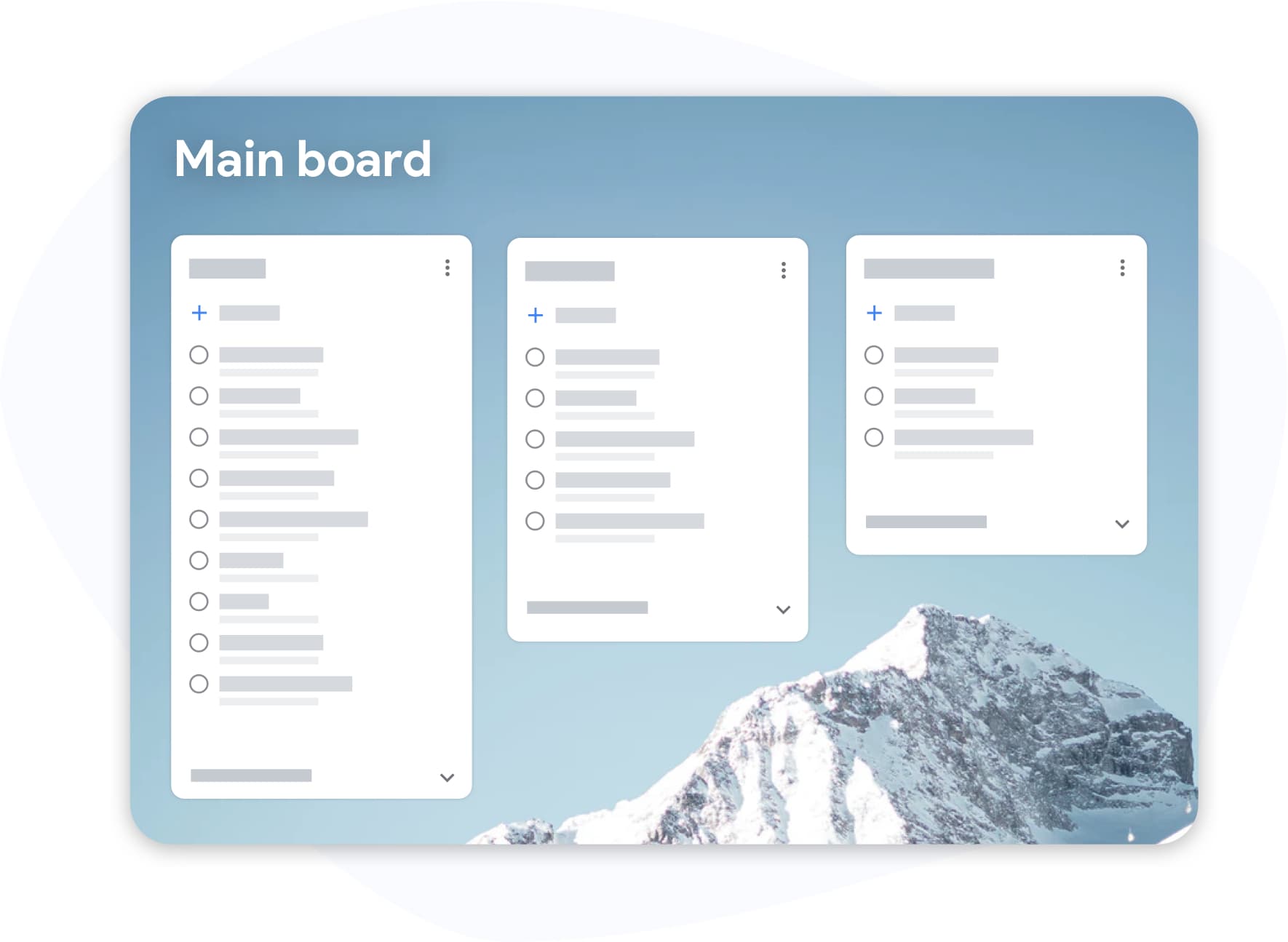
Create one column per course — Biology, History, your thesis, your internship application. Drag tasks between columns as priorities shift.
-
Share your group project list with one link
Send your teammates a sharing link. They see the same board in real time. No more "who's doing what?" in the group chat.
-
Study from anywhere — phone, tablet, laptop
TasksBoard syncs with Google Tasks on iOS, Android, and Google Calendar. Mark something done on your phone; it disappears from the board on your laptop.
Everything Students Actually Need
See your entire semester on one screen
Full-Screen Board View
Stop scrolling through a narrow sidebar. TasksBoard expands Google Tasks to fill your screen — all courses, all deadlines, all in one place.
Group projects without the group chat chaos
Real-Time List Sharing
Share any task list with one link. Your whole team sees updates instantly. Assign tasks, add notes, mark things done — no email chains, no confusion about who does what.
Know your priorities at a glance
Labels and Color Coding
Tag tasks by type: "exam prep", "reading", "due tomorrow", "waiting on professor". Color-code by urgency. Never confuse a light reading with a 30-page paper again.
Your tasks already live on your calendar
Google Calendar Sync
TasksBoard syncs with Google Calendar automatically. Deadlines you add on the board appear in your calendar. No double entry, no drift between systems.
How a CS Student Survived Midterm Week with TasksBoard
Maya is a third-year Computer Science student with four courses, a group project deadline, and a part-time tutoring job. Monday morning she opens TasksBoard and sees five columns — one per course plus "Work Shifts". Her Monday is 3 cards deep: a pull request review, a 500-word reflection, and a problem set.
She shares the "Mobile App Project" list with her two teammates. They add their subtasks. When Lucas marks "wireframe done", Maya sees it immediately and moves "implement UI" to In Progress — without a single message in their group chat.
By Thursday she has cleared 11 tasks. The board is half-empty. She feels it rather than guesses it.
- 4 active course boards visible simultaneously
- Group project shared across 3 students, zero miscommunication
- Synced to phone — she checks off tasks between classes
- Midterms survived without a missed submission
Loved by thousands of users
4.8 / 5 from 1,000+ reviews on the Chrome Web Store
"Always have 101 things to do and this helps me organize and prioritize like no other app can. It syncs to my phone and laptop, and when I add dates to tasks, they automatically integrate into my Google Calendar, which is immensely convenient. I can look at my daily, weekly, and monthly overview in Google Calendar and clearly see how much I was able to accomplish! Great tool indeed. Excited to see how it will evolve over time."

"Seriously, makes my tasks easier to share with the team, and the free version is quite nice for our little office. Eventually, we will expand, and this is definitely a great tool to do that! Syncs with my Workspace and Calendar."

"I love the simple, intuitive interface and the Add to Tasks feature, especially as I work through my emails! Sharing my tasks is also easy. Overall, outstanding and simple to use, and that means a lot with too many complex tasks out there!"

"Great too for managing daily routine and plan tasks. Would be perfect if it was updated for generating reports for statistics. For google tasks and google calendar"





Works with the Google Tools You Already Use
Gmail
Attach an email from your professor directly to a task — syllabus, feedback, submission instructions stay connected to the assignment.
Google Drive
Attach your research notes, shared Google Docs, and presentation files to tasks — everything in one place.
Google Sheets
TasksBoard syncs with Google Calendar automatically. Deadlines you add on the board appear in your calendar. No duplicate entry.
Google Calendar
Check off assignments from your phone; the board updates instantly. Your tasks stay in sync across every device.
Questions From Students
Is TasksBoard free for students?
Yes. The free tier gives you access to the full-screen board view, unlimited tasks, and basic list sharing. Premium adds unlimited sharing, labels, and multiple boards — starting at $3.99/month with a free first week. No student email required.
Do I lose my Google Tasks if I stop using TasksBoard?
Never. TasksBoard reads and writes directly to your Google Tasks. Your data lives in your Google account. Disconnect TasksBoard anytime — all your tasks are still in Google Tasks exactly as you left them.
Can I use TasksBoard for group projects without my teammates paying?
Free tier users can receive and view shared lists. If you hold a Premium plan, you can share with up to five free-tier users per list. So your team can collaborate without everyone needing to pay.
Does it work with Google Classroom?
TasksBoard doesn't connect directly to Google Classroom assignments, but you can manually copy deadlines to Google Tasks in seconds — and then manage everything in one board. Many students do this each Monday as a weekly planning ritual.
Does it work on mobile for studying between classes?
Yes. TasksBoard works in any mobile browser. Your boards sync with the Google Tasks mobile app on iOS and Android, so what you update on the go is reflected everywhere.
Can I organize it by semester, not just by course?
Yes. Use multiple boards — one per semester or one per academic year — and organize lists (columns) inside each board however makes sense to you.
Is my academic data private?
TasksBoard accesses only your Google Tasks data, nothing else. It does not read your emails, documents, or calendar events unless you explicitly attach them to a task. Full privacy policy at tasksboard.com/privacy.
Your Best Semester Starts Today
Free to start. Syncs with Google in 30 seconds. No new app to download.
First week of Premium is free. Then from $3.99/month. Cancel anytime.