Product Backlog: How to Build and Prioritize It Effectively

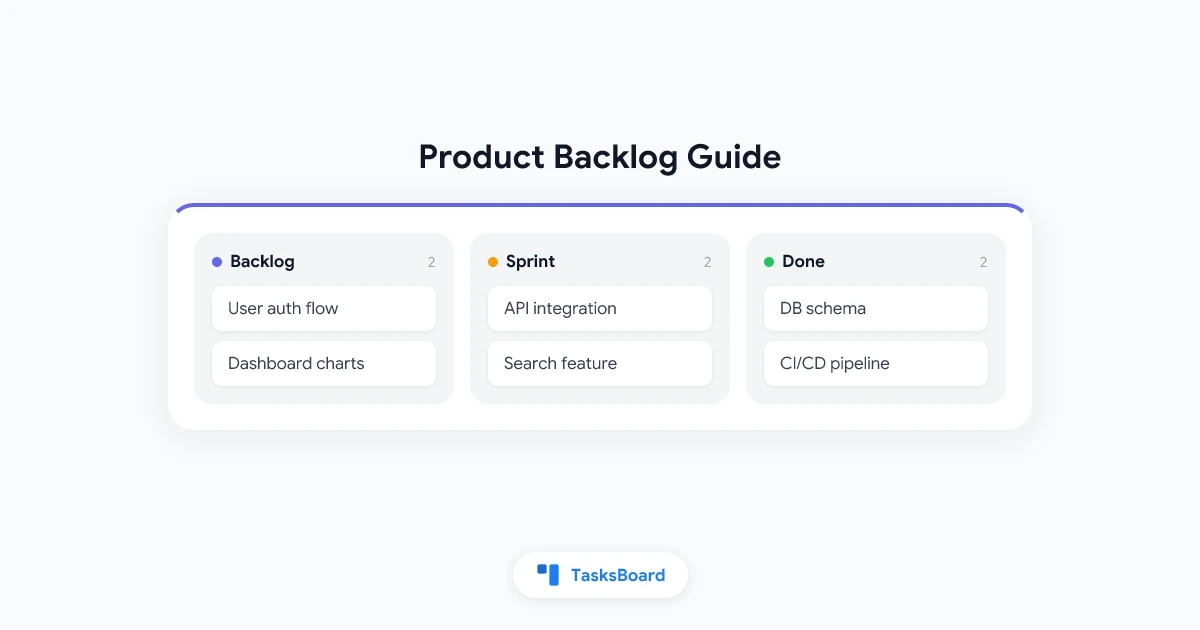
The product backlog is the engine of agile development. Every feature, bug fix, improvement, and technical task that might ever be built lives in the backlog, ordered by priority, sized for estimation, and ready to be pulled into a sprint.
A well-managed backlog is one of the clearest signals of a mature agile team. A neglected backlog with hundreds of items, many irrelevant, unclear priorities, and no estimates is one of the surest signs that the team’s process needs attention.
This guide covers how to build a product backlog from scratch, how to maintain it, and how to ensure it actually drives development rather than sitting as an ungoverned dump of ideas.
What Is a Product Backlog?
In Scrum, the product backlog is an ordered list of everything that might be done to improve the product. It is owned by the Product Owner and is the single source of truth for what the team will work on.
The backlog contains:
- User stories: features described from the user’s perspective
- Bug fixes: defects to be resolved
- Technical debt: improvements to code quality, architecture, or infrastructure
- Spikes: research tasks to reduce uncertainty before committing to a feature
- Non-functional requirements: performance, security, accessibility improvements
Every item in the backlog should be there for a reason: it represents potential value to users or the business. Items that no longer represent value should be deleted, not just deprioritized.
The Product Owner’s Role
The Product Owner (PO) is responsible for the backlog. This means:
- Adding new items as they are identified
- Removing items that are no longer relevant
- Keeping the backlog ordered by priority at all times
- Ensuring the top of the backlog is ready for the development team to work on
The PO does not create the backlog in isolation. Input comes from users, stakeholders, developers, and data. But the PO makes the final call on priority.
This single-owner model is one of agile’s most important principles. Backlogs managed by committee or committee-style voting tend toward compromise rather than clear prioritization, and teams end up working on everything at once.
Writing Good Backlog Items
"User can export data"
"As a user I can filter"
"Add pagination to list"
User Story Format
The standard user story format is:
As a [type of user], I want [some action] so that [some benefit].
Example: “As a project manager, I want to filter tasks by assignee so that I can see my team’s workload at a glance.”
This format forces you to articulate who benefits, what they need, and why. These three pieces of context prevent features from being built for the wrong reason.
Acceptance Criteria
Every backlog item should have acceptance criteria: specific, testable conditions that must be true for the item to be considered done.
Example acceptance criteria for the filter task story:
- Users can filter by one or more assignees simultaneously
- Filtered view updates in real time without a page reload
- Filter state is preserved when the user navigates away and returns
- Unassigned tasks appear when “Unassigned” is selected
Without acceptance criteria, “done” is undefined. With them, both the developer and the tester know exactly what to verify.
INVEST Criteria
Good user stories meet the INVEST criteria:
| Letter | Meaning |
|---|---|
| I | Independent: can be developed without depending on another story |
| N | Negotiable: details can be adjusted in discussion |
| V | Valuable: delivers value to users or the business |
| E | Estimable: the team can estimate the effort required |
| S | Small: can be completed in one sprint |
| T | Testable: has clear acceptance criteria |
Stories that fail these criteria need to be refined before they enter a sprint. This typically happens when they are too large, too vague, or not independently deliverable.
Backlog Prioritization Techniques
Prioritization is where product judgment and data intersect. Several frameworks provide structure for making prioritization decisions.
MoSCoW Method
Categorize each item as Must have, Should have, Could have, or Won’t have (for this release). This creates a simple four-tier priority system that stakeholders can understand and engage with.
RICE Scoring
RICE stands for Reach, Impact, Confidence, Effort. Each item is scored on these dimensions and ranked by RICE score: (Reach × Impact × Confidence) / Effort.
This is quantitative prioritization. It works well when you have data on reach and impact and want a more defensible ranking than gut feel alone.
Value vs. Effort Matrix
Plot each backlog item on a 2x2 matrix: value on one axis, effort on the other. Items in the high-value, low-effort quadrant are quick wins and should be prioritized. Items in the low-value, high-effort quadrant are candidates for removal.
Kano Model
The Kano model categorizes features by how they affect user satisfaction:
- Basic needs: absent causes dissatisfaction. Their presence is expected (must-haves)
- Performance needs: more is better (core features)
- Delighters: unexpected features that increase satisfaction significantly
This framework helps balance must-haves against innovation.
Backlog Grooming (Refinement)
Backlog grooming, also called backlog refinement, is the recurring process of reviewing, updating, and improving backlog items. In Scrum, it typically happens once per sprint as a standalone meeting.
A grooming session includes:
- Reviewing new items: items that were added since the last grooming. Are they written clearly? Do they have acceptance criteria?
- Estimating items: teams estimate the effort for items near the top of the backlog so they are ready for sprint planning.
- Breaking down large items: epics and large stories are decomposed into smaller, sprint-sized items.
- Pruning: removing items that are no longer relevant, outdated, or duplicates.
- Re-prioritizing: adjusting order based on new information, stakeholder feedback, or changed business priorities.
A healthy grooming cadence means that the top of your backlog is always ready for the next sprint: written, estimated, and prioritized.
Keeping the Backlog Healthy
A backlog that grows indefinitely without pruning becomes a burden. Teams stop trusting it because they know it is full of items no one intends to build. Here are the signs of a healthy backlog and how to maintain them.
Signs of a Healthy Backlog
- The top ten to fifteen items are refined and ready for a sprint
- All items have clear titles and acceptance criteria
- The backlog contains no items older than six months that have never been prioritized near the top
- Everyone on the team has read the top of the backlog recently
- Items are regularly removed, not just added
The “If It Won’t Be Built in Six Months, Delete It” Rule
Many teams carry hundreds of backlog items they have no intention of building in the next six months. This creates noise that makes the real priorities harder to see. A useful rule: if an item has been in the bottom third of the backlog for six months, archive or delete it. If it matters, it will resurface.
Separate the Icebox
Some teams maintain an “icebox”: a separate collection of ideas and potential future work that is explicitly not the active backlog. Items in the icebox are not prioritized, not refined, and not estimated. They are just captured for future consideration.
This prevents the icebox from polluting the active backlog and makes the active backlog smaller, cleaner, and more trustworthy.
Product Backlog vs. Sprint Backlog
The product backlog and sprint backlog are related but distinct:
| Product Backlog | Sprint Backlog | |
|---|---|---|
| Scope | Everything that might be built | What the team commits to this sprint |
| Owner | Product Owner | Development team |
| Duration | Ongoing, evolving | One sprint (1–4 weeks) |
| Detail level | Varies (top = detailed, bottom = rough) | All items are fully refined |
| Size | Potentially hundreds of items | Typically 10–20 items |
At sprint planning, the team pulls items from the top of the product backlog into the sprint backlog. This is why the top of the product backlog must always be ready: the sprint planning meeting cannot refine stories in real time for the whole sprint.
Related reading: Sprint Planning: How to Run an Effective Session and User Story Mapping Guide
Tools for Managing a Product Backlog
| Tool | Best For | Backlog Features | Price |
|---|---|---|---|
| Jira | Large engineering teams | Epics, stories, sprints, reporting | $7.75/user/mo |
| Linear | Product engineering teams | Clean UI, cycles, roadmaps | Free / $8/mo |
| TasksBoard | Google Workspace teams | Kanban, shared task lists | Free / Premium |
| Notion | Flexible teams | Custom databases, views | Free / $8/mo |
| Trello | Small teams | Cards, lists, labels | Free / $5/mo |
| Asana | Cross-functional teams | Portfolio, timelines, workload | Free / $10.99/mo |
For teams that use Google Workspace, TasksBoard provides a straightforward way to manage backlog items as shared Google Tasks lists with a kanban board view, without the overhead of a dedicated project management platform.
FAQ
Who owns the product backlog?
The Product Owner owns the backlog and is responsible for its content, order, and availability. The development team contributes estimates and technical input, but the PO makes final prioritization decisions.
How often should the backlog be groomed?
Most Scrum teams groom once per sprint, spending roughly 10% of their sprint capacity on refinement. For a two-week sprint, this is approximately 90 minutes per week.
How large should a product backlog be?
There is no universal answer, but a backlog with more than 100 items is often a sign that old items are not being pruned. Focus on keeping the top 20–30 items refined and ready. The rest can be less detailed.
What is an epic in the context of a product backlog?
An epic is a large user story that is too big to complete in a single sprint. Epics are broken down into smaller stories during backlog refinement. They serve as organizing containers for related features.
How do you handle bugs in the product backlog?
Bugs are treated as backlog items and prioritized against features. Critical bugs typically jump to the top. Minor cosmetic bugs may sit below many features. Some teams maintain a separate bug list and merge it with the backlog only at prioritization time.
What is the difference between a product backlog and a roadmap?
A roadmap communicates planned features and timelines to stakeholders at a high level. A backlog is the internal, operational list of work prioritized for development. Roadmaps are derived from backlogs but present a simplified, time-bound view appropriate for external audiences.
Manage Your Backlog with TasksBoard
A product backlog is only useful if the team can see it, update it, and trust it. TasksBoard turns shared Google Task lists into a visual kanban board, giving your team a simple, collaborative way to manage backlog items without complex setup.
Create lists for your backlog stages (Icebox, Backlog, In Progress, Done), add tasks with descriptions and due dates, and share the board with everyone on the team. It is the shortest path from “what are we building next?” to a clear, shared answer.
Ready to share your Google Tasks?
Get started with TasksBoard for free, no credit card required.
Sign in