Asana vs ClickUp: Which Tool Wins in 2026?

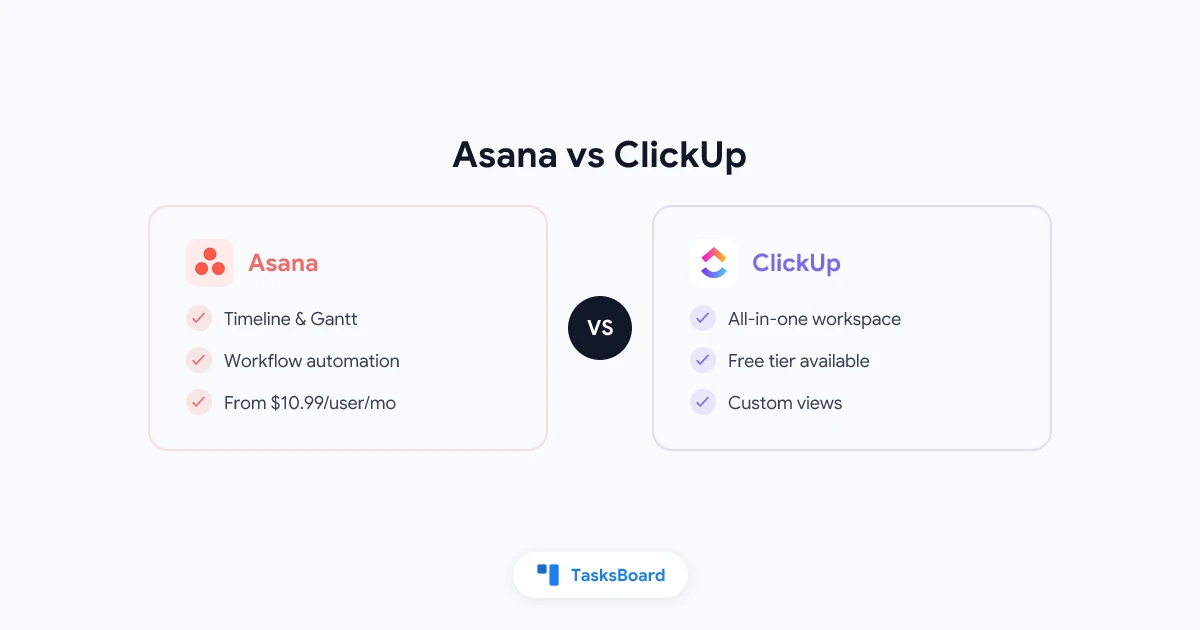
Asana and ClickUp are two of the most widely used project management platforms, and the choice between them comes up constantly for teams evaluating their options. Both tools handle task management, project tracking, and team collaboration. But they take fundamentally different approaches to the problem, and those differences matter depending on what your team actually needs.
This comparison breaks down Asana vs ClickUp across the dimensions that matter most: features, ease of use, pricing, performance, and the types of teams each tool fits best.
Asana vs ClickUp at a Glance
| Feature | Asana | ClickUp |
|---|---|---|
| Free plan | Yes (up to 10 users) | Yes (unlimited users, storage limits) |
| Starting paid price | ~$10.99/user/month | ~$7/user/month |
| Learning curve | Low to medium | High |
| Views available | List, Board, Timeline, Calendar | 15+ views |
| Native docs | No (integrates with Drive, Notion) | Yes |
| Automations | Yes (paid plans) | Yes (free and paid) |
| Time tracking | Via integration | Native |
| Best for | Mid-size teams, marketing, ops | Power users, customization-heavy teams |
Overview: What Each Tool Does
Asana
Asana launched in 2012 and has positioned itself as the project management tool for teams that need structure without complexity. Its interface is clean and opinionated. There are fewer ways to do things in Asana, which means teams spend less time configuring and more time working.
Asana’s core objects are tasks, projects, and portfolios. Every piece of work is a task. Tasks belong to projects, and projects can be grouped into portfolios for executive-level visibility. This hierarchy is simple and predictable.
ClickUp
ClickUp launched in 2017 with an explicit promise to replace all other productivity tools. Its structure is more complex: Workspaces contain Spaces contain Folders contain Lists contain Tasks contain Subtasks. Each level can be customized independently.
ClickUp includes features that other tools charge separately for: native docs, whiteboards, time tracking, goals, and a built-in AI assistant. The breadth is impressive. The tradeoff is a steeper learning curve and a more cluttered interface.
Feature Comparison
Task management
Both tools handle core task management well. You can create tasks, assign them, set due dates, add descriptions, attach files, and comment. The differences are in the details.
Asana keeps task management simple. Custom fields let you add structured data to tasks (priority, status, department), but there are sensible defaults. The task detail pane is clean and fast.
ClickUp tasks can have custom statuses, custom fields, multiple assignees, time estimates, dependencies, tags, and linked tasks. This power is useful for teams with complex workflows. For teams with simpler needs, it is overhead.
Views
Asana offers List, Board, Timeline, Calendar, and Goals views. These cover most team use cases cleanly.
ClickUp offers over fifteen views: List, Board, Gantt, Timeline, Calendar, Table, Mind Map, Workload, and others. The variety is ClickUp’s headline differentiator. Whether you use all fifteen views depends entirely on your team’s workflow.
Automations
Asana automations (called Rules) are available on paid plans. They follow an if-then structure and can trigger actions like task assignment, status changes, and moving tasks between projects. The rule builder is straightforward and intuitive.
ClickUp automations are more powerful and available on the free plan (with usage limits). You can build multi-step automations with conditional logic. ClickUp also offers more native integrations with external services.
Reporting and dashboards
Asana has strong reporting on paid plans. The Workload view shows individual team members’ task load at a glance, which is valuable for capacity management. Portfolio-level reporting lets managers track multiple projects from a single view.
ClickUp dashboards are highly customizable: you can add charts, task lists, and metrics from any combination of Spaces and Lists. The flexibility is greater than Asana’s, but building a useful dashboard takes more configuration time.
Docs and knowledge management
Asana does not have native docs. It integrates well with Google Drive and other document tools, but if you want a native wiki or document system, you need another tool.
ClickUp Docs is built into the platform and supports rich formatting, embedding, and nested pages. For teams that want everything in one place, this is a genuine advantage over Asana.
Ease of Use
This is where Asana and ClickUp diverge most significantly.
Asana is designed to be adopted by non-technical users quickly. A new team member can create a project, add tasks, and start collaborating within thirty minutes without reading documentation. Asana’s opinionated structure helps, since there are fewer wrong ways to set it up.
ClickUp has a notoriously steep learning curve. The flexibility that makes it powerful also makes it easy to set up in ways that do not work well. Teams often need one or two weeks to establish conventions before ClickUp stops feeling chaotic. New team members require meaningful onboarding.
A common pattern: teams are initially attracted to ClickUp’s feature depth, spend several weeks configuring it, and then either find it works exactly as they hoped or revert to something simpler because the maintenance overhead exceeds the productivity benefit.
Pricing
Asana pricing
- Personal (free): Up to 10 users, unlimited tasks and projects, basic views.
- Starter: ~$10.99/user/month (billed annually). Timeline view, automations, custom fields.
- Advanced: ~$24.99/user/month. Portfolios, workload management, advanced reporting.
- Enterprise: Custom pricing. Single sign-on, advanced security, custom onboarding.
For the full current breakdown, see the Asana pricing guide on their official website.
ClickUp pricing
- Free Forever: Unlimited users, 100MB storage, unlimited tasks.
- Unlimited: ~$7/user/month. Unlimited storage, integrations, dashboards.
- Business: ~$12/user/month. Advanced automations, time tracking, custom roles.
- Enterprise: Custom pricing. Advanced security, compliance, priority support.
For details, see the ClickUp pricing breakdown on their official website.
Price comparison verdict
ClickUp’s free plan is more generous than Asana’s. Unlimited users vs. a 10-user cap is a real difference for small teams. For paid plans, ClickUp’s Unlimited tier is cheaper than Asana’s Starter tier, though the feature sets are not directly equivalent.
For large teams, the per-user pricing of both tools adds up quickly. At 50 users, Asana Starter is ~$550/month vs. ClickUp Unlimited at ~$350/month.
Performance and Reliability
Asana is known for consistent performance. The interface loads quickly, and complex projects with hundreds of tasks do not noticeably degrade. Asana has invested heavily in infrastructure stability.
ClickUp has had performance struggles that its user community has documented extensively. Complex workspaces with many views, automations, and custom fields can load slowly. ClickUp has improved performance over recent years, but it still trails Asana on speed and reliability for large teams.
Integrations
Both tools integrate with the major productivity platforms: Slack, Google Workspace, Microsoft Teams, GitHub, Salesforce, and hundreds of others.
Asana’s native integrations tend to be cleaner and better maintained. The Asana-Google Drive integration, for example, makes it easy to attach Drive files to tasks and preview them inline.
ClickUp’s integration breadth is greater, partly because it tries to absorb functionality from other tools. If you want to connect an obscure CRM or vertical software, ClickUp is more likely to have an integration.
Which Teams Should Choose Asana
Asana fits best when:
- Your team includes non-technical members who need to adopt tools quickly.
- You value a clean, predictable interface over maximum flexibility.
- You manage marketing campaigns, content calendars, or cross-functional projects.
- You want portfolio-level visibility across multiple projects without extensive configuration.
- Reliability and performance are non-negotiable.
Asana is the right choice for operations teams, marketing departments, and cross-functional project teams that need to coordinate work without spending time on tool configuration.
Which Teams Should Choose ClickUp
ClickUp fits best when:
- Your team is technically sophisticated and willing to invest time in setup.
- You want docs, whiteboards, goals, and time tracking in a single platform.
- You have complex workflows that require custom statuses, multi-step automations, and custom fields at every level.
- Budget is a constraint and ClickUp’s lower per-user price is meaningful.
- You are a freelancer or solo operator who wants one tool for everything.
ClickUp is the right choice for product development teams, agencies managing client projects, and power users who will use its advanced features rather than paying for them to sit unused.
A Third Option: TasksBoard for Google Workspace Teams
If your team is already in Google Workspace, there is a third option worth considering before adopting either Asana or ClickUp.
TasksBoard is a kanban board built on top of Google Tasks. It syncs with Google Tasks in real time, so your task data lives in the Google ecosystem you already use. Compared to Asana and ClickUp:
- No migration required. Your Google Tasks are already there.
- No per-user fee beyond the TasksBoard subscription.
- Integrates natively with Google Calendar and Gmail.
- Lower learning curve than either Asana or ClickUp.
TasksBoard does not have Asana’s portfolio reporting or ClickUp’s custom views. But for teams that need a shared, visual task board without switching ecosystems, it covers the core use case with minimal overhead.
For a broader comparison of project management options, see the best project management software guide.
Frequently Asked Questions
Is Asana better than ClickUp?
Neither tool is universally better. Asana is better for teams that prioritize ease of use, clean design, and reliable performance. ClickUp is better for teams that need maximum flexibility and are willing to invest time in configuration. The right choice depends on your team’s technical sophistication and workflow complexity.
Which is cheaper, Asana or ClickUp?
ClickUp is cheaper at both the free and paid tiers. ClickUp’s free plan allows unlimited users while Asana’s caps at 10. ClickUp’s Unlimited plan ($7/user/month) is less expensive than Asana’s comparable Starter plan ($10.99/user/month). However, ClickUp’s lower price comes with higher configuration costs in time.
Can you migrate from Asana to ClickUp?
Yes. ClickUp offers a native Asana import tool that migrates projects, tasks, assignees, and comments. The migration preserves most data, though some custom field types and automation configurations will need to be recreated manually.
Does Asana have a free plan?
Yes. Asana’s Personal plan is free for up to 10 users. It includes unlimited tasks and projects, basic list and board views, and integrations with major tools. It does not include Timeline view, automations, or advanced reporting, which require a paid plan.
Which tool is better for remote teams?
Both tools support distributed teams effectively. Asana’s clean interface tends to reduce the onboarding friction that remote teams experience when introducing new tools. ClickUp’s breadth of views and built-in docs can reduce the number of separate tools a remote team needs. The choice depends on your team’s existing tool stack and preference for simplicity vs. flexibility.
Is ClickUp hard to learn?
ClickUp has a significantly steeper learning curve than Asana. Most teams need two to four weeks to establish working conventions in ClickUp before it stops feeling disorganized. ClickUp provides extensive documentation and onboarding videos, but the learning investment is real and should be factored into your decision.
The Verdict: Asana vs ClickUp in 2026
Choose Asana if: your priority is a clean, reliable tool that non-technical team members can adopt quickly, with strong cross-project reporting on paid plans.
Choose ClickUp if: you want maximum flexibility, built-in docs and whiteboards, and are willing to invest time in configuration to get a highly customized workflow.
Choose TasksBoard if: you are already in Google Workspace and want a shared kanban board for your Google Tasks without adding another ecosystem to manage.
For the full list of alternatives to both tools, see the best project management software comparison or compare ClickUp alternatives and Asana alternatives.
Ready to share your Google Tasks?
Get started with TasksBoard for free, no credit card required.
Sign in